
Search the Community
Showing results for tags 'plugin cs'.
Found 18 results
-

Version 1.0.0
116 downloads
Parachute Plugin (No Model) Description: This is a lightweight parachute plugin that works without any external model files. Simple, clean, and functional. Installation: Place the amx_parachute.amxx file into: addons/amxmodx/plugins Open the file: addons/amxmodx/configs/plugins.ini and add the following line at the bottom: amx_parachute.amxx Save and restart your server. CVARs (add these to amxmodx/configs/amxx.cfg): Admin Commands (via console): No admin commands available. Public Commands (in chat, using the Y key): No public commands required. The parachute works automatically. Required Modules: No additional modules required. You do not need to enable anything in modules.ini.Free -

44 downloads
Plugin Description This plugin displays on your HUD the remaining time until the bomb explodes! Installation Copy the bcd_hudtimer.sma file into: addons/amxmodx/scripting Copy the bcd_hudtimer.amxx file into: addons/amxmodx/plugins Open the file addons/amxmodx/configs/plugins.ini and add this line at the end: Follow any additional compilation or setup steps as needed. Settings (Cvars) No configurable settings in amxx.cfg Commands Admin commands: None Public commands: None Required Modules Make sure the csx module is enabled in: amxmodx\configs\modules.ini (remove the semicolon ; at the beginning of the line if present)Free -
View File VIP Clasic Comenzi /vmenu - deschide meniul vipului oricui tasteaza comanda, dar poate fi folosit doar de cei care au flagul 'R' /vip - deschide motd-ul ce ofera informatii despre vip /vips - arata vipii online in chat Cvars /////// Vip Configuration File Submitter COSMIN Submitted 06/02/2020 Category Plugins
-
View File Life Shop Menu Descriere: Cu acest plugin jucatorii isi pot cumpara viata/respawn pe server Instalare: 1. Fisierul lifeshop.amxx il puneti in addons/amxmodx/plugins 2. Intrati in fisierul addons/amxmodx/configs/plugins.ini si adaugati la urma: lifeshop.amxx 3. Alti pasi necesari.... Cvar-uri (se adauga in fisierul amxmodx\configs\amxx.cfg Nu are Comenzi administrative (se tasteaza in consola si trebuie sa fiti administrator): Nu are Comenzi publice (se tasteaza in joc prin apasarea tastei Y): /life /vieti Module necesare (se sterge ; din fata modulului de mai jos, acestea le gasiti in fisierul amxmodx\configs\modules.ini): cnvault amsandwich Submitter COSMIN Submitted 06/11/2020 Category Plugins
-
View File Admin Prefixes Instalare: 1. Fisierul AdminPrefixes.sma il puneti in addons/amxmodx/scripting 2. Fisierul AdminPrefixes.amxx il puneti in addons/amxmodx/plugins 3. Fisierul Admin_prefixes.txt il puneti in addons/amxmodx/data/lang 4. Fisierul ap_prefixes.txt il puneti in addons/amxmodx/configs 5. Fisierul ap_bad_prefixes.txt il puneti in addons/amxmodx/configs 6. Intrati in fisierul addons/amxmodx/configs/plugins.ini si adaugati la urma:AdminPrefixes.amxx 7. Alti pasi necesari.... Cum se seteaza ap_prefixes: Sunt 3 tipuri de tag-uri : "i" "[PREFIX IP]" "123.456.789" - in acest fel persoana cu ip-ul 123.456.789 va avea prefix-ul [PREFIX IP] "n" "[PREFIX NAME]" "Laurr" - in acest fel persoana cu numele Laurr va avea prefix-ul [PREFIX NAME] "f" "[PREFIX FLAG]" "n" - in acest fel persoana cu acces-ul n va avea prefix-ul [PREFIX FLAG] Cum se configureaza ap_bad_prefixes - Daca vrei sa adaugi un nou "BAD PREFIX" , doar scrie fiecare prefix pe o noua linie . "[ROOT ACCES]" "[Owner]" "[Co-Owner]" "[Legend]" Cvar-uri (se adauga in fisierul amxmodx\configs\amxx.cfg): ap_bad_prefixes on (1) off (0) default: 1 Comenzi administrative (se tasteaza in consola si trebuie sa fiti administrator): ap_reload_badprefixes ap_reload_prefixes Comenzi publice (se tasteaza in joc prin apasarea tastei Y): nu detine Module necesare (se sterge ; din fata modulului de mai jos; acestea le gasiti in fisierul amxmodx\configs\modules.ini): cstrike Nvault Submitter COSMIN Submitted 06/12/2020 Category Plugins
-
View File Parachute without model Parachute Plugin (No Model) Description: This is a lightweight parachute plugin that works without any external model files. Simple, clean, and functional. Installation: Place the amx_parachute.amxx file into: addons/amxmodx/plugins Open the file: addons/amxmodx/configs/plugins.ini and add the following line at the bottom: amx_parachute.amxx Save and restart your server. CVARs (add these to amxmodx/configs/amxx.cfg): Admin Commands (via console): No admin commands available. Public Commands (in chat, using the Y key): No public commands required. The parachute works automatically. Required Modules: No additional modules required. You do not need to enable anything in modules.ini. Submitter COSMIN Submitted 06/12/2020 Category Plugins
-
View File Timeleft in Hostname Descriere: Adds the remaining time in h:m:s format to the host name (updated every second). Updates also in players scoreboard, you just can leave it opened and it will update in live time Instalare: Fisierul HostnameTimeleft.amxx il puneti in addons/amxmodx/plugins Fisierul HostnameTimeleft.sma il puneti in addons/amxmodx/scripting Intrati in fisierul addons/amxmodx/configs/plugins.ini si adaugati la urma: HostnameTimeleft.amxx Alti pasi necesari.... Cvar-uri (se adauga in fisierul amxmodx\configs\amxx.cfg sv_hostname_timeleft 0/1 - enable/disable plugin (need maprestart) (default: 1) sv_hostname_style 1-5 - style of showing timeleft (default: 3) Style 1 Code: hostname (Timeleft: 35:20) hostname (No timelimit) Style 2 Code: hostname (35:20) hostname (--:--) Style 3 Code: (35:20) hostname (--:--) hostname Styles 4, 5 means what they will be updated only in scoreboard but not in favourites! Comenzi administrative (se tasteaza in consola si trebuie sa fiti administrator): Nu are Comenzi publice (se tasteaza in joc prin apasarea tastei Y): Nu are Module necesare (se sterge ; din fata modulului de mai jos, acestea le gasiti in fisierul amxmodx\configs\modules.ini): Nu necesita Submitter COSMIN Submitted 06/13/2020 Category Plugins
-
View File Bomb Cooldown Timer Plugin Description This plugin displays on your HUD the remaining time until the bomb explodes! Installation Copy the bcd_hudtimer.sma file into: addons/amxmodx/scripting Copy the bcd_hudtimer.amxx file into: addons/amxmodx/plugins Open the file addons/amxmodx/configs/plugins.ini and add this line at the end: Follow any additional compilation or setup steps as needed. Settings (Cvars) No configurable settings in amxx.cfg Commands Admin commands: None Public commands: None Required Modules Make sure the csx module is enabled in: amxmodx\configs\modules.ini (remove the semicolon ; at the beginning of the line if present) Submitter COSMIN Submitted 09/11/2020 Category Plugins
-
- 1
-

-
- plugin cs
- bomb/defuse
- (and 1 more)
-
View File Steam Bonus About This File ☄ Descriere Acest plugin ofera jucatorilor cu steam urmatoarele beneficii: - Armura - HE, x2FB - Deagle - Defuse Kit Instalare: 1. Compliati fisierul steambonus.sma 2. Fisierul steambonus.amxx il puneti in addons/amxmodx/plugins 3. Intrati in fisierul addons/amxmodx/configs/plugins.ini si adaugati la urma: steambonus.amxx 4. Alti pasi necesari.... Cvar-uri (se adauga in fisierul amxmodx\configs\amxx.cfg): Nu detine. Comenzi administrative (se tasteaza in consola si trebuie sa fiti administrator): Nu detine. Comenzi publice (se tasteaza in joc prin apasarea tastei Y): Nu detine. Module necesare (se sterge ; din fata modulului de mai jos; acestea le gasiti in fisierul amxmodx\configs\modules.ini): Nu detine. Submitter COSMIN Submitted 01/06/2021 Category Plugins
-
Teams Manager All-In-One View File Teams Manager All-In-One Version 0.0.6 by Exolent Introduction Instead of all of the separate team management plugins that I have made, I decided to write a complete one. It includes: auto-join for teams a ratio for teams a limit for each team immunity for admins from all of the above Cvars team_immunity <0/1> - Allows immune admins to not be affected by plugin - 0 = Affect admins with plugin - 1 = Admins are not affected by ratio, team switching or auto-join, but will be affected by balancing - 2 = Admins are not affected by ratio, team switching, auto-join, or balancing - Default: 0 team_immunity_flag <flag(s)> - Flag(s) required to be considered immune - If multiple flags, admins must have them all - Default: "a" team_autojoin_team <0/1/2/5/6> - Team for players to auto-join - 0 = Disabled - 1 = Terrorists - 2 = Counter-Terrorists - 5 = Random (Terrorist or Counter-Terrorist) - 6 = Spectator - Default: 0 team_autojoin_favor <0/1/2> - If you have team_autojoin_team set to 5 and a player is able to join both teams, - This will force a specific team to choose when both teams are viable choices - 0 = Disabled - 1 = Terrorists - 2 = Counter-Terrorists - Default: 0 team_autojoin_class_t <1/2/3/4/5> team_autojoin_class_ct <1/2/3/4/5> - Class for players to choose for auto-join - 1-4 = Normal models - 5 = Random model - Default: 5 team_allow_switch <0/1> - Controls whether players on a team can choose a new team - 0 = Cannot choose new team - 1 = Allow choose new team - Default: 1 team_limit_t <limit> team_limit_ct <limit> - The max players for each team - 0 or 32 = Don't set a limit - Default: 32 team_ratio_t <factor> team_ratio_ct <factor> - The ratio for T:CT players - Example: If T is 3 and CT is 1, then there will be 3 Terrorists for every 1 Counter-Terrorists (or 3x more Terrorists). - If both factors are equal or one of them is 0, then no ratio will be put into effect. - Default: 1 team_balance <method> - How the teams should be checked to be balanced every round - This is for ensuring the limits/ratios are still in effect in case of other plugins moving players - Methods: 0, no, off, none 1, spec, spectate, spectater, spectator 2, move, switch, transfer 3, kick - Method Descriptions: 0 = Don't check to balance the teams 1 = Move excess players to spectator 2 = Move excess players to other team (if not breaking the limit/ratio) or move to spectator 3 = Kick players from server - Default: "off" Requirements AMX Mod X version 1.8.1 or higher Steam WITHOUT dproto installed Changelog Version 0.0.6 (edited by Arkshine) - Fixed typo resulting balancing issue Version 0.0.5 - Added value "2" functionality for cvar team_immunity - Added team_autojoin_favor cvar - Added support for mp_limitteams cvar - Forced mp_limitteams and mp_autoteambalance to 0 after grabbing values to not let the game break the plugin Version 0.0.4 - Rewrote how ratio is calculated Version 0.0.3 - Fixed auto-join bug when value was 5 or 6 Version 0.0.2 - Fixed transferring bug when balancing teams Version 0.0.1 - Initial release Notes If you have auto-join turned on to a specific team, or if you have a team ratio set into place, make sure you have mp_limitteams set to 0 or 32 in your server.cfg file! If you have auto-join set to 5 and mp_limitteams is not 0 or 32, then the auto-join will pick a proper team to not break mp_limitteams. The auto-join feature overrides the allow switching, so if you have auto-join to 1 team, then players cannot switch. If you have any other team managing ideas, please ask as I am always willing to have more features. Submitter Back4Blood Submitted 03/23/2021 Category Plugins
-
View File Chameleon Description: The plugin features the item "chameleon" from war3ft's shopmenu. With a command you can look like the enemy. You will look with random models not only one, the model is saved after round end, but not after a death. Commands: Here are the buying commands: say /chameleon say_team /chameleon Cvars: chameleon 1/0 - Turn on/off the plugin. Default 1 ( turned on ). chameleon_cost "" - Chameleon's price. Default 1600. chameleon_prefix "" - Messages' prefix. Default "chameleon". chameleon_health 1/0 - If the killer will receive a additional health after killing a chameleon. Default 1. (turned on) cham_killer_health "" - What health to receive if the above cvar is turned on. Default 20. cham_killer_max_health "" - Max amount of health which the killer can have. Default 120. chameleon_sounds 0/3 - Who can hear the sound after killing chameleon. Default 1 (all). 0 - Turned off. 1 - All. 2 - Only the killer. 3 - Only the victim. cham_infomsg_show_time "" - Time for repeating the info message. Default 180 seconds (3 minutes). cl_minmodels_check_time "" - Time between cl_minmodels value checks. Default 30 seconds. Modules: engine cstrike fun Submitter Back4Blood Submitted 10/30/2023 Category Plugins
-

3 downloads
Description: The plugin features the item "chameleon" from war3ft's shopmenu. With a command you can look like the enemy. You will look with random models not only one, the model is saved after round end, but not after a death. Commands: Here are the buying commands: say /chameleon say_team /chameleon Cvars: chameleon 1/0 - Turn on/off the plugin. Default 1 ( turned on ). chameleon_cost "" - Chameleon's price. Default 1600. chameleon_prefix "" - Messages' prefix. Default "chameleon". chameleon_health 1/0 - If the killer will receive a additional health after killing a chameleon. Default 1. (turned on) cham_killer_health "" - What health to receive if the above cvar is turned on. Default 20. cham_killer_max_health "" - Max amount of health which the killer can have. Default 120. chameleon_sounds 0/3 - Who can hear the sound after killing chameleon. Default 1 (all). 0 - Turned off. 1 - All. 2 - Only the killer. 3 - Only the victim. cham_infomsg_show_time "" - Time for repeating the info message. Default 180 seconds (3 minutes). cl_minmodels_check_time "" - Time between cl_minmodels value checks. Default 30 seconds. Modules: engine cstrike funFree -
7 downloads
Teams Manager All-In-One Version 0.0.6 by Exolent Introduction Instead of all of the separate team management plugins that I have made, I decided to write a complete one. It includes: auto-join for teams a ratio for teams a limit for each team immunity for admins from all of the above Cvars team_immunity <0/1> - Allows immune admins to not be affected by plugin - 0 = Affect admins with plugin - 1 = Admins are not affected by ratio, team switching or auto-join, but will be affected by balancing - 2 = Admins are not affected by ratio, team switching, auto-join, or balancing - Default: 0 team_immunity_flag <flag(s)> - Flag(s) required to be considered immune - If multiple flags, admins must have them all - Default: "a" team_autojoin_team <0/1/2/5/6> - Team for players to auto-join - 0 = Disabled - 1 = Terrorists - 2 = Counter-Terrorists - 5 = Random (Terrorist or Counter-Terrorist) - 6 = Spectator - Default: 0 team_autojoin_favor <0/1/2> - If you have team_autojoin_team set to 5 and a player is able to join both teams, - This will force a specific team to choose when both teams are viable choices - 0 = Disabled - 1 = Terrorists - 2 = Counter-Terrorists - Default: 0 team_autojoin_class_t <1/2/3/4/5> team_autojoin_class_ct <1/2/3/4/5> - Class for players to choose for auto-join - 1-4 = Normal models - 5 = Random model - Default: 5 team_allow_switch <0/1> - Controls whether players on a team can choose a new team - 0 = Cannot choose new team - 1 = Allow choose new team - Default: 1 team_limit_t <limit> team_limit_ct <limit> - The max players for each team - 0 or 32 = Don't set a limit - Default: 32 team_ratio_t <factor> team_ratio_ct <factor> - The ratio for T:CT players - Example: If T is 3 and CT is 1, then there will be 3 Terrorists for every 1 Counter-Terrorists (or 3x more Terrorists). - If both factors are equal or one of them is 0, then no ratio will be put into effect. - Default: 1 team_balance <method> - How the teams should be checked to be balanced every round - This is for ensuring the limits/ratios are still in effect in case of other plugins moving players - Methods: 0, no, off, none 1, spec, spectate, spectater, spectator 2, move, switch, transfer 3, kick - Method Descriptions: 0 = Don't check to balance the teams 1 = Move excess players to spectator 2 = Move excess players to other team (if not breaking the limit/ratio) or move to spectator 3 = Kick players from server - Default: "off" Requirements AMX Mod X version 1.8.1 or higher Steam WITHOUT dproto installed Changelog Version 0.0.6 (edited by Arkshine) - Fixed typo resulting balancing issue Version 0.0.5 - Added value "2" functionality for cvar team_immunity - Added team_autojoin_favor cvar - Added support for mp_limitteams cvar - Forced mp_limitteams and mp_autoteambalance to 0 after grabbing values to not let the game break the plugin Version 0.0.4 - Rewrote how ratio is calculated Version 0.0.3 - Fixed auto-join bug when value was 5 or 6 Version 0.0.2 - Fixed transferring bug when balancing teams Version 0.0.1 - Initial release Notes If you have auto-join turned on to a specific team, or if you have a team ratio set into place, make sure you have mp_limitteams set to 0 or 32 in your server.cfg file! If you have auto-join set to 5 and mp_limitteams is not 0 or 32, then the auto-join will pick a proper team to not break mp_limitteams. The auto-join feature overrides the allow switching, so if you have auto-join to 1 team, then players cannot switch. If you have any other team managing ideas, please ask as I am always willing to have more features.Free-
- 1
-
-
- teams manager all-in-one
- cs16
- (and 2 more)
-

107 downloads
About This File ☄ Descriere Acest plugin ofera jucatorilor cu steam urmatoarele beneficii: - Armura - HE, x2FB - Deagle - Defuse Kit Instalare: 1. Compliati fisierul steambonus.sma 2. Fisierul steambonus.amxx il puneti in addons/amxmodx/plugins 3. Intrati in fisierul addons/amxmodx/configs/plugins.ini si adaugati la urma: steambonus.amxx 4. Alti pasi necesari.... Cvar-uri (se adauga in fisierul amxmodx\configs\amxx.cfg): Nu detine. Comenzi administrative (se tasteaza in consola si trebuie sa fiti administrator): Nu detine. Comenzi publice (se tasteaza in joc prin apasarea tastei Y): Nu detine. Module necesare (se sterge ; din fata modulului de mai jos; acestea le gasiti in fisierul amxmodx\configs\modules.ini): Nu detine.Free -

38 downloads
Descriere: Adds the remaining time in h:m:s format to the host name (updated every second). Updates also in players scoreboard, you just can leave it opened and it will update in live time Instalare: Fisierul HostnameTimeleft.amxx il puneti in addons/amxmodx/plugins Fisierul HostnameTimeleft.sma il puneti in addons/amxmodx/scripting Intrati in fisierul addons/amxmodx/configs/plugins.ini si adaugati la urma: HostnameTimeleft.amxx Alti pasi necesari.... Cvar-uri (se adauga in fisierul amxmodx\configs\amxx.cfg sv_hostname_timeleft 0/1 - enable/disable plugin (need maprestart) (default: 1) sv_hostname_style 1-5 - style of showing timeleft (default: 3) Style 1 Code: hostname (Timeleft: 35:20) hostname (No timelimit) Style 2 Code: hostname (35:20) hostname (--:--) Style 3 Code: (35:20) hostname (--:--) hostname Styles 4, 5 means what they will be updated only in scoreboard but not in favourites! Comenzi administrative (se tasteaza in consola si trebuie sa fiti administrator): Nu are Comenzi publice (se tasteaza in joc prin apasarea tastei Y): Nu are Module necesare (se sterge ; din fata modulului de mai jos, acestea le gasiti in fisierul amxmodx\configs\modules.ini): Nu necesitaFree -

29 downloads
Instalare: 1. Fisierul AdminPrefixes.sma il puneti in addons/amxmodx/scripting 2. Fisierul AdminPrefixes.amxx il puneti in addons/amxmodx/plugins 3. Fisierul Admin_prefixes.txt il puneti in addons/amxmodx/data/lang 4. Fisierul ap_prefixes.txt il puneti in addons/amxmodx/configs 5. Fisierul ap_bad_prefixes.txt il puneti in addons/amxmodx/configs 6. Intrati in fisierul addons/amxmodx/configs/plugins.ini si adaugati la urma:AdminPrefixes.amxx 7. Alti pasi necesari.... Cum se seteaza ap_prefixes: Sunt 3 tipuri de tag-uri : "i" "[PREFIX IP]" "123.456.789" - in acest fel persoana cu ip-ul 123.456.789 va avea prefix-ul [PREFIX IP] "n" "[PREFIX NAME]" "Laurr" - in acest fel persoana cu numele Laurr va avea prefix-ul [PREFIX NAME] "f" "[PREFIX FLAG]" "n" - in acest fel persoana cu acces-ul n va avea prefix-ul [PREFIX FLAG] Cum se configureaza ap_bad_prefixes - Daca vrei sa adaugi un nou "BAD PREFIX" , doar scrie fiecare prefix pe o noua linie . "[ROOT ACCES]" "[Owner]" "[Co-Owner]" "[Legend]" Cvar-uri (se adauga in fisierul amxmodx\configs\amxx.cfg): ap_bad_prefixes on (1) off (0) default: 1 Comenzi administrative (se tasteaza in consola si trebuie sa fiti administrator): ap_reload_badprefixes ap_reload_prefixes Comenzi publice (se tasteaza in joc prin apasarea tastei Y): nu detine Module necesare (se sterge ; din fata modulului de mai jos; acestea le gasiti in fisierul amxmodx\configs\modules.ini): cstrike NvaultFree -

Version 1.0.0
5 downloads
Descriere: Cu acest plugin jucatorii isi pot cumpara viata/respawn pe server Instalare: 1. Fisierul lifeshop.amxx il puneti in addons/amxmodx/plugins 2. Intrati in fisierul addons/amxmodx/configs/plugins.ini si adaugati la urma: lifeshop.amxx 3. Alti pasi necesari.... Cvar-uri (se adauga in fisierul amxmodx\configs\amxx.cfg Nu are Comenzi administrative (se tasteaza in consola si trebuie sa fiti administrator): Nu are Comenzi publice (se tasteaza in joc prin apasarea tastei Y): /life /vieti Module necesare (se sterge ; din fata modulului de mai jos, acestea le gasiti in fisierul amxmodx\configs\modules.ini): cnvault amsandwichFree -
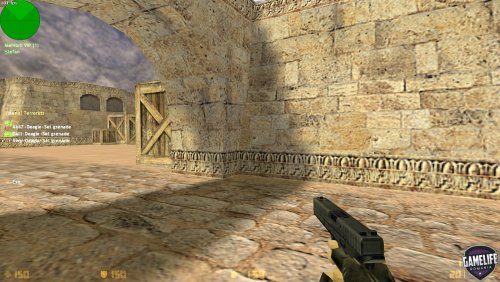
Version 9.0
68 downloads
Comenzi /vmenu - deschide meniul vipului oricui tasteaza comanda, dar poate fi folosit doar de cei care au flagul 'R' /vip - deschide motd-ul ce ofera informatii despre vip /vips - arata vipii online in chat Cvars /////// Vip Configuration FileFree