Plugins
110 files
-
Descriere: Acest plugin arata admini Online folosind comanda amx_who in consola.
Running: (Care este versiunea de amxmodx) 1.8.1 1.8.2 1.8.3 1.9.0 1.10.0
* Instalare:
1. Fisierul amx_who.amxx il puneti in addons/amxmodx/plugins
2. Fisierul amx_who.sma il puneti in addons/amxmodx/scripting : Sursa PM Marian
3. Fisierul users.ini il puneti in addons/amxmodx/configs
4. Intrati in fisierul addons/amxmodx/configs/plugins.ini si adaugati la urma:
Gradele asa arata :
[RESPAWN]
"[1] Fondator ",
"[2] Owner ",
"[3] Co-Owner ",
"[4] Manager ",
"[5] Administrator ",
"[6] Super-Moderator ",
"[7] Moderator-Global ",
"[8] Moderator ",
"[9] Helper ",
"[10] VIP",
"[11] Slot ",
"[12] Premium "
[RESPAWN]
- Free
- 59 Downloads
Submitted -
Daca Esti Admin Scrie , Bine Ai Venit (Nick) . Esti Admin Fa Ordine Pe (Cs.Nume.Ro).
Daca Esti Player Scrie , Bine Ca Ai Revenit , (Distractie Placuta).
Running: (Care este versiunea de amxmodx) 1.8.1 1.8.2 1.8.3 1.9.0 1.10.0
* Instalare:
1. Fisierul welcome_again.amxx il puneti in addons/amxmodx/plugins
2. Fisierul welcome_again.sma il puneti in addons/amxmodx/scripting sursa in PM
3. Fisierul welcome_again.txt il puneti in addons/amxmodx/data/lang
4. Intrati in fisierul addons/amxmodx/configs/plugins.ini si adaugati la urma:
- Free
- 47 Downloads
Submitted -
LOL_MSG_DOUBLE_KILL = !g%s!y has slain !t%s!y for a double kill!
LOL_MSG_TRIPLE_KILL = !g%s!y has slain !t%s!y for a triple kill!
LOL_MSG_QUADRA_KILL = !g%s!y has slain !t%s!y for a quadra kill!
LOL_MSG_PENTA_KILL = !g%s!y has slain !t%s!y for a penta kill!
- Free
- 10 Downloads
Submitted -
- Free
- 84 Downloads
Submitted -
- Free
- 63 Downloads
Updated -
Numele Plugin-ului : Report players
Autorul : Yvezzaint | Eu
Descriere : Acesta este un plugin de report-uri, daca nu este niciun admin online, playerii vor putea raporta un player si un mesaj va fi trimis pe discord-ul staff-ului, aducand-ule la cunostinta problema curenta de pe server.
Cvars :
- report_admin_flags "flag", initial este pe valoarea "d", pentru a-i considera admini pe cei care au access la ban.
- report_forum "reclama.ro", initial este pe valoarea "forum.ro", forumul va aparea in footer-ul mesajului de pe discord.
Comenzi :
- /ticket prin say si say_team | y & u
Imagini :
Mod de instalare :
- Descris in arhiva, doar compilati sursa din scripting si o puneti in amxmodx/plugins
Link Download : https://www.mediafire.com/file/vqrfam2t2yd4nb5/Report+System.rar/file
Alte Precizări:
- A fost creat pentru versiunile 1.9.0 (+)
- Necesita easy_http ( prezent in arhiva )
- Free
- 21 Downloads
Submitted -
This plugin allows to restrict some paths on any map you want. Basically when number of players are low this plugin will block some path in order to make a better gameplay and less aggressive. There always is a player that walks around the map and does nothing, instead of following the object that map contains
Cvar:
amx_number_players - Check's how many players both teams must have in order to unlock paths - Default: "7"
Command:
amx_boxmanagment - This menu can be used admin with flag 'L' or ADMIN_RCON to be precise. This menu can modify/add/remove objects on 1 map. All those objects will be save on a file located here: 'cstrike/addons/amxmodx/configs/mode/map_name.ini'. You can edit angles on three position (X, Y, Z), main position, hitboxes position, sprite position, and sprite's angles.- Free
- 138 Downloads
Updated -
Description:
- With this plugin if you have a dr server, you can buy items - Kill a enemy to get points! You need points to buy items! - Points are saved automatically when player has disconnected, and loaded when player is connecting. - W00t.
Commands:
In console( admin access ):
deathrun_set_points - <name/@all> <points> - set points to a player deathrun_reset_points - <name/@all> - reset player points
Say or Say_Team:
/drshop - open shop menu /mypoints - show your points
Modules:
nvault fun fakemeta hamsandwich
Cvars:
// Plugin enabled? deathrun_shop "1" // He item cost deathrun_he_cost "10" // Both grenades cost deathrun_bothgrenades_cost "20" // Silent cost deathrun_silent_cost "24" // Health cost deathrun_health_cost "30" // Armor cost deathrun_armor_cost "15" // Speed cost deathrun_speed_cost "39" // Gravity cost deathrun_gravity_cost "41" // Invisibility cost deathrun_invisibility_cost "69" // Speed power cvar deathrun_speed_power "800.0" // Gravity power cvar deathrun_gravity_power "0.3" // Enable advertise message? deathrun_advertise_message "1" // Health item cvar deathrun_health_points "255" // Armor item cvar deathrun_armor_points "400" // Advertise time, in case if is enabled deathrun_advertise_time "7.0" // Percent to invisibility.. -> 0 to 255 (100 default) deathrun_invisibility_percentage "111" // Bonus points when you kill an enemy deathrun_killer_bonuspoints "5" // Lost points for suicider deathrun_suicider_loose_points "3" // Save player points on disconnect? deathrun_save_points "1" // Noclip item cost deathrun_noclip_cost "50" // Noclip duration deathrun_noclip_duration "2" // Jetpack item cost deathrun_jetpack_cost "60" // Jetpack duration deathrun_jetpack_duration "10" // Deagle item cost deathrun_deagle_cost "31" // Longjump item duration deathrun_longjump_duration "6" // Longjump item cost deathrun_longjump_cost "46" // Cost for glow deathrun_glow_cost "8" // Cost for nvg deathrun_nvg_cost "33"
Items:
- HE Grenade: (buy a hegrenade, to attack the terorist or ct)
- HE + Flashbang Grenade: ( [PACK]: flashbang to blind enemy, he for attack)
- Silent Walk: (silent footsteps)
- +%d Health Points: (more health yay! / can be changed by cvar )
- +%d Armor Points: (more armor / -- || -- )
- Speed: (usefull to trick the enemy on traps)
- Gravity: (usefull to trick the enemy on traps)
- 100% Invisibility: (percent from 0 to 255 )
- Glow (for fun): random colors, random tickness
- Jetpack: press SPACE to fly with jetpack
- Noclip noclip for X seconds
- Long Jump: for X seconds
- Deagle: you get a deagle with a single clip. 7 bullets
- Nightvision: for dark maps ;)
- Point system works on your SteamID, so you need STEAM
- Free
- 2 Downloads
Submitted -
Chat Manager
☄ Description
The best of its kind plugin that allows you to take full control over your in-game chat. With this plugin you can add admin prefixes, custom player prefixes, different chat color for each player, different chat styles, colored names, change the team prefixes, change the dead prefix, add a prefix for alive players, add city and country, show the IP and SteamID in chat, date and time, log the chat and many more!
☄ Information
You will find two plugins in the archive. The first one (crx_chatmanager) is the main plugin, and the second one (crx_chatmanager_toggle) contains the command /cm that allows players to turn on/off their prefix, chat color and custom name. There's no need to add the second plugin if you don't want players to have access to such settings.
☄ Commands
The only command found in the main plugin is the command cm_reload that allows admins to immediately reload the configuration file.
☄ Main settings
The main settings can be found in the [Main Settings] section in the file configs/ChatManager.ini.
ALL_CHAT -- if set to 1, all players will see all chats independant of whether they are dead or alive, this won't let them view the other team's private chat however; setting it to 2 will let them view the team chats as well
ADMIN_LISTEN_FLAGS -- players with this flag (or these flags) will be able to see all chats at all time
ADMIN_LISTEN_TEAM_CHAT -- whether players with the admin listen flag will be able to see the opposite team's chat
GLOBAL_CHAT_FLAG -- when a player with this flag writes in chat, it will be visible for all players at all times
GLOBAL_CHAT_TEAM -- whether players with global chat will be visible when writing in their team's private chat
BLOCK_FIRST_SYMBOLS -- messages starting with these symbols will be hidden in chat (you can use this to hide messages starting with "/")
DEAD_PREFIX -- the prefix for dead players (*DEAD*)
ALIVE_PREFIX -- the prefix for alive players (you can leave it blank)
SPEC_PREFIX -- the standard *SPEC* prefix for spectators
TEAM_PREFIX_T -- (Terrorist) prefix
TEAM_PREFIX_CT -- (Counter-Terrorist) prefix
TEAM_PREFIX_SPEC -- (Spectator) prefix
ERROR_TEXT -- what will show up when an invalid value is recieved
FORMAT_TIME -- how to show the time when using %time% (more info here)
CHAT_LOG_FILE -- chat messages will be logged in this file; leave it blank if you want to disable logging
CHAT_LOG_SAY_FORMAT -- the format that will be used when logging messages from the say chat
CHAT_LOG_TEAM_FORMAT -- the format that will be used when logging messages from the say_team chat
SAY_SOUND -- here you set a sound that will be played when sending a message in the say chat
SAY_TEAM_SOUND -- here you set a sound that will be played when sending a message in the say_team chat
EXPIRATION_DATE_FORMAT -- date format used with expiration dates (more info here)
EXPIRATION_DATE_BEHAVIOR -- what to do when the date for a specific extra has expired - 0 = ignore the entire line; 1 = put a "#" symbol in the beginning of the line; 2 = remove the entire line from the file
COLORCHAT_FLAG -- players with this flag can use color codes in their message (&x01, &x03, &x04) in order to modify their message color
SAY_METHOD -- whether the plugin will hook the "say" and "say_team" commands or the "SayText" message
☄ Adding prefixes, chat colors and custom names
These things can be added in the [Admin Prefixes], [Chat Colors] and [Name Customization] sections.
The names are pretty self-explainatory, so I don't think that additional instructions are needed.
You can find examples and a syntax in the .ini file.
A new prefix, color or name can be added on a new line in the respective section.
When adding something, you can choose if you want to add it on a certain flag, name, IP address, etc.
In the list down below you will find all types of data that can be used when adding an extra.
flag -- adds the extra if the player has all of the flags specified in the "info" argument
anyflag -- adds the extra if the player has at least one of the flags specified in the "info" argument
name -- adds the extra if the player's name is equal to the one specified in the "info" argument
ip -- adds the extra if the player's IP address is equal to the one specified in the "info" argument
steam -- adds the extra if the player's SteamID is equal to the one specified in the "info" argument
noprefix -- adds the extra if the player doesn't have a prefix
For example, if you write "flag" "mnop" "[VIP]", players with flags "mnop" will receive the prefix [VIP].
If a player meets the requirements for more than one prefix/color/name, he will get the one that's highest in the list.
You can also set an expiration date for the extras by adding the expiration date in the end of the line. For example, if you want to add a prefix for the player named OciXCrom that will expire on 20.09.2019, you need to type "name" "OciXCrom" "[Prefix]" "20.09.2019" on a new line in the [Admin Prefixes] section.
☄ Defining chat formats
Formats determine how the chat is going to look. You can set a different chat style for each player in the [User Formats] section, but first you need to define the formats in the [Format Definitions] section. You can use the following placeholders when defining formats:
$admin_prefix$ -- the admin prefix set in the [Admin Prefixes] section
$dead_prefix$ -- *DEAD* prefix (and the alive one, if set)
$team$ -- player's team
$name$ -- player's real name
$custom_name$ -- player's custom name set in the [Name Customization] section
$ip$ -- player's IP address
$steam$ -- player's SteamID
$userid$ -- player's userid
$chat_color$ -- player's chat color set in the [Chat Colors] section
$message$ -- the actual message
$time$ -- time/date
You can also use the following ones, but since they are disabled by default, you need to enable them in the .sma file. To enable a placeholder, you need to remove the "//" from the line that contains #define in the beginning of the file, and recompile the plugin after.
$health$ -- player's health
$armor$ -- player's armor
$frags$ -- player's frags
$deaths$ -- player's deaths
$city$ -- player's city
$country$ -- player's country
$country_code$ -- player's country code
$continent$ -- player's continent
$continent_code$ -- player's continent code
☄ Color codes list
&x07 = red
&x06 = blue
&x05 = grey
&x04 = green
&x03 = team color
&x01 = default
- Free
- 36 Downloads
Submitted -
Compile both plugins. Then put them in addons.
OciXCrom's Rank System [XP|Levels|Ranks]
☄ Description
A fully optimized and easy to use rank system, containing tons of options and an API for creating sub-plugins. Unlike other plugins like this where in order to add/remove or change ranks and the required XP for them, the end-user has to make changes in the .sma file and recompile the plugin, this one does everything through a configuration file that doesn't require any scripting skills nor recompiling the plugin after a change has been made. The plugin has an option to set different XP rewards for different in-game events, such as killing a player, headshot, suicide, teamkill, planting/defusing the bomb and so on. You can even specify different rewards for any weapon in the game.
☄ Information
- Free
- 256 Downloads
Updated -
Descriere: Pluginul Amx Gore pentru CS 1.6 adaugă sânge real jocului după ce a ucis jucători. Acum jocul tău va părea mai intens decât era înainte. Un plugin excelent care nu cauzează probleme la contactarea serverului și, de asemenea, potrivit pentru orice servere publice chiar și astăzi.
Autor (nume): mortall
Nume (numele pluginului respectiv): Gore_Ultimate
Comenzi publice (comenzile ce se execută pe server): amx_(comanda) / Cvars: Nu are
Instalare:
1. Fisierul gore_ultimate.amxx il puneti in addons/amxmodx/plugins
2. Intrati in fisierul addons/amxmodx/configs/plugins.ini si adaugati la urma:
gore_ultimate.amxx
- Free
- 22 Downloads
Updated -
: | Description | :
This plugin show your country in your name, example ( if my pseudo is : Bboy Grun )
[FR] Bboy Grun ( if i'm from France )
[DE] Bboy Grun ( if i'm from Germany )
[BE] Bboy Grun ( if i'm from Belgium )
[??] Bboy Grun ( if plugin wasn't able to cath my country )
This plugin uses Geoip module.
: | Cvars | :
bot_tag (DEFAULT = 0) :
0 --> Show [??]
1 --> Show [BOT]
2 --> Show [LAN]
lan_tag (DEFAULT = 0) :
0 --> [??]
1 --> [LAN] if ip is LAN, else [??]
( Didn't find it in AlliedMods, so, why not post it :d )
EDIT : If the player leaves the server, the country will not stay on his name ;)
I let the first plugin which only do [??] or [COUNTRY], if you just want these features.
- Free
- 22 Downloads
Submitted -
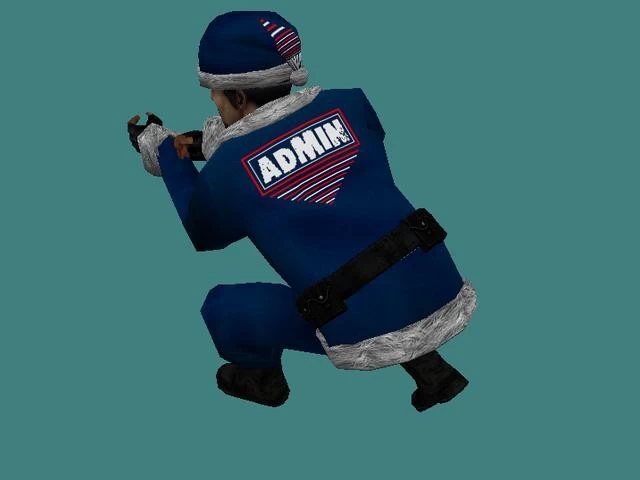
**Descriere:** - Cu acest plugin pe serverul dvs., administratorii dvs. au acces ADMIN KICK va avea modele speciale, in acest caz puteti face diferenta intre un admin si un jucator normal. - Acesta este un sezon de admin-modele pentru iarnă, știu că este puțin prea devreme pentru acest plugin, dar vreau să îl aveți înainte de momentul potrivit, pentru că veți avea timp să vă gândiți dacă doriți să îl utilizați sau nu . - **Instalare:** - După ce descărcați acest plugin, veți găsi un fișier rar numit **Winter Admin-Models**, un-rar acel fișier în interior veți găsi 2 foldere ..1 se numește **plugin** iar celălalt se numește **resurse**, acum intră în acel folder numit **resources** și vei găsi alte 2 foldere, copiază acele 2 foldere pe serverul tău cu această destinație **cstrike/models/player** , puneți-le alături de celelalte dosare pe care le aveți acolo. - Acum intră în alt folder din
- Free
- 29 Downloads
Submitted -
Nume: amx_who
Autor: justMe.
Versiune: 2.0
Descriere: Acest plugin arata admini Online folosind comanda amx_who in consola. Atentie! Pentru a functiona acest plugin trebuie sa adaugati si pluginul admincmd modificat de mine. L-am lasat in fisierul plugins si scripting.
Poze: -
* Instalare:
1. Fisierul amx_who.sma il puneti in addons/amxmodx/scripting
2. Fisierul amx_who.amxx il puneti in addons/amxmodx/plugins
3. Intrati in fisierul addons/amxmodx/configs/plugins.ini si adaugati la urma: amx_who.amxx
* Comenzi publice (Comenzi in Consola):
amx_who - afiseaza admini online ( In consola )
* Module necesare (se sterge ; din fata modulului de mai jos; acestea le gasiti in fisierul amxmodx\configs\modules.ini):
- amxmodx
- amxmisc
- Free
- 31 Downloads
Submitted -
Descriere: este un plugin vip ce contine vip silver/gold, vip silver beneficiaza din runda 3 de meniu are cu ak si m4, vip gold beneficiaza de meniu arme ak, m4, awp, x2 jump, 120 hp si 100 ap spawn, hp pe kill normal/headshot la fel si ap, poate fi blocat pe mapele puse in .sma
Autor (nume): FanTa.
Nume (numele pluginului respectiv): Vip Classic Silver/Gold
Comenzi publice (comenzile ce se execută pe server): amx_(comanda) / Cvars:
amx_cvar vip_jumps "1" // 1 = 2 | 0 = 1 | 2 = 3
amx_cvar show_vipmenu "3" // din a cata runda sa deschida meniul de vip
amx_cvar spawn_hp "120" // seteaza cat hp vrei la spawn
amx_cvar spawn_ap "100" // seteaza cata armura vrei la spawn
amx_cvar killhp "5" // seteaza cat hp vrei pe kill normal
amx_cvar hskillhp "10" // seteaza cat hp vrei pre kill tip headshot
amx_cvar killap "5" // seteaza cata armura vrei pe kill normal
amx_cvar hskillap "10" // seteaza cata armura vrei pe kill tip headshot
Instalare:
Fisierul VipClassic.sma il puneti in addons/amxmodx/scripting
Fisierul VipClassic.amxx il puneti in addons/amxmodx/plugins
Intrati in fisierul addons/amxmodx/configs/plugins.ini si adaugati la urma linia: VipClassic.amxx
- Free
- 59 Downloads
Submitted -
Say Commands
molotov Buy a Molotov
/molotov Buy a Molotov
Console Commands
molotov_give <player|@all|@t|@ct|@al|@ax|@br|@b|@r|@y|@g > Give Molotovs to a player, everyone, or specified team
molotov_cocktail [0|1] Enable(1)/Disable(0) the plugin (If no arguments, show the status)
molotov_override [0|1] Enable(1)/Disable(0) the standard grenade override (If no arguments, show the status)
Configuration
CVARs
molotov_enabled <0|1> (Default: 1) Enable(1)/Disable(0) the plugin
molotov_price <N> (Default: 1200) Set the Molotov price (Counter-Strike only)
molotov_damage <N> (Default: 50) Set the damage done by initial Molotov explosion
molotov_radius <N> (Default: 150) Set the radius of Molotov damage
molotov_firetime <N> (Default: 6) Duration (in seconds) of fire effects, sounds, etc.
molotov_firedamage <N> (Default: 3) Amount of damage done by fire effects (every 0.2 secs)
molotov_ff <0|1|-1|-2> (Default: 1) Set Molotov friendly fire status (Was molotov_tk)
0 - Disable friendly fire for Molotov (regardless of mp_friendlyfire)
1 - Enable friendly fire for Molotov (regardless of mp_friendlyfire)
-1 - Use mp_friendlyfire value (v3.21+)
-2 - Check bit 5 (decimal: 16) of mp_teamplay (DOD and TFC only) (v3.21+)
molotov_override_he <0|1> (Default: 0) Override the mod's standard grenade automatically with Molotov (Was molotov_tempoverride)
molotov_max <N> (Default: 1) Limit carried Molotovs to this amount (Does not work with override)
(Recommended: CSTRIKE: ≤ 10; DOD: ≤ 9; TFC: ≤ 4;)
molotov_buyzone <0|1> (Default: 1) Limit Molotov buying to buyzone (Counter-Strike only)
molotov_menu <0|1> (Default: 0) Enable menu at beginning of each round (Was amx_molotovmenu) (Counter-Strike only)
mp_friendlyfire <0|1> Only checked if molotov_ff = -1
mp_teamplay <N> Only checked if molotov_ff = -2 (DOD/TFC only)
- Free
- 10 Downloads
Submitted -
.: Description :.
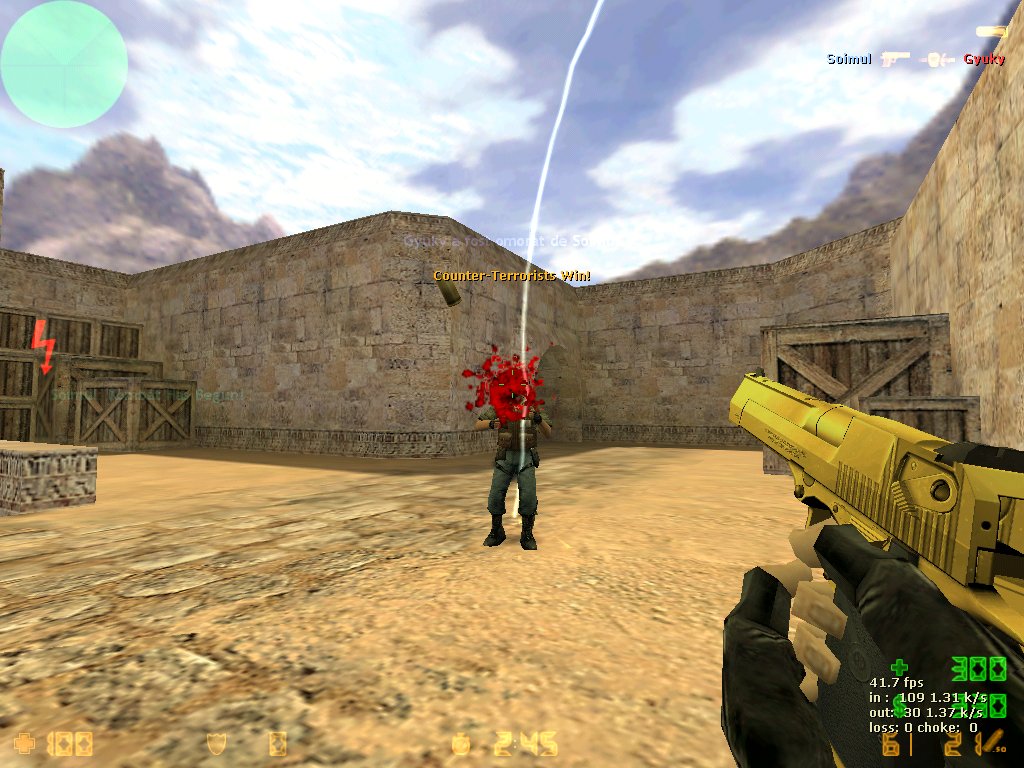
This plugin is a simple headshot plugin, after you HS Someone, His screen will turn all Red and and they will hear an evil laugh.
.: Cvars :.
* cfg_hs_sound 1/0 - Sound ON/OFF
* cfg_hs_fade 1/0 - Red Fade Screen ON/OFF
* cfg_hs_blood 1/0 - Blood over the head ON/OFF
* cfg_hs_msg 1/0 - Center msg
Nu face lag pe server ! Testat de mine
- Free
- 43 Downloads
Submitted -
Se numește „Războiul AWP”.
Contine:
Războiul AWP
Magazin
Meniu Administrator
- Războiul AWP
La fiecare rundă veți primi:
AWP (Muniție 10/50)
Cuţit
1x EL
Kevlar
Meniul playerului cu: Deagle [-10 HP] | Fără pași [-5 CP] | 3x Grenade HE [-15 HP] | Cuțit Speed [-25 HP, -AWP] | Nimic (ieșire)
- Magazin
Îl puteți accesa spunând / fragshop (Frag Currency)
------------------------------------
Meniu magazin:
+50 armură [1 fragment]
- 30% gravitație [2 fragmente]
USP [2 fragmente]
Green Glow [5 fragmente]
Resetare scor [+2 decese]
FAST AWP [10 fragmente] [VIP]
+2 fragmente [-95HP] [VIP]
- Meniu de administrare
Îl puteți accesa spunând / awpadmin sau tastați amx_awpadmin în consolă.
Jucătorii obișnuiți pot vedea ce conține meniul, dar numai administratorii pot apăsa aceste butoane.
Aveți nevoie de: ADMIN Nivelul D [ADMIN_BAN] pentru a utiliza meniul de administrare.
-------------------------------------------------- ------------------------
Meniu Administrator:
Runda cuțitului [dezarmează toate armele tuturor jucătorilor]
Runda cuțitului de viteză [dezarmează toate armele tuturor jucătorilor + jucătorii au viteza 600.0]
Runda HE [dezarmează toate armele tuturor jucătorilor + dă 150 de granate HE]
Moon round [Set gravity server to 0,5 (sv_gravity 400)]
Glow Round [CT = Blue Glow | T = Red Glow]
Resetați scorul tuturor jucătorilor [Știți ce înseamnă asta, nu este necesară o descriere.]
Reporniți harta [folosește comanda sv_restart]
Fisierul awpmod_en.sma il puneti in addons/amxmodx/scripting
Fisierul awpmod_en.amxx il puneti in addons/amxmodx/plugins
Intrati in fisierul addons/amxmodx/configs/plugins.ini si adaugati la urma linia: awpmod_en.amxx
- Free
- 3 Downloads
Submitted -
- Free
- 32 Downloads
Submitted -
Description:
This is a retake plugin exactly like in csgo for cs 1.6. In the retake mode, the round starts with the planted bomb and how much it has to defuse.
Installation:
Put the retake.sma file in addons/amxmodx/scripting Place the retake.amxx file in addons/amxmodx/plugins Enter the addons/amxmodx/configs/plugins.ini file and add: retake.amxx
Other steps required....
Each map must have spam for both sites.
Cvars (added to the file amxmodx\configs\amxx.cfg
retakes_rounds "30" // How many rounds are played on the map retakes_rowwin "3" // How many rounds can tero win consecutively retakes_prefix "!g[RETAKES]" // Prefix in chat message retakes_random_weapons "3" // In which round start giving random weapon(granades and awp) retakes_autoplant "1" // Auto Plant Bomb is on/off retakes_buyzone 1 // Unlock/remove buy zone retakes_warmup_time "30" // Warm Up time min=1 retakes_infohud "1" // Info hud on/off retakes_buytime "5" // Buy Time retakes_swapct "1" // On/off Swap CT retakes_swapt "1" // On/off Swap T retakes_hudc4timer "1" // On/off c4 hud timer Administrative commands (typed in the console and you must be an administrator):
Does not have
Public commands (typed in the game by pressing the Y key):
Does not have Required modules (to be deleted; in front of the module below, you can find them in the file amxmodx\configs\modules.ini):
cstrike engine Hamsandwich fakemeta- Free
- 41 Downloads
Submitted -
Description
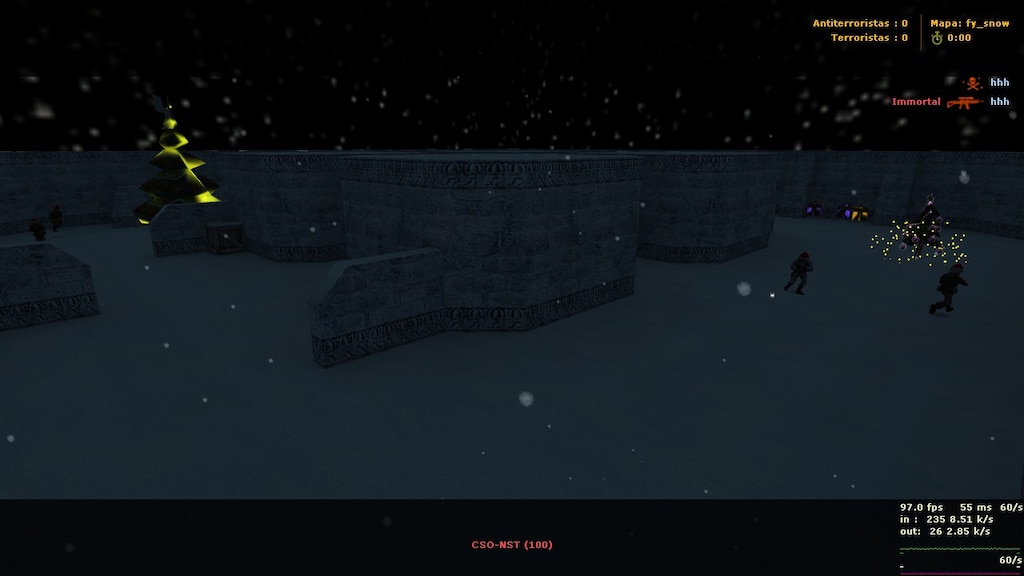
After researching a lot on a variety of forums, I could not find what i needed to customize my server for Winter. Instead of installing 100 plugins, I created an AIO one!
With this plugin you can bring the Christmas Environment to your Counter Strike server! Very customizable, this plugin unique style is beyond all the existing Christmas plugins here.
I know there are a LOT of plugins for winter here, but most of them aren't complete, or they contain bugs. Well in this plugin I tried to create an All-In-One Winter plugin that includes almost all the functionalities for a Christmas Server! Merry Christmas everyone!
What does this plugin contains?
Gun Snowball Bullets Custom Sky name for the Christmas Environment Custom Darkness on the map, to make it more Environmental (enables mp_flashlight server cvar) Custom Christmas Bomb Sounds (Planted, Exploded, Defused) Custom BOMB replacement Weather Menu (For those who do not have cl_weather cvar enabled. Plugin offers to set it up for the user, asking USER PERMISSION. No slow-hacking)
An AWESOME coloured musical tree on each team spawn that plays music and have lightning styles (YEAH!) Santa Hat for each player, or Admin only. Picking up presents, somethimes you get GLOW on your SANTA HAT (HECK YEAH!) Better models, a variety of customizations and model replacements (Christmas Themed, Grenades, Knife, Bomb) Candy Cane knife replacement with player model ! WOAH. Players will drop Presents when they die! Support for maps that has rain built in! (adding snow environment instead of rain) FUN! FUN! FUN! A variety of configurations, including it's own config file! To see what kind of presents you can pick up, read the configuration file! Grenade glow and trails, customizable by 3 different types: 1. All grenades trail/glow is white, 2. HE has red glow/trail, FB has blue glow/trail and SG has green trail/glow. 3. All grenades have random glow/trail colours
Why is it so unique?
Has a lot of Half-Life resources Up to date Own configuration file, with a variety of customizable cvars Different Christmas models, new and unique Musical Christmas Trees, on every map, located to each team spawns! 2 different models for Christmas Trees, Santa Hats! Unseen new snowball models for grenades, with trail and glow effects! 3 different models for presents 2 different unique models for the BOMB replacement
CVARS
// --| ------------------------------------------------------------- // --| AIO (All-In-One) Winter plugin by: tuty // --| Feel free to modify the configuration file as you please // --| Special thanks to: xPaw, Alka, ConnorMcLeod, VEN, v3x and others // --| ------------------------------------------------------------- // --| When player shoots with his weapon on the wall, it will leave white snowflakes // --| Value: 1 / 0 // --| Explanation: Enabled / Disabled aio_winter_gun_snowball "1" // --| If Snowballs are enabled, for how long will snowflakes stay alive? // --| Value: < your amount > in seconds. Must be a floating point number // --| Explanation: aio_winter_gun_snowball_duration "10.0" - snowflakes will stay alive for 10 seconds aio_winter_gun_snowball_duration "5.0" // --| Change the server sky texture to "space" ( Nice themed christmas sky ) // --| Value: 1 / 0 // --| Explanation: Enabled / Disabled aio_winter_changesky "1" // --| Set a nice darkness effect on the map, also enabling player flashlights (Christmas night theme) // --| Value: 1 / 0 // --| Explanation: Enabled / Disabled aio_winter_darkness "1" // --| Enabled custom themed bomb event sounds ( Planted, Exploded, Defused ) // --| Value: 1 / 0 // --| Explanation: Enabled / Disabled aio_winter_bombsounds "1" // --| Some clients does not have "cl_weather" variable set to 1, 2 or 3 in their main game client // --| After they entered the server, yhis will enable a menu, reminding/teaching them how to enable snow effects on their client // --| Has an option to auto set-up for them, WITH THEIR PERMISSION ! // --| Value: 1 / 0 // --| Explanation: Enabled / Disabled aio_winter_weathermenu "1" // --| If the previous cvar is set as Enabled, after how long will display the menu to the player? // --| Value: < x seconds > in seconds. Must be a floating point number // --| Explanation: aio_winter_weathermenu "10.0" - Will display the menu after 10 seconds aio_winter_weathermenu "8.0" // --| Bomb model replacement with a shiny Snow-Man // --| Value: 1 / 0 // --| Explanation: Enabled / Disabled aio_winter_custombomb "1" // --| A shiny, AWESOME musical tree with custom lights, effects and christmas themed song! // --| Spawned on each side of CT/T spawns. // --| Value: 1 / 0 - NOTE: Cvars are affected after map change! // --| Explanation: Enabled / Disabled aio_winter_tree "1" // --| Enable santa hats for each players! Yoinnkss! // --| Value: 1 / 0 // --| Explanation: Enabled / Disabled aio_winter_hat "1" // --| If Santa Hats are enabled, are them only for ADMINS ? // --| Value: 1 / 0 // --| Explanation: Admin Only / Everyone aio_winter_hat_adminonly "0" // --| Spawn Christmas presents on dead enemies. Can be picked up by anyone! // --| When picked up, you will be granted with a random gift. // --| Gifts: // --| * Armor // --| * Armor + Helmet // --| * Some Ammunition // --| * Bonus Health // --| * Random Grenade (HE, FB, SG) // --| * Bonus Frag/s // --| * Invisibility (for a certain amount of time) // --| * Random Glow // --| * Random Glow on your Santa Hat (lasts one round, only if hats are enabled) // --| * Defuser Kit (for CT only) // --| * Camouflage: [You look like enemy until you die] // --| * Money ( a certain amount ) // --| Value: 1 / 0 // --| Explanation: Enabled / Disabled aio_winter_presents "1" // --| If the gifts are enabled, when you pick up the "Bonus Health", how much HP should be added to player? // --| Value: < x amount > - from 0 to 99999? // --| Explanation aio_winter_bonus_health_amount "250" - Adds additional 250 HP to the player aio_winter_bonus_health_amount "50" // --| If the gifts are enabled, when you pick up the "Armor" or "Armor + Helmet" how much AP should be added to player? // --| Value: < x amount > - from 0 to 99999? // --| Explanation: aio_winter_gift_armor "250" - Adds additional 250 AP to the player aio_winter_gift_armor "100" // --| If the gifts are enabled, when you pick up the "Bonus Frag/s" how many frags should be added to player? // --| Value: < x amount > - from 0 to 99999? // --| Explanation: aio_winter_bonus_frag "5" - 5 Frags will be added to the player aio_winter_bonus_frag "2" // --| If the gifts are enabled, when you pick up the "Invisibility" for how long shall be enabled? // --| Value: < x amount > - from 0 to 99999? // --| Explanation: aio_winter_invis_duration "5" - Invisiblity lasts 5 seconds aio_winter_invis_duration "15" // --| If the gifts are enabled, when you pick up the "Money" how much cash shall be added to player? // --| Value: < x amount > - from 0 to 99999? // --| Explanation: aio_winter_gift_money "1500" - $1500 will be added to the player aio_winter_gift_money "1500" // --| Enable support for rainy maps. Removing rain from it and replacing it with snow // --| Value: 1 / 0 // --| Explanation: Enabled / Disabled aio_winter_rainymap_support "1" // --| Replace the default knife model with a candy cane! // --| Value: 1 / 0 // --| Explanation: Candy Cane / Default Knife aio_winter_candyknife "1" // --| Replace all grenades ( Flashbang, He, Smoke ) with a custom Christmas themed model // --| Also adds render and trail for each of them // --| Value: 1 / 0 // --| Explanation: Custom Grenades / Default Grenades aio_winter_grenade "1" // --| If the previous cvar is enabled, we have three options to set up this one, to differentiate the grenades between them. // --| Value: 0 / 1 / 2 // --| Explanation: 0 - All grenades has a white glow/trail // --| 1 - HE Grenade has a red glow/trail, FB Grenade has a blue glow/trail and SG Grenade has a green glow/trail // --| 2 - All grenades has random glow/trail // --| ------------------------------------------------------------------------- aio_winter_grenade_type "0"
Requirements:
I would recomment a sv_downloadurl for fast downloading, since this plugin contains a "few" resources Client side cvar enabled: cl_weather 1/2/3 Latest AMX Mod X Version
Installation Guide:
Place the AIO_Winter.cfg file into addons/amxmodx/configs folder Place the aio_winter sounds folder into cstrike/sounds/ server directory Place the aio_winter models folder into cstrike/models/ server directory Place the Winter.amxx file into cstrike/addons/amxmodx/plugins/ server directory Open plugins.ini file located into addons/amxmodx/configs/plugins.ini and add Winter.amxx then save it. Done.- Free
- 47 Downloads
Updated -
Description:
The plugin features the item "chameleon" from war3ft's shopmenu.
With a command you can look like the enemy.
You will look with random models not only one, the model is saved after round end, but not after a death.
Commands:
Here are the buying commands:
say /chameleon
say_team /chameleon
Cvars:
chameleon 1/0 - Turn on/off the plugin. Default 1 ( turned on ).
chameleon_cost "" - Chameleon's price. Default 1600.
chameleon_prefix "" - Messages' prefix. Default "chameleon".
chameleon_health 1/0 - If the killer will receive a additional health after killing a chameleon. Default 1. (turned on)
cham_killer_health "" - What health to receive if the above cvar is turned on. Default 20.
cham_killer_max_health "" - Max amount of health which the killer can have. Default 120.
chameleon_sounds 0/3 - Who can hear the sound after killing chameleon. Default 1 (all).
0 - Turned off.
1 - All.
2 - Only the killer.
3 - Only the victim.
cham_infomsg_show_time "" - Time for repeating the info message. Default 180 seconds (3 minutes).
cl_minmodels_check_time "" - Time between cl_minmodels value checks. Default 30 seconds.
Modules:
engine
cstrike
fun
- Free
- 3 Downloads
Submitted -
Cvars:
amx_antisk_enable - Enables the plugin ( Default: 1)
amx_antisk_type - 0 = gives godmode on spawn, 1 = prevents damage from players ( personally used in surf to allow damage to self a.k.a fall damage ( Default: 1)
amx_antisk_timer - For how long will the SK protection be active ( Default: 1)
amx_antisk_shoot - Whether shooting or second attack ( mostly sniper ) will disable SK Protection ( Default: 1)
- Free
- 4 Downloads
Submitted -
Description
With this plugin you can add songs in an .ini file that will be played at the end of each round. Supports .mp3 and .wav files.
☄ Configuration
Songs are added in the configs/REMusic.ini file , with each song added on a new line.
Example: if the song is located in cstrike/sound/iplay/pesen.mp3 , you only need to add iplay/pesen.mp3 .
☄ Settings
remusic_random "1" -- Whether to randomly select songs or order them as they were added to the file.
☄ Commands
say /ers -- With this command, any player can mute the sounds in case they don't want to hear them.
- Free
- 29 Downloads
Submitted -
Best Player MOTD
☄ Description
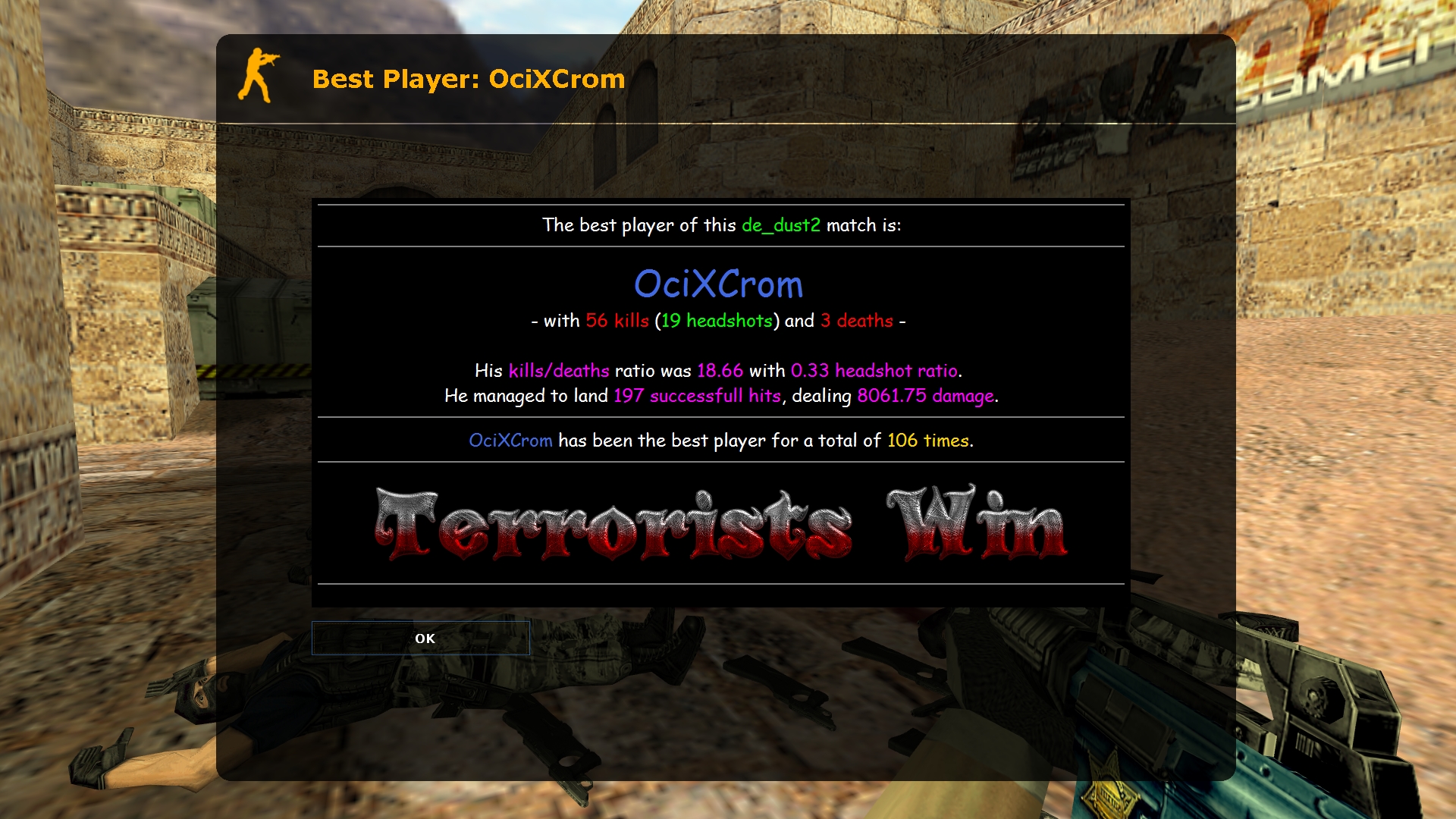
At the end of each map, the best player is displayed in a MOTD window, along with their stats. The information in the MOTD window, as well as the way of determining the best player, can be completely changed in a fairly easy way. ☄ Commands
bpm_formula "157" -- way to determine the best player (more info below) bpm_min_players "6" -- minimum number of players needed at the end of the map to show the MOTD window bpm_motd_header "Best Player: $name$" -- the title of the MOTD window for the best player bpm_motd_stats "Player Stats: $name$" -- the title of the MOTD window for the own stats bpm_obey_team "0" -- if on, the best player will be selected from a given team (0 = off; 1 = terrorists; 2 = counter-terrorists; 3 = winning team) bpm_save_type "0" -- way to save "wins" (0 = nickname; 1 = IP address; 2 = SteamID) say /mystats -- shows your current stats
☄ Substitutes
Placeholders in $dollars may be used in MOTD files and header files.
Substitutions enclosed in (brackets) can be used in the "bpm_formula" bug.
$map$ -- the name of the map
$name$ -- the player's name
$wins$ -- number of wins (0)
$kills$ -- number of kills (1)
$kills_sb$ -- the number of kills according to the scoreboard (2)
$deaths$ -- the number of deaths (3)
$deaths_sb$ -- the number of deaths according to the result in the scoreboard (4)
$headshots$ -- the number of headshots (5)
$hits$ -- number of hits (6)
$damage$ -- amount of damage done (7)
$kdratio$ -- the ratio of kills to deaths (8)
$kdratio_sb$ -- the ratio between kills and deaths according to the scoreboard (9)
$hsratio$ -- the ratio between headshots and kills (a)
$ctscore$ -- the number of counter-terrorist victories
$tscore$ -- the number of terrorist victories
$best_team$ -- winning team (ct/t/draw)
☄ Determination of the best player
To find the best player, the plugin first checks the number of kills of all players and selects the one with the most kills. In case it selects more than one player with the same number of kills, the plugin compares the number of kills with the headshot of those players. If there is a duplicate again, the plugin will now compare the amount of damage done by the players and choose the one who did the most. This entire procedure can be edited by changing the "bpm_formula" bug, which is set to "157" by default. As you can see from the placeholder list, 1 means number of kills, 5 is number of headshots, and 7 is damage done, so the plugin will check these 3 parameters one by one. If you want, for example, to first check the damage (7), then the number of deaths (3), and the ratio of headshots (a), the kvar will need to set it to "73a".- Free
- 51 Downloads
Updated