Search the Community
Showing results for tags 'maps'.
-
2 downloads
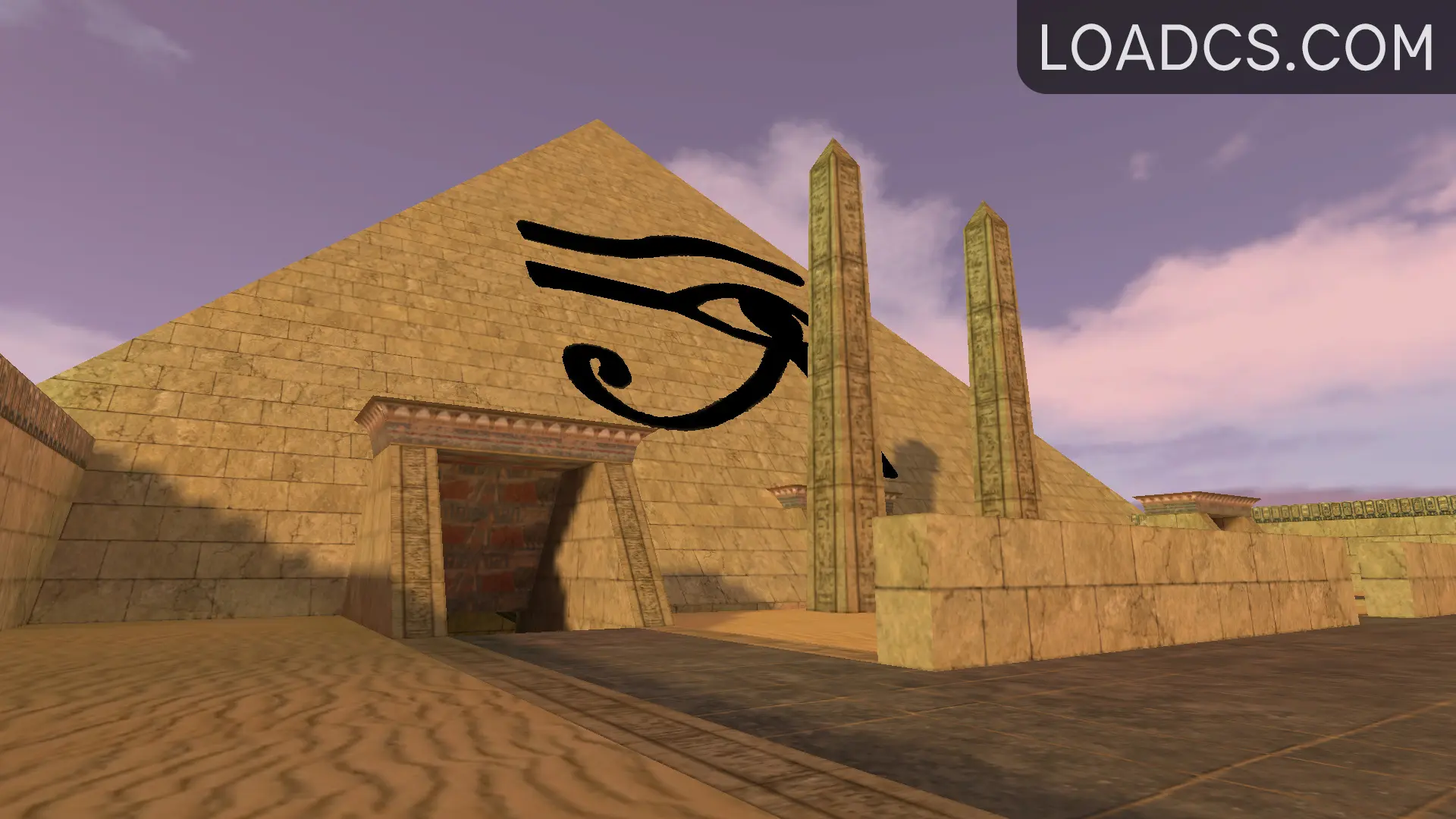
GunGame Maps Pack pentru CS 1.6 Acest pachet conține cele mai interesante și jucabile hărți GunGame, incluzând locații celebre și populare care oferă distracție garantată alături de prieteni în modul online. Obiectivul principal în GunGame este să devii lider absolut, urcând treaptă cu treaptă pe scara clasamentului până în vârf, în timp ce parcurgi fiecare hartă. Cum se instalează: Descarcă arhiva cu hărțile GunGame. Extrage conținutul arhivei în folderul cstrike din directorul jocului tău Counter-Strike 1.6. (De exemplu: C:\Program Files\Steam\steamapps\common\Half-Life\cstrike) Pornește jocul și selectează hărțile din pachet pentru a începe să te joci! Full map list: gg_$3000$_b5 gg_2minaretz gg_33_battle gg_33_chaos gg_33_circa gg_33_glassroom gg_33_goodtimes gg_33_mario gg_ak-colt_palm_beach gg_anthology gg_anubis gg_assault_cs16 gg_aztec2 gg_blue_magic gg_bside_paintball gg_buzz gg_camper gg_dev_boxes gg_dev_platform gg_dusty gg_dusty_fortress gg_dusty2 gg_fy_ag_world_cs16 gg_fy_deagle_dustworld2 gg_fy_new_pool_day gg_fy_rapidfire_cs16 gg_india3 gg_last_battle2 gg_mariocastle_mt gg_minecraftempire gg_mini_dust2_winter gg_mini_simpsons gg_minidust2 gg_palm_dust gg_prl_factory gg_speedy gg_texas gg_tx_complex_v1_cs16 gg_woodyFree -
0 downloads
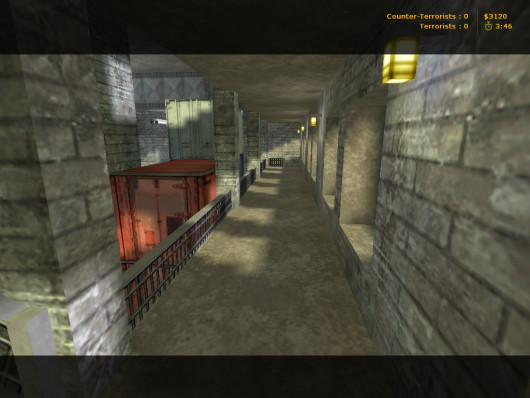
T: Prevent the steel factory workers from being rescued, world peace depends on it. CT: Rescue the hostages and eliminate the terrorists. 20+20 Spawn points. Copiere fișier: După dezarhivare, copiați fișierele din arhiva în următorul director de pe computerul dumneavoastră: C:\Program Files\Steam\steamapps\common\Half-Life\cstrike\maps Dacă ați instalat jocul într-o altă locație, asigurați-vă că ajustați calea corespunzător.Free -
View File cs_lozov T: Prevent the steel factory workers from being rescued, world peace depends on it. CT: Rescue the hostages and eliminate the terrorists. 20+20 Spawn points. Copiere fișier: După dezarhivare, copiați fișierele din arhiva în următorul director de pe computerul dumneavoastră: C:\Program Files\Steam\steamapps\common\Half-Life\cstrike\maps Dacă ați instalat jocul într-o altă locație, asigurați-vă că ajustați calea corespunzător. Submitter COSMIN Submitted 09/30/2024 Category Maps
-

2 downloads
Game: Counter-Strike 1.6 Map Type: de (bomb/defuse) Slots: 32 Author: la_cucaracha Size: 2.83 MB Instrucțiuni de instalare: Descărcare: Descărcați arhiva gamelife-de_eldorado.rar folosind link-ul de download furnizat pe forum. Dezarhivare: Dezarhivați fișierul gamelife-de_eldorado.rar utilizând un program de extragere a arhivelor precum WinRAR sau 7-Zip. Copiere fișier: După dezarhivare, copiați fișierele în următorul director de pe computerul dumneavoastră: C:\Program Files\Steam\steamapps\common\Half-Life\cstrike\maps Dacă ați instalat jocul într-o altă locație, asigurați-vă că ajustați calea corespunzător.Free -
View File de_eldorado Game: Counter-Strike 1.6 Map Type: de (bomb/defuse) Slots: 32 Author: la_cucaracha Size: 2.83 MB Instrucțiuni de instalare: Descărcare: Descărcați arhiva gamelife-de_eldorado.rar folosind link-ul de download furnizat pe forum. Dezarhivare: Dezarhivați fișierul gamelife-de_eldorado.rar utilizând un program de extragere a arhivelor precum WinRAR sau 7-Zip. Copiere fișier: După dezarhivare, copiați fișierele în următorul director de pe computerul dumneavoastră: C:\Program Files\Steam\steamapps\common\Half-Life\cstrike\maps Dacă ați instalat jocul într-o altă locație, asigurați-vă că ajustați calea corespunzător. Submitter COSMIN Submitted 08/18/2024 Category Maps
-
3 downloads
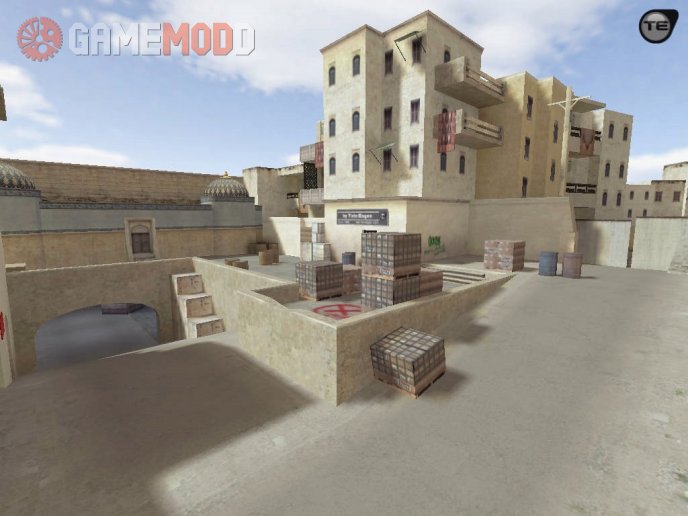
Author: Tatu Eugen, David Johnston Date: 17-06-2017 Maps Installation Guide for CS 1.6 We are glad to welcome you on our Internet portal. Right now we would like to touch on such an important topic - How to install maps for CS 1.6. Sooner or later you play on the same cards and, as a consequence, you start looking for new maps for CS 1.6. But some people have the same question - How to install maps for CS 1.6? And now we will tell you that yes how, and, in fact, there is nothing difficult. Once you read it, and then you will be able to install maps for CS 1.6 yourself without any help. So, let's get started. First we need a map. Download maps for CS 1.6. You can download the link on the right or find the same on the Internet. Before we begin the installation, we would like to tell you about what can be the folders in the archive with the penalty and their purpose. The "maps" folder is the card itself. The folder "gfx" is the graphic elements of the map. The "sound" folder is the sounds of the map. The "models" folder is the new map models. Folder "sprites" - sprites of the map. Below you can see the list of files with different extensions and the place where they need to be placed. The .txt file - "Your server / cstrike / maps" The .bsp file - "Your server / cstrike / maps" The .tga file - "Your server / cstrike / gfx / env" The .wav file is "Your server / cstrike / sound" The .spr file is "Your server / cstrike / sprites" The .mdl file is "Your server / cstrike / models" The .nav file - "Your server / cstrike / maps" The .res file - "Your server / cstrike / maps" File .wad - "Your server / cstrike" Besides all this I want to say one important thing. If there are folders in the archive with the downloaded map: maps, gfx, sound, sprites, models and files with the .wad extension, then all these folders and files can be downloaded to "Your server / cstrike" and confirm the merge of the folders. This is the most simple and convenient way to install maps for CS 1.6, but you want to notice that this method is only valid when there are these folders. (It does not have to be all the folders) After when you unzip all the files in the necessary folders, open the file "Your server / cstrike / addons / amxmodx / configs / maps.ini" and assign a new name to the card without an extension! Example: awp_india. Next, open one more file "Your server / cstrike / mapcycle.txt" and again, prescribe the name of the installed card without an extension. Installation completed. We wish you a pleasant game. If you suddenly have any questions about installing the card on the server CS 1.6, then ask them in the comments.Free -
View File css_dust3_go Author: Tatu Eugen, David Johnston Date: 17-06-2017 Maps Installation Guide for CS 1.6 We are glad to welcome you on our Internet portal. Right now we would like to touch on such an important topic - How to install maps for CS 1.6. Sooner or later you play on the same cards and, as a consequence, you start looking for new maps for CS 1.6. But some people have the same question - How to install maps for CS 1.6? And now we will tell you that yes how, and, in fact, there is nothing difficult. Once you read it, and then you will be able to install maps for CS 1.6 yourself without any help. So, let's get started. First we need a map. Download maps for CS 1.6. You can download the link on the right or find the same on the Internet. Before we begin the installation, we would like to tell you about what can be the folders in the archive with the penalty and their purpose. The "maps" folder is the card itself. The folder "gfx" is the graphic elements of the map. The "sound" folder is the sounds of the map. The "models" folder is the new map models. Folder "sprites" - sprites of the map. Below you can see the list of files with different extensions and the place where they need to be placed. The .txt file - "Your server / cstrike / maps" The .bsp file - "Your server / cstrike / maps" The .tga file - "Your server / cstrike / gfx / env" The .wav file is "Your server / cstrike / sound" The .spr file is "Your server / cstrike / sprites" The .mdl file is "Your server / cstrike / models" The .nav file - "Your server / cstrike / maps" The .res file - "Your server / cstrike / maps" File .wad - "Your server / cstrike" Besides all this I want to say one important thing. If there are folders in the archive with the downloaded map: maps, gfx, sound, sprites, models and files with the .wad extension, then all these folders and files can be downloaded to "Your server / cstrike" and confirm the merge of the folders. This is the most simple and convenient way to install maps for CS 1.6, but you want to notice that this method is only valid when there are these folders. (It does not have to be all the folders) After when you unzip all the files in the necessary folders, open the file "Your server / cstrike / addons / amxmodx / configs / maps.ini" and assign a new name to the card without an extension! Example: awp_india. Next, open one more file "Your server / cstrike / mapcycle.txt" and again, prescribe the name of the installed card without an extension. Installation completed. We wish you a pleasant game. If you suddenly have any questions about installing the card on the server CS 1.6, then ask them in the comments. Submitter COSMIN Submitted 07/24/2024 Category Maps
-
View File GunGame Popular Maps GunGame Maps Pack pentru CS 1.6 Acest pachet conține cele mai interesante și jucabile hărți GunGame, incluzând locații celebre și populare care oferă distracție garantată alături de prieteni în modul online. Obiectivul principal în GunGame este să devii lider absolut, urcând treaptă cu treaptă pe scara clasamentului până în vârf, în timp ce parcurgi fiecare hartă. Cum se instalează: Descarcă arhiva cu hărțile GunGame. Extrage conținutul arhivei în folderul cstrike din directorul jocului tău Counter-Strike 1.6. (De exemplu: C:\Program Files\Steam\steamapps\common\Half-Life\cstrike) Pornește jocul și selectează hărțile din pachet pentru a începe să te joci! Full map list: gg_$3000$_b5 gg_2minaretz gg_33_battle gg_33_chaos gg_33_circa gg_33_glassroom gg_33_goodtimes gg_33_mario gg_ak-colt_palm_beach gg_anthology gg_anubis gg_assault_cs16 gg_aztec2 gg_blue_magic gg_bside_paintball gg_buzz gg_camper gg_dev_boxes gg_dev_platform gg_dusty gg_dusty_fortress gg_dusty2 gg_fy_ag_world_cs16 gg_fy_deagle_dustworld2 gg_fy_new_pool_day gg_fy_rapidfire_cs16 gg_india3 gg_last_battle2 gg_mariocastle_mt gg_minecraftempire gg_mini_dust2_winter gg_mini_simpsons gg_minidust2 gg_palm_dust gg_prl_factory gg_speedy gg_texas gg_tx_complex_v1_cs16 gg_woody Submitter COSMIN Submitted 06/19/2024 Category Maps
-
View File fy_snow_orange O mapa pentru modul Counter-Strike 1.6 Are si spawn uri random facute de mine pentru modul CSDM Nume: fy_snow_orange Slot: 48 Submitter COSMIN Submitted 03/30/2024 Category Maps
-

3 downloads
O mapa pentru modul Counter-Strike 1.6 Are si spawn uri random facute de mine pentru modul CSDM Nume: fy_snow_orange Slot: 48Free -
View File dm crossfire dethmatch Autor: Descriere: O mapa pentru Counter-Strike 1.6 CSDM Mod / Harta include si fisierul de random spawn Sloturi: 32 Instalare: Pentru steam (Se copiaza folderele din arhiva in C./program files/steam/SteamApps/common/Half-Life) Pentru Non Steam (Se copiaza folderele din arhiva in C./program files/counter strike/cstrike) Submitter COSMIN Submitted 06/01/2020 Category Maps
-
View File de_medieval32 Descriere: de_medieval32 for CS 1.6 Sloturi: 32 Instalare: Dupa ce descarcati, extrageti fisierele in counter-strike-folder/cstrike Submitter COSMIN Submitted 07/14/2020 Category Maps
-
View File PACK HARTI CS 1.6 - 2021 MAPS PACK CS 1.6 @ 2021 by GameLife Romania Pack contain all map files, including gfx, sounds, models, etc. Password: www.gamelife.ro Submitter aEEk.# Submitted 03/05/2021 Category Maps
-
View File dm_niveles Pentru steam (Se copiaza folderele din arhiva in C./program files/steam/SteamApps/common/Half-Life/cstrike_download) Pentru Non Steam (Se copiaza folderele din arhiva in C./program files/counter strike/cstrike/maps) Submitter COSMIN Submitted 03/15/2021 Category Maps
-
View File $2000$ Autor: Calou Descriere: map for CS 1.6 Sloturi: 32 Instalare: Pentru steam (Se copiaza folderele din arhiva in C./program files/steam/SteamApps/common/Half-Life/cstrike_download) Pentru Non Steam (Se copiaza folderele din arhiva in C./program files/counter strike/cstrike/maps) Submitter Back4Blood Submitted 03/20/2021 Category Maps
-
View File Min Players Map Changer Descriere: Acest plugin, in functie de playeri, schimba singur harta. Instalare: 1. Fisierul maps.sma il puneti in addons/amxmodx/scripting 2. Fisierul maps.amxx il puneti in addons/amxmodx/plugins 3. Intrati in fisierul addons/amxmodx/configs/plugins.ini si adaugati la urma: maps.amxx 4. Alti pasi necesari.... Cvar-uri (se adauga in fisierul amxmodx\configs\amxx.cfg amx_mpm_map "nume mapa" - Ce mapa sa dea la vot pluginu cand sunt putini playeri pe server amx_mpm_players 10 - Daca sunt mai putini de 10 jucatori pe server, se incepe o votarea pentru a schimba harta. Comenzi administrative (se tasteaza in consola si trebuie sa fiti administrator): Nu are Comenzi publice (se tasteaza in joc prin apasarea tastei Y): Nu are Module necesare (se sterge ; din fata modulului de mai jos, acestea le gasiti in fisierul amxmodx\configs\modules.ini): Nu necesita Submitter COSMIN Submitted 07/03/2020 Category Plugins
-
View File de_redplanet Red Planet ----------------- By Trapt Background: Terrorist forces have found NASA's Headquarters on Mars and are trying to bomb it. Terrorists: Bomb NASA's Headquarters. Counter-Terrorists: Defuse any bomb threat. Other information: You're in space so there is low gravity Submitter COSMIN Submitted 10/30/2023 Category Maps
-
0 downloads
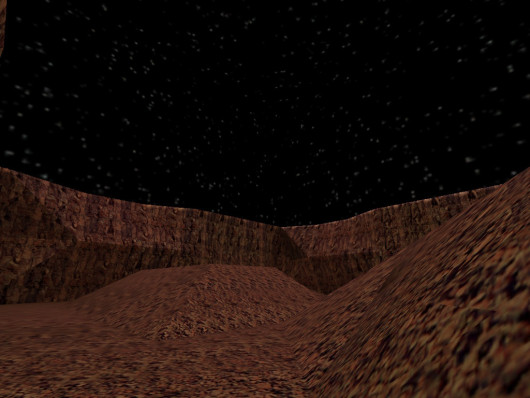
Red Planet ----------------- By Trapt Background: Terrorist forces have found NASA's Headquarters on Mars and are trying to bomb it. Terrorists: Bomb NASA's Headquarters. Counter-Terrorists: Defuse any bomb threat. Other information: You're in space so there is low gravityFree -
2 downloads
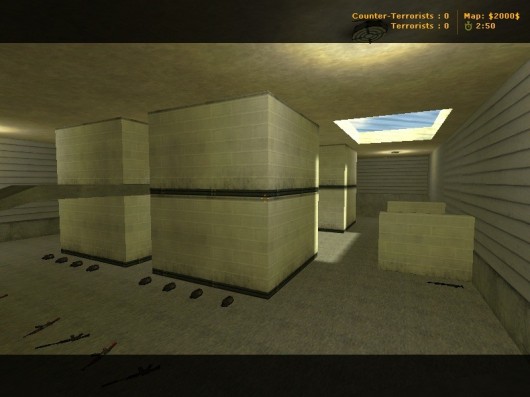
Autor: Calou Descriere: map for CS 1.6 Sloturi: 32 Instalare: Pentru steam (Se copiaza folderele din arhiva in C./program files/steam/SteamApps/common/Half-Life/cstrike_download) Pentru Non Steam (Se copiaza folderele din arhiva in C./program files/counter strike/cstrike/maps)Free -

2 downloads
Pentru steam (Se copiaza folderele din arhiva in C./program files/steam/SteamApps/common/Half-Life/cstrike_download) Pentru Non Steam (Se copiaza folderele din arhiva in C./program files/counter strike/cstrike/maps)Free -
On a recent live stream, Valorant Game Director Joseph Ziegler dropped hints about more maps possibly joining the Valorant map pool before the end of the year. On January 11th, Tyler Erzberger, aka FionnOnFire, hosted a live stream hangout on the Valorant Twitch channel. He was joined by several Valorant developers, including Game Director Joseph Ziegler and Game Designer Sal Garazzo. The developers briefly touched upon different maps in Valorant, and they also dropped hints about any possible future maps. He maps of Valorant and future locations Currently, there are 5 maps in Valorant. They are Ascent, Bind, Heaven, Icebox, and Split. Among them, Bind, Heaven, and Split launched with the game, while Ascent and Icebox were launched in Episode 1 Act 1 and Act 3, respectively.
-

2 downloads
Descriere: de_medieval32 for CS 1.6 Sloturi: 32 Instalare: Dupa ce descarcati, extrageti fisierele in counter-strike-folder/cstrikeFree -

Version 1.0.0
28 downloads
Descriere: Acest plugin, in functie de playeri, schimba singur harta. Instalare: 1. Fisierul maps.sma il puneti in addons/amxmodx/scripting 2. Fisierul maps.amxx il puneti in addons/amxmodx/plugins 3. Intrati in fisierul addons/amxmodx/configs/plugins.ini si adaugati la urma: maps.amxx 4. Alti pasi necesari.... Cvar-uri (se adauga in fisierul amxmodx\configs\amxx.cfg amx_mpm_map "nume mapa" - Ce mapa sa dea la vot pluginu cand sunt putini playeri pe server amx_mpm_players 10 - Daca sunt mai putini de 10 jucatori pe server, se incepe o votarea pentru a schimba harta. Comenzi administrative (se tasteaza in consola si trebuie sa fiti administrator): Nu are Comenzi publice (se tasteaza in joc prin apasarea tastei Y): Nu are Module necesare (se sterge ; din fata modulului de mai jos, acestea le gasiti in fisierul amxmodx\configs\modules.ini): Nu necesitaFree -

1 download
Autor: Descriere: O mapa pentru Counter-Strike 1.6 CSDM Mod / Harta include si fisierul de random spawn Sloturi: 32 Instalare: Pentru steam (Se copiaza folderele din arhiva in C./program files/steam/SteamApps/common/Half-Life) Pentru Non Steam (Se copiaza folderele din arhiva in C./program files/counter strike/cstrike)Free