
Skip to content
View in the app

A better way to browse. Learn more.

GAMELIFE România

A full-screen app on your home screen with push notifications, badges and more.

To install this app on iOS and iPadOS
  1. Tap the Share icon in Safari
  2. Scroll the menu and tap Add to Home Screen.
  3. Tap Add in the top-right corner.
To install this app on Android
  1. Tap the 3-dot menu (⋮) in the top-right corner of the browser.
  2. Tap Add to Home screen or Install app.
  3. Confirm by tapping Install.

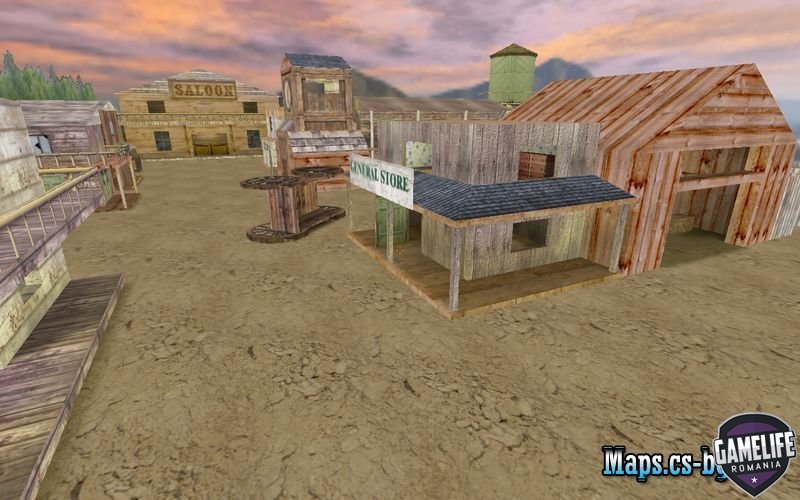
de_eldorado

(0 reviews)

3 Screenshots

Game:

  •  Counter-Strike 1.6

Map Type:

  • de (bomb/defuse)

Slots:

  • 32

Author:

  • la_cucaracha

Size:

2.83 MB


Instrucțiuni de instalare:

  1. Descărcare: Descărcați arhiva gamelife-de_eldorado.rar folosind link-ul de download furnizat pe forum.
  2. Dezarhivare: Dezarhivați fișierul gamelife-de_eldorado.rar utilizând un program de extragere a arhivelor precum WinRAR sau 7-Zip.
  3. Copiere fișier: După dezarhivare, copiați fișierele în următorul director de pe computerul dumneavoastră:
    C:\Program Files\Steam\steamapps\common\Half-Life\cstrike\maps
    Dacă ați instalat jocul într-o altă locație, asigurați-vă că ajustați calea corespunzător.

User Feedback

You may only provide a review once you have downloaded the file.

There are no reviews to display.

Account

Navigation

Search

Search

Configure browser push notifications

Chrome (Android)
  1. Tap the lock icon next to the address bar.
  2. Tap Permissions → Notifications.
  3. Adjust your preference.
Chrome (Desktop)
  1. Click the padlock icon in the address bar.
  2. Select Site settings.
  3. Find Notifications and adjust your preference.