
th3#afk
Hall Of Fame
-
Joined
-
Last visited
Everything posted by th3#afk
-
You can now benefit from auto-generated captions in Google Drive.View the full article

-
Meta announced the number of WhatsApp monthly users in the United States for the first time ever.View the full article

-
The latest stylus phone from Motorola, the Moto G Stylus 5G (2023), continues to enjoy its Prime Day discount on Amazon. Get one at lower prices now.View the full article

-
Apple could be looking to produce 2TB iPhone models in 2026 with the iPhone 18 Pro and iPhone 18 Pro Max.View the full article

-
Looks like Google's Pixel Phone AI-powered anti-scam protection is coming soonView the full article

-
Boost Mobile is giving away more than $40,000 in prizes to 63 winners in a sweepstakes that runs until September 4th.View the full article

-
Tipster refutes rumors of Samsung One UI 7 copying the iPhone's Dynamic IslandView the full article

-
Google Home public preview adds original Nest Doorbell support and AI-powered garage door detectionView the full article

-
Upcoming Nothing Phone (2a) Plus revealed to feature a MediaTek Dimensity 7350 Pro chipView the full article
 A new “Google One Lite” plan may be on the way as a budget optionView the full article
 Samsung's One UI 6.1.1 adds an option to normalize and boost the dialogue volume in videosView the full article
 An update to Team Fortress 2 has been released. The update will be applied automatically when you restart Team Fortress 2. The major changes include: Updated pl_embargo to fix visual glitches View the full articleEpic Games pulling Fortnite from Galaxy Store just as the game returns to iOS in the EUView the full article
 It's that time of the year to check out Back to School deals from wireless firms like T-Mobile and Boost Mobile.View the full article
 View File [Revive Teammates] 1.9 Revive Teammates descriere instalare plugin funny cs 1.6 Fisierul revive_teammates.txt addons/amxmodx/data/lang Fisierul revive_teammates.cfg addons/amexmodx/configs/plugin Fisierul revive_teammates.amxx addons/amexmodx/plugin Fisierul revive_teammates.amxx addons/amexodx/configs/plugins adaugati linia : Submitter th3#afk Submitted 07/25/2024 Category Plugins
 Revive Teammates descriere instalare plugin funny cs 1.6 Fisierul revive_teammates.txt addons/amxmodx/data/lang Fisierul revive_teammates.cfg addons/amexmodx/configs/plugin Fisierul revive_teammates.amxx addons/amexmodx/plugin Fisierul revive_teammates.amxx addons/amexodx/configs/plugins adaugati linia :FreeNew Disney+, Hulu, Max bundle offers ad-supported and ad-free plans at a discounted priceView the full article
 An update to Team Fortress 2 has been released. The update will be applied automatically when you restart Team Fortress 2. The major changes include: Updated the Loyalist's Coronet Unusual effect to fix team BLU particles in the team RED effect Updated the Rainbow Reverie, Warp Drive and Overdrive Unusual effects to work better with larger hats Updated the Rainbow Reverie Unusual effect to add a fade in when spawning and make the refract more noticeable Updated the Dragonflies' Embrace, Dragonflies' Nature, and Dragonflies' Lucent Unusual effects to fix trailing issues on the grass and ground particles Updated the Distress Signal and Carioca's Call Unusual effects to fix some issues with overlapping sprites Updated the Desert Wind and Monsoon Season Unusual effects Fixed the wind flickering on moving taunts Fixed the tumbleweed having incorrect physics Updated the wind and dust to trail slightly on moving taunts Updated the Control Patrol cosmetic item Reduced the size of the glasses Lowered the hat slightly on Soldier's head Fixed UV map issue with LODs Updated the Justice Johns cosmetic item Slimmed down the legs and raised socks cuffs to reduce overall thickness of the legs Fixed rigging issue with boot laces Updated the Pathfinder cosmetic item Slimmed down the arms slightly Adjusted shoulder and armpit rigging to reduce stretching of the vest Adjusted mesh transition from forearms to hands Fixed some clipping issues around where the shirt collar meets the zipper Raised the zipper pull tab for better compatibility with other Soldier cosmetics Updated ctf_doublecross Fixed an incorrect team-colored material in the BLU base for real this time Updated pl_enclosure_final Fixed a clip wall blocking a dropdown in stage 3 Updated pl_embargo Minor visual and clipping improvements Fixed the cart's missing outline Added an extra Botler to the playable space Fixed the paint splat overlay not applying to players within the explosion range The ambient music inside the casino now respects the music volume settings Improved player visibility against certain walls (Thanks Arthur) Added the kill icon to the helicopter blades Fixed an override of a TF2's base texture Fixed being able to block the cart shortly after point A (Thanks Aar) Fixed getting stuck in a door near C while it closes Fixed indoors fog sometimes getting applied outside (Thanks Phe) Increased respawn time for RED on the last point Fixed the client crash related to custom models Improved performance on the last point Updated koth_cachoeira Engineers can no longer build inside the cliffs Fixed teleporter stuck spot under the control point Adjusted respawn waves Minor visual improvements Various clipping fixes Improved performance Updated ctf_applejack Improved clipping Brought some stairs Improved tree collision Added more chickens Improved detail Fixed Ol'Betsy (Thanks Aar!) View the full articleFor the first time since surpassing Yahoo in 2000, Google Search is facing competition as OpenAI announces SearchGPT.View the full article
 Google Maps rolls out alerts for issues impacting accessibilityView the full article
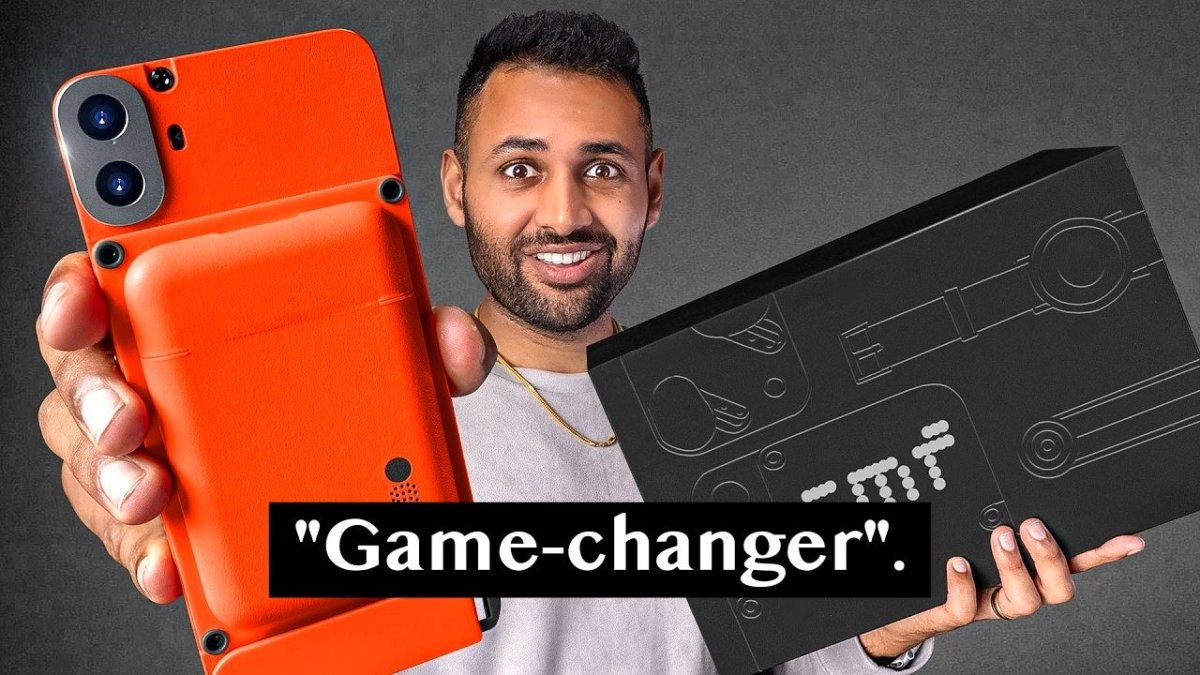
 The overhyped CMF Phone 1 is a good budget phone, but FAR from the best one. Here are 3 better phones at $200-300.View the full article
 Google boosts Gemini free version with faster model, more features and access worldwideView the full article
 [data-focus-scheme="dark"] { color-scheme: none; } https://store.steampowered.com/app/2078450 The Kustom Boosta Blasta, is a roaring engine of destruction in the hands of the Orks. A mid-ranged vehicle who lays down Dakka upon the battlefield from afar and uses their utility to stay at a distance. In Speed Freeks this versatile vehicle allows for a lot of different playstyles to suit the scenarios you find yourself in. Whether it’s using your mobility to help out with objectives, laying down fire on the battlefield, helping to pick off key targets or putting pressure on the enemy tanks. The base speed of this vehicle is average, tied with the Boomdakka Snazzwagon. However, the Burna Exhaust ability is a strong movement tool that opens a lot of possibilities, such as jumping onto a roof to escape enemies, getting extra airtime to recharge your boost bar, or using Dash right as you land to convert vertical speed into horizontal speed. Abilities Rivet Kannon This fearsome tool-turned-weapon fires a thunderous hail of heated rivets. Stikkbomb Hurl a Stikkbomb to damage and disrupt enemy vehicles. Burna Exhaust An explosion of flame from the exhausts lifts the Kustom Boosta-Blasta off the ground. Dash The vehicle lunges violently forward and smashes enemies. The direction you are aiming determines where the vehicle will go. Managing your range is key to playing the Kustom Boosta-Blasta. Never get too close to close ranged opponents, and never be too far away from long ranged opponents. As the Kustom Boosta-Blasta you are useful at many different ranges, use it to your advantage and be at the range your opponents are weak at. Use your utility to keep opponents at the distance you want them at. Throw the grenade to throw them off their track or jump up to high ground where they can’t reach you. You decide where you want to fight. Team-UpsThe Snazzwagon and Boosta-Blasta are a potent combo, with both vehicles having escape and/or disorientation abilities in Billowing Smoke and the Stikkbomb. This duo can be frustrating for the opposition – and fun for those driving them. Good Against Looted Wagon – Using walls and terrain you can stay out of enemy fire, while putting pressure on the Looted Wagon. If they don’t expect, you can easily end up scoring easy kills on it. On behalf of Caged Element and PLAION, we’z shoutin’ a big WAAAGH! Thanks for joinin’ da Kult of Speed in Warhammer 40,000: Speed Freeks! Join our community-focused game development discussions on your favorite platform: Steam Discussions Discord r/SpeedFreeks Suggest Features & Report Bugs Technical Support https://store.steampowered.com/app/2078450Vezi articolul complet[data-focus-scheme="dark"] { color-scheme: none; } https://store.steampowered.com/app/2078450 The Kustom Boosta-Blasta, is a roaring engine of destruction in the hands of the Orks. A mid-ranged vehicle who lays down Dakka upon the battlefield from afar and uses their utility to stay at a distance. In Speed Freeks this versatile vehicle allows for a lot of different playstyles to suit the scenarios you find yourself in. Whether it’s using your mobility to help out with objectives, laying down fire on the battlefield, helping to pick off key targets or putting pressure on the enemy tanks. The base speed of this vehicle is average, tied with the Boomdakka Snazzwagon. However, the Burna Exhaust ability is a strong movement tool that opens a lot of possibilities, such as jumping onto a roof to escape enemies, getting extra airtime to recharge your boost bar, or using Dash right as you land to convert vertical speed into horizontal speed. Abilities Rivet Kannon This fearsome tool-turned-weapon fires a thunderous hail of heated rivets. Stikkbomb Hurl a Stikkbomb to damage and disrupt enemy vehicles. Burna Exhaust An explosion of flame from the exhausts lifts the Kustom Boosta-Blasta off the ground. Dash The vehicle lunges violently forward and smashes enemies. The direction you are aiming determines where the vehicle will go. Managing your range is key to playing the Kustom Boosta-Blasta. Never get too close to close ranged opponents, and never be too far away from long ranged opponents. As the Kustom Boosta-Blasta you are useful at many different ranges, use it to your advantage and be at the range your opponents are weak at. Use your utility to keep opponents at the distance you want them at. Throw the grenade to throw them off their track or jump up to high ground where they can’t reach you. You decide where you want to fight. Team-UpsThe Snazzwagon and Boosta-Blasta are a potent combo, with both vehicles having escape and/or disorientation abilities in Billowing Smoke and the Stikkbomb. This duo can be frustrating for the opposition – and fun for those driving them. Good Against Looted Wagon – Using walls and terrain you can stay out of enemy fire, while putting pressure on the Looted Wagon. If they don’t expect, you can easily end up scoring easy kills on it. On behalf of Caged Element and PLAION, we’z shoutin’ a big WAAAGH! Thanks for joinin’ da Kult of Speed in Warhammer 40,000: Speed Freeks! Join our community-focused game development discussions on your favorite platform: Steam Discussions Discord r/SpeedFreeks Suggest Features & Report Bugs Technical Support https://store.steampowered.com/app/2078450Vezi articolul complet