Skip to content
View in the app

A better way to browse. Learn more.

GAMELIFE România

A full-screen app on your home screen with push notifications, badges and more.

To install this app on iOS and iPadOS
  1. Tap the Share icon in Safari
  2. Scroll the menu and tap Add to Home Screen.
  3. Tap Add in the top-right corner.
To install this app on Android
  1. Tap the 3-dot menu (⋮) in the top-right corner of the browser.
  2. Tap Add to Home screen or Install app.
  3. Confirm by tapping Install.

HeaDsHooT

Members
  • Joined

  • Last visited

  1. Salut, macar puteti sa-mi spuneti de ce nu o faceti...
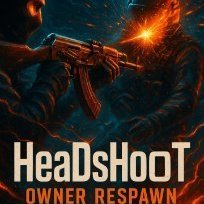
  2. HeaDsHooT changed their profile photo
  3. Creation type: semnatura Dimensions: 400x200 Main text (Compulsory secondary: GameLife.Ro/ www.gamelife.ro): HeaDsHooT Image / theme: ceva intunecat..sau de gaming Other specifications: daca se poate cu un terro care merge cu un ak47 cu skin, preferabil pe dust 2 sa intre de afara inauntru in zona de bomba, ceva cu efecte 3d sa dea hs la un ct si sa se vada cum trece glontul prin capul ct-ului si cum sare sangele (nu stiu daca se poate, dar asa mi-ar placea)😁 Link last application submitted:
  4. Bine ai venit!
  5. HeaDsHooT started following grecu
  6. HeaDsHooT started following Georgiana Bubu

Account

Navigation

Search

Search

Configure browser push notifications

Chrome (Android)
  1. Tap the lock icon next to the address bar.
  2. Tap Permissions → Notifications.
  3. Adjust your preference.
Chrome (Desktop)
  1. Click the padlock icon in the address bar.
  2. Select Site settings.
  3. Find Notifications and adjust your preference.