HeaDsHooT
Members
-
Joined
-
Last visited
Everything posted by HeaDsHooT
-
-
Salut, macar puteti sa-mi spuneti de ce nu o faceti...
-
-
-
-
-
-
V1
-
-
-
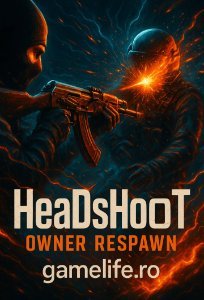
Creation type: semnatura Dimensions: 400x200 Main text (Compulsory secondary: GameLife.Ro/ www.gamelife.ro): HeaDsHooT Image / theme: ceva intunecat..sau de gaming Other specifications: daca se poate cu un terro care merge cu un ak47 cu skin, preferabil pe dust 2 sa intre de afara inauntru in zona de bomba, ceva cu efecte 3d sa dea hs la un ct si sa se vada cum trece glontul prin capul ct-ului si cum sare sangele (nu stiu daca se poate, dar asa mi-ar placea)😁 Link last application submitted:
-
-
-
-
-
-
-
-
-
-
-
Username / Nickname : HeaDsHooT Varsta : 29 Ocupatia : Administrator Hobby-uri : Vin demisec, jack, rom, calatorit, etc Unde locuiesti: Craiova🔪🔪🔪 Ce jocuri frecventezi cel mai mult : CS 1.6 Cum ai auzit de www.gamelife.ro : L-am gasit pe internet cu ceva timp in urma Ce te-a determinat sa iti faci cont : M-am indragostit de srv de respawn si ulterior de gg Ai vreun sfat pentru noi : 🍻
-
-
-