




Echo
Administrators
-
Joined
-
Last visited
Everything posted by Echo
-
Creation type: (avatar, signature, banner, etc.)avatar Dimensions: (avatar 150x250, sig max. 400x200) 150x300 Main text (Compulsory secondary: GameLife.Ro/ www.gamelife.ro):Administrator Image / theme: sau gift Other specifications: sa fie gif 🙂 Link last application submitted:nu eThe Tiger I joins Metal Time's WoT Collection, and new artwork is available from Displate! Read more View the full article
 There's a peculiar trio of vehicles in the Premium Shop. Read more Discuss on Forum View the full article
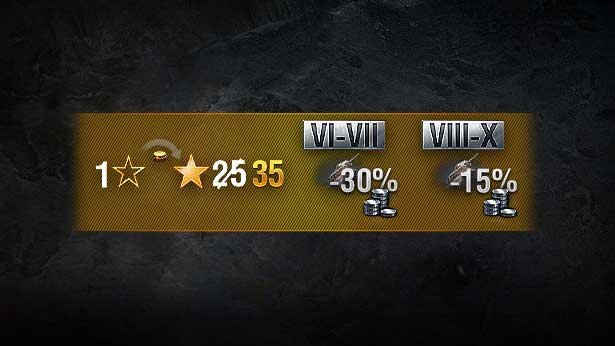
 Get exclusive in-game discounts on collectible vehicles and a special Free XP conversion rate. Read more Discuss on Forum View the full article
 Pokemon Elysium Modpack (1.20.1, 1.19.2) is a Cobblemon-focused modpack designed for the Pokemon Elysium server. Includes a handful of other mods like Farmer’s Delight, Supplementaries and Create for variety, and a number of resource packs and addons from the wonderful Cobblemon community. Alongside this is a full suite of performance-enhancing mods like Sodium, Lithium and Starlight, and quality-of-life tweaks designed for the smoothest experience possible. Some server utility mods are also included, encouraging players to work together and build their legacies in teams. Screenshots: Requires: Fabric Loader Fabric API Iris Shaders How to install: Please visit the following link for full instructions: How To Download & Install Modpack Pokemon Elysium Modpack (1.20.1, 1.19.2) Download Links For Minecraft 1.19.2 Fabric Version (Server Files): Download from Server 1 For Minecraft 1.20.1, 1.20 Fabric Version (Server Files): Download from Server 1 The post Pokemon Elysium Modpack (1.20.1, 1.19.2) – Smooth Cobblemon Experience appeared first on 9Minecraft | The Best Resource for Minecraft. View the full articleCarpets are an integral part of floor decoration. Minecraft offers you woolen carpets in 16 different colors and the builder’s community has come up with several amazing designs using these simple carpets. If you wanted more carpets in the game, More Carpets Mod (1.20.4, 1.19.4) is for you. This mod introduces over 200 new carpets into the game. These carpets are crafted using vanilla blocks. To begin, you have to craft a Carpet Frame item using the crafting recipe given below. This item can then be combined with any item in the game to obtain a carpet made of that specific item. Carpets crafted using blocks like diamond ores will make way for some funny pranks in multiplayer servers. Crafting Recipes: Screenshots: Requires: Minecraft Forge Fabric Loader Fabric API Blackwolf Library Just Enough Items How to install: How To Download & Install Mods with Minecraft Forge How To Download & Install Fabric Mods How To Download & Install The Quilt Loader Don’t miss out today’s latest Minecraft Mods More Carpets Mod (1.20.4, 1.19.4) Download Links For Minecraft 1.18.2 Forge version: Download from Server 1 – Download from Server 2 For Minecraft 1.19.4 Forge version: Download from Server 1 – Download from Server 2 Fabric version: Download from Server 1 – Download from Server 2 For Minecraft 1.20.2 Forge version: Download from Server 1 – Download from Server 2 Fabric version: Download from Server 1 – Download from Server 2 For Minecraft 1.20.4 Forge version: Download from Server 1 – Download from Server 2 Fabric version: Download from Server 1 – Download from Server 2 The post More Carpets Mod (1.20.4, 1.19.4) – Hundreds of New Carpets appeared first on 9Minecraft | The Best Resource for Minecraft. View the full articleAre you a fan of horror and Minecraft? If so, you might be interested in the SlothBuddy’s Terrors addon. SlothBuddy’s Terrors Addon (1.20) adds a handful of fictional horror-related characters and creatures from various horror movies, TV series, games, creepypastas, and more to Minecraft. Please note that this is the beta release and is not complete. The creator plans on adding more content in the future, such as more mobs, items, structures, and more. Happy gaming! Features: Structures: Hawkins Lab Hawkins lab is a quite rare structure that can be found in an assortment of biomes. Due to the annoying nature of Minecraft Bedrock edition world generation, the structure has some problems when loading in, so when exploring your world you may see a message in chat informing you of this occurrence. When this happens You may need to run around the area to load nearby chunks, the structure may lag your game, and possibly spawn right on top of you, so be warned… Inside the structure, you can find various loot and building blocks featured in the addon. As well as…. well… something else… The Demogorgon The Demogorgon starts off as a slug, this slug hatches from an egg which can be found in the Hawkins Lab structure. The Demoslug will take a while to transform into the next stage in its life cycle. Small enough to be picked up by the player. The Demowog The Demowog or Polliwog, is the second stage in the Demogorgons life cycle. It is small enough to be held by the player and will transform into the next stage after a while… It can be tamed with raw meat… The Demofrog The Demofrog, growing a pair of hind legs is the next stage in the Demogorgon life cycle… Also like the Demoslug and Demowog, the Demofrog can be picked up… It can be tamed with raw meat… On the left is the Democat, and on the right is the Demodog. The Democat is the stage you should be worried about since this is when the Demogorgons iconic petal mouth is developed. The Democat also becomes aggressive towards small animals… It can be tamed with raw meat… The Demodog is the stage where the Demogorgons body becomes less animal, and more humanoid. At this stage, it becomes aggressive towards players, so be careful. Cannot be tamed, however, if the player tamed it before it transformed, it would stay tamed… Here is a size comparison of each stage, leading up to the fully grown Demogorgon. The Demogorgon itself is a powerful and dangerous monster with the ability to duck down and crawl in small locations, it can climb up walls, and it can dig/break through certain blocks. It has a few attack patterns, but also has the ability to grab the player and perform a glory kill… These small portals would give the Demogorgon the ability to crawl through and teleport to any player that escaped its grasp… The Mind Flayer You cannot find it in survival mode, however, it is for those who want to admire it in creative mode. Slenderman Slenderman is a fictional Creepypasta Entity created by Eric Knudsen. Throughout the many years of Slenderman’s role as a social media horror icon, many games and other fan creations, including other Minecraft re-creations about the Character have been created. Slenderman can be found in survival mode, however, you must locate its structure in Taiga Forest biomes… He can be spawned in creative mode, however, in survival mode. He will stalk and hunt down anyone(In survival mode) that collects a page. These pages have 8 variants: This is what the Slender structure looks like. It may take a second to load in once you’ve found one, so make sure to generate the chunks around it… The Xenomorph Alien The Xenomorph Alien, similar to the Demogorgon, has a complex life cycle beginning with an egg known as an Ovomorph. When approaching the Ovomorph, a Facehugger will leap out, and make an attempt to latch onto you… Note: Currently in this Beta, the Facehugger only goes after players, however in a future update, it will be able to impregnate more mobs, such as villagers or animals… When the Facehugger successfully latches onto a player, it will begin to impregnate the player with a baby Xenomorph, which will grow inside the player’s body. Each stage of the Xenomorph has acidic blood, which can spill when taking damage… The acid blood will vaporize through blocks and damage mobs that walk into it… The Chestburster, as its name suggests, will burst from the pregnant players’ chest killing them in the process. Once loose, the Chestburster will seek refuge as its body grows and eventually reaches adulthood. The fully grown Xenomorph is similar to the Demogorgon with its attack patterns and a slight difference in its mobility. The Xenomorph Drone is a dangerous predator being able to crawl through small gaps, climb up walls, and leap. It has the ability to grab the player and perform a glory kill. When a Xenomorph is grown up, it marks its current location as its home which it may return to spread hive resin. Where do you find the Xenomorph you may ask? Well, there’s a rare structure you’ll have to find containing loot, as well as an Ovomorph… This structure is located in Desert biomes: Custom Blocks & Items: There are a handful of custom blocks for building and decoration included in this addon. Some have functionality, such as sitting in the chairs or turning on the PCs. There are also some items such as this Baseball bat with nails. Or this Hazmat suit, which at the moment doesn’t protect you from anything. Most of the blocks and a few of the items have crafting recipes as shown here: Installation Note: Make sure you turn on the Experimental Gameplay. How to install: How To Install Mod / Addon on Minecraft PE How To Install Texture Packs on Minecraft PE How To Install Map on Minecraft PE SlothBuddy’s Terrors Addon (1.20) Download Links For Minecraft PE/Bedrock 1.20 mcpack: Download from server 1 – Download from server 2 The post SlothBuddy’s Terrors Addon (1.20) – MCPE/Bedrock Mod appeared first on 9Minecraft | The Best Resource for Minecraft. View the full articleUnlit Campfire Mod (1.20.4, 1.19.4) integrates a new feature, in which, players can freely alter the current status of a campfire. As before, the moment players put down a campfire, it would be set on fire instantly, thus hindering players’ efforts to control them. However, with an Unlit campfire, every campfire player’s lit will be in its normal state (unlit). To lit them up manually, players would have to right-click it again in order for the campfire to gain momentum. In other instances such as during the night, when players are afraid of the campfire attracting other creatures, they can unlit it temporarily and light it up when they are ready to take up these hostile adversaries. Each campfire will be lit up for 2000 ticks, which can translate to roughly 2000 seconds in-real-time, allowing players to strategically calculate how long they want their campfire to emit light. Features: All Campfires will be an unlit state once put down. Screenshots: Requires: Minecraft Forge or Fabric API Fabric Modloader How to install: How To Download & Install Mods with Minecraft Forge How To Download & Install Fabric Mods Unlit Campfire Mod (1.20.4, 1.19.4) Download Links For Minecraft 1.16.5 Forge Version: Download from Server 1 Fabric Version: Download from Server 1 For Minecraft 1.17.1 Forge Version: Download from Server 1 For Minecraft 1.18.1 Forge Version: Download from Server 1 For Minecraft 1.18.2 Forge Version: Download from Server 1 For Minecraft 1.19 Forge Version: Download from Server 1 For Minecraft 1.19.1 Forge Version: Download from Server 1 For Minecraft 1.19.2 Forge Version: Download from Server 1 For Minecraft 1.19.3 Forge Version: Download from Server 1 – Download from Server 2 For Minecraft 1.19.4 Forge Version: Download from Server 1 – Download from Server 2 For Minecraft 1.20.1, 1.20 Forge Version: Download from Server 1 – Download from Server 2 For Minecraft 1.20.2 Forge Version: Download from Server 1 – Download from Server 2 For Minecraft 1.20.4, 1.20.3 Forge Version: Download from Server 1 – Download from Server 2 NeoForge Version: Download from Server 1 – Download from Server 2 The post Unlit Campfire Mod (1.20.4, 1.19.4) – Deactivate Campfire appeared first on 9Minecraft | The Best Resource for Minecraft. View the full articleMinecraft offers you doors for all of the wood variants in the game. There are also iron doors which come with a much more minimalist appearance. But what if this is not enough for your decoration needs? More Beautiful Doors Mod (1.20.4, 1.19.4) adds over 240 new doors into Minecraft. These doors are crafted using vanilla blocks and will look like them in appearance. To begin, you will need to craft a Door Frame item using the crafting recipe given below. Once you have this item, you can combine it with almost all blocks in the game to get a door made using that block. For example, placing a stone block and door frame in a crafting grid will get you two stone doors. From the front, this stone door will have the appearance of two stone blocks stacked one over the other. This will help create many hidden rooms and more. Crafting Recipes: Screenshots: Requires: Minecraft Forge Fabric Loader Fabric API Blackwolf Library Just Enough Items How to install: How To Download & Install Mods with Minecraft Forge How To Download & Install Fabric Mods How To Download & Install The Quilt Loader Don’t miss out today’s latest Minecraft Mods More Beautiful Doors Mod (1.20.4, 1.19.4) Download Links For Minecraft 1.18.2 Forge version: Download from Server 1 – Download from Server 2 For Minecraft 1.19.2 Forge version: Download from Server 1 – Download from Server 2 Fabric version: Download from Server 1 – Download from Server 2 For Minecraft 1.19.4 Forge version: Download from Server 1 – Download from Server 2 Fabric version: Download from Server 1 – Download from Server 2 For Minecraft 1.20.1 Forge version: Download from Server 1 – Download from Server 2 Fabric version: Download from Server 1 – Download from Server 2 For Minecraft 1.20.2 Forge version: Download from Server 1 – Download from Server 2 Fabric version: Download from Server 1 – Download from Server 2 For Minecraft 1.20.4 Forge version: Download from Server 1 – Download from Server 2 Fabric version: Download from Server 1 – Download from Server 2 The post More Beautiful Doors Mod (1.20.4, 1.19.4) – 240+ New Doors appeared first on 9Minecraft | The Best Resource for Minecraft. View the full articleMinecraft offers a decent range of wooden and stone walls, but what if you wanted more? More Beautiful Walls Mod (1.20.4, 1.19.4) adds a Wall Frame item that can be combined with most of the vanilla blocks to get a wall made out of that material. This results in hundreds of different walls that you can use for a variety of decoration purposes. The walls range from normal items like concrete, ore blocks, etc, to some very ridiculous items like fire walls and portal walls. Some of the walls, like magma and sea lantern, will retain the lighting properties of their parent blocks and can actually be used for lighting purposes. Crafting Recipes: Screenshots: Requires: Minecraft Forge Fabric Loader Fabric API Blackwolf Library Just Enough Items How to install: How To Download & Install Mods with Minecraft Forge How To Download & Install Fabric Mods How To Download & Install The Quilt Loader Don’t miss out today’s latest Minecraft Mods More Beautiful Walls Mod (1.20.4, 1.19.4) Download Links For Minecraft 1.18.2 Forge version: Download from Server 1 – Download from Server 2 For Minecraft 1.19.4 Forge version: Download from Server 1 – Download from Server 2 Fabric version: Download from Server 1 – Download from Server 2 For Minecraft 1.20.2 Forge version: Download from Server 1 – Download from Server 2 Fabric version: Download from Server 1 – Download from Server 2 For Minecraft 1.20.4 Forge version: Download from Server 1 – Download from Server 2 Fabric version: Download from Server 1 – Download from Server 2 The post More Beautiful Walls Mod (1.20.4, 1.19.4) – Hundreds of New Wall Blocks appeared first on 9Minecraft | The Best Resource for Minecraft. View the full articleDarkMining Mod (1.20.4, 1.19.4) brings a new feature to the game; with DarkMining you now have a chance to receive even more items! Mining is one of the game’s features, helping you get new materials to create new equipment. So to have strong equipment, you must go mining, but if you want something new, DarkMining Mod will be a great choice. After installing DarkMining Mod, every time you perform mining of basic blocks such as dirt, stone, and sand, there is a different rate of extra items. You can find food like carrots and potatoes when mining dirt, or you will also have a chance to see unique minerals like diamonds while shoveling Dirt, Sand. However, with the new features that DarkMining Mod brings to the game, I hope you will have a unique experience and have fun with them. Features: Standard Vanilla blocks only drop 1 specific item when mined or broken. You now have a chance to receive some rare items when mining. Drops are based on weightage system. You are guaranteed the standard vanilla drops and have a chance to get the other items. Screenshots: Requires: Fabric Modloader Fabric API How to install: How To Download & Install Mods with Minecraft Forge How To Download & Install Fabric Mods Don’t miss out today’s latest Minecraft Mods DarkMining Mod (1.20.4, 1.19.4) Download Links For Minecraft 1.19.3, 1.19.2, 1.19.1 Fabric version: Download from Server 1 – Download from Server 2 For Minecraft 1.19.4 Fabric version: Download from Server 1 – Download from Server 2 For Minecraft 1.20 Fabric version: Download from Server 1 – Download from Server 2 For Minecraft 1.20.1 Forge version: Download from Server 1 – Download from Server 2 Fabric version: Download from Server 1 – Download from Server 2 For Minecraft 1.20.2 Fabric version: Download from Server 1 – Download from Server 2 For Minecraft 1.20.3 Fabric version: Download from Server 1 – Download from Server 2 For Minecraft 1.20.4 Fabric version: Download from Server 1 – Download from Server 2 The post DarkMining Mod (1.20.4, 1.19.4) – Chance To Receive More Items appeared first on 9Minecraft | The Best Resource for Minecraft. View the full articleBookshelf Mod (1.20.4, 1.19.4) is a core/library mod, which adds new features and tools into the game for other content creators to work with. The primary focus of this project is to make use of the combined strength of the modded community to create wonderful tools that everyone can use. It is easy to build Bookshelf from the repository by using Forge Gradle. Bookshelf makes use of the Forge Gradle Wrapper, which is included as part of the repository. To compile the mod, simply clone or download the repository and run the ‘gradlew build’ command from the command line, from within the project directory. An obfuscated jar and a dev jar will be generated in the build/libs folder. Features: Horse Armor: Easily add new horse armor to the game. ItemStack Colors: Change the color of any item by using a command, or editing NBT. ItemEnchantedEvent: Event for altering enchantment behavior. Many utilities, ranging from simple to complex. Screenshots: Command: /bookshelf hand This is a debug command added by Bookshelf. You can use it to export game data of the held item in many different formats. For example the ingredient option will give you a JSON string that can be used in datapacks for things like recipe inputs. Requires: Minecraft Forge or Fabric API or Quilt Loader How to install: How To Download & Install Mods with Minecraft Forge How To Download & Install Fabric Mods How To Download & Install Mods with Quilt Loader Don’t miss out today’s latest Minecraft Mods Bookshelf Mod (1.20.4, 1.19.4) Download Links For Minecraft 1.7.10 Forge Version: Download from Server 1 For Minecraft 1.8.9 Forge Version: Download from Server 1 For Minecraft 1.12.2 Forge Version: Download from Server 1 For Minecraft 1.15.2 Forge Version: Download from Server 1 For Minecraft 1.16.5 Forge Version: Download from Server 1 For Minecraft 1.17.1 Forge Version: Download from Server 1 Fabric Version: Download from Server 1 Quilt Version: Download from Server 1 For Minecraft 1.18.1 Forge Version: Download from Server 1 Fabric Version: Download from Server 1 Quilt Version: Download from Server 1 For Minecraft 1.18.2 Forge Version: Download from Server 1 Fabric Version: Download from Server 1 Quilt Version: Download from Server 1 For Minecraft 1.19 Forge Version: Download from Server 1 Fabric Version: Download from Server 1 Quilt Version: Download from Server 1 For Minecraft 1.19.1 Forge Version: Download from Server 1 Fabric/Quilt Version: Download from Server 1 For Minecraft 1.19.2 Forge Version: Download from Server 1 Fabric/Quilt Version: Download from Server 1 For Minecraft 1.19.3 Forge Version: Download from Server 1 – Download from Server 2 Fabric/Quilt Version: Download from Server 1 – Download from Server 2 For Minecraft 1.19.4 Forge Version: Download from Server 1 – Download from Server 2 Fabric/Quilt Version: Download from Server 1 – Download from Server 2 For Minecraft 1.20.1, 1.20 Forge Version: Download from Server 1 – Download from Server 2 Fabric/Quilt Version: Download from Server 1 – Download from Server 2 For Minecraft 1.20.2 Forge Version: Download from Server 1 – Download from Server 2 Fabric/Quilt Version: Download from Server 1 – Download from Server 2 NeoForge Version: Download from Server 1 – Download from Server 2 For Minecraft 1.20.4 Forge Version: Download from Server 1 – Download from Server 2 Fabric/Quilt Version: Download from Server 1 – Download from Server 2 NeoForge Version: Download from Server 1 – Download from Server 2 The post Bookshelf Mod (1.20.4, 1.19.4) – New Utilities, Hooks, Events appeared first on 9Minecraft | The Best Resource for Minecraft. View the full articleUseless Reptile Mod (1.20.4, 1.19.4) brings a new creature to the game called Wyvern. Unlike other Dragon Mods, Useless Reptile was created by Nord_art and is very different. Useless Reptile Mod brings dragons into your world, and that is Wyvern. You can encounter and find Wyverns in the swamps, which you can tame or kill to get items from them. Unlike the dragons in other Mods, Wyverns are very gentle and will not attack you unless you attack them first. To tame a Wyvern, bring with you raw chicken to be able to feed it to be able to tame the Wyvern. Once you’ve tamed the Wyvern, you can saddle your dragon and ride them, and you can also fight them by using the “G” button for ranged attacks and “V” for close attacks. There are many more fun things you can do with your dragon. Become the best dragon trainer. Features: Bring some dragons into your world. You can tame dragons. You can ride tamed Wyverns with the use of a saddle. Screenshots: Requires: Fabric Modloader Fabric API Geckolib Mod How to install: How To Download & Install Mods with Minecraft Forge How To Download & Install Fabric Mods Don’t miss out today’s latest Minecraft Mods Useless Reptile Mod (1.20.4, 1.19.4) Download Links For Minecraft 1.19.2 Fabric version: Download from Server 1 – Download from Server 2 For Minecraft 1.19.3 Fabric version: Download from Server 1 – Download from Server 2 For Minecraft 1.19.4 Fabric version: Download from Server 1 – Download from Server 2 For Minecraft 1.20.1 Fabric version: Download from Server 1 – Download from Server 2 For Minecraft 1.20.2 Fabric version: Download from Server 1 – Download from Server 2 For Minecraft 1.20.4 Fabric version: Download from Server 1 – Download from Server 2 The post Useless Reptile Mod (1.20.4, 1.19.4) – The Best Dragon Trainer appeared first on 9Minecraft | The Best Resource for Minecraft. View the full article

Important Information
Account
Navigation
Search
Configure browser push notifications
Chrome (Android)
- Tap the lock icon next to the address bar.
- Tap Permissions → Notifications.
- Adjust your preference.
Chrome (Desktop)
- Click the padlock icon in the address bar.
- Select Site settings.
- Find Notifications and adjust your preference.
Safari (iOS 16.4+)
- Ensure the site is installed via Add to Home Screen.
- Open Settings App → Notifications.
- Find your app name and adjust your preference.
Safari (macOS)
- Go to Safari → Preferences.
- Click the Websites tab.
- Select Notifications in the sidebar.
- Find this website and adjust your preference.
Edge (Android)
- Tap the lock icon next to the address bar.
- Tap Permissions.
- Find Notifications and adjust your preference.
Edge (Desktop)
- Click the padlock icon in the address bar.
- Click Permissions for this site.
- Find Notifications and adjust your preference.
Firefox (Android)
- Go to Settings → Site permissions.
- Tap Notifications.
- Find this site in the list and adjust your preference.
Firefox (Desktop)
- Open Firefox Settings.
- Search for Notifications.
- Find this site in the list and adjust your preference.