The Fate Saga begins in Destiny 2 with The Edge of Fate. Guardians will track a mysterious signal to a location at the edge of the solar system, where they will uncover a truth that redefines their future.
The Future Is Now A new adventure and the start of a new saga in Destiny 2. World tiers allow Guardians to select the level of difficulty that is right for them and reap the rewards that come with victory. Higher tiers offer more challenge, additional narrative threads, new secrets to uncover, and more powerful gear to collect.
Access Kepler’s Secrets Hidden deep within Sol, a new destination awaits: the mysterious planetoid of Kepler. Explore a lost human settlement and forgotten Fallen houses, and encounter new characters, all affected by a mysterious Anomaly that has twisted the destination into something menacing.
Destination Abilities Push the limit of your Guardian’s capabilities by tapping into dark matter and unlocking enemy technology with Kepler’s new destination abilities.
New Foes Two new enemy combatants have entered the fray. Cut down swarming masses of Vex drones known as Kobolds, and face diabolical hovering Fallen Corsairs, each intent on standing in the way of your success.


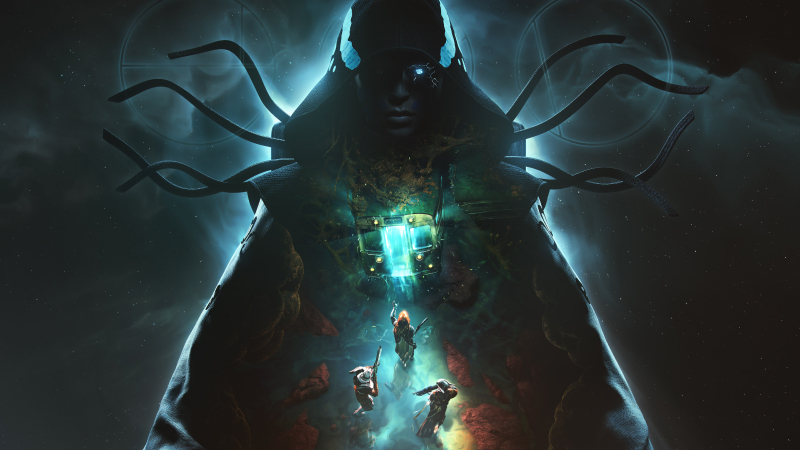
The Fate Saga begins in Destiny 2 with The Edge of Fate. Guardians will track a mysterious signal to a location at the edge of the solar system, where they will uncover a truth that redefines their future.The Future Is Now
A new adventure and the start of a new saga in Destiny 2. World tiers allow Guardians to select the level of difficulty that is right for them and reap the rewards that come with victory. Higher tiers offer more challenge, additional narrative threads, new secrets to uncover, and more powerful gear to collect.
Access Kepler’s Secrets
Hidden deep within Sol, a new destination awaits: the mysterious planetoid of Kepler. Explore a lost human settlement and forgotten Fallen houses, and encounter new characters, all affected by a mysterious Anomaly that has twisted the destination into something menacing.
Destination Abilities
Push the limit of your Guardian’s capabilities by tapping into dark matter and unlocking enemy technology with Kepler’s new destination abilities.
New Foes
Two new enemy combatants have entered the fray. Cut down swarming masses of Vex drones known as Kobolds, and face diabolical hovering Fallen Corsairs, each intent on standing in the way of your success.
View the full article
Donator: SteamDB
Donator: SteamLadder
Steam Level Up: https://slvlup.com/r/krrna6
Steam™ Hour Boosting!: https://freehourboost.com/?r=cosminzm
https://guns.lol/cosmingl
https://gamelife.ro/buy/