Settle into the passenger seat and let us guide you on your first journey through the scenic landscapes of Greece! Today, we’re happy to unveil a first look with gameplay footage from our upcoming Greece map expansion for Euro Truck Simulator 2.
Keep in mind that this DLC is not completely finished yet, so everything you see in the gameplay video preview is still a work in progress and does not represent the final product.
Get ready to be captivated by the beauty of Greece, a destination that transcends the ordinary and promises an unforgettable journey through the sun-kissed coastline and cultural wonders of this Mediterranean gem. If you would like to see more from this upcoming map expansion, you can take a look at all of our released blog posts about Greece here.


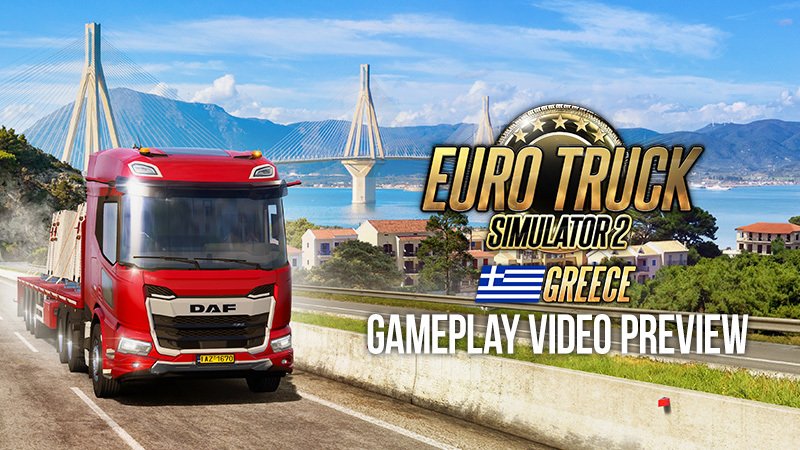
Settle into the passenger seat and let us guide you on your first journey through the scenic landscapes of Greece! Today, we’re happy to unveil a first look with gameplay footage from our upcoming Greece map expansion for Euro Truck Simulator 2.Keep in mind that this DLC is not completely finished yet, so everything you see in the gameplay video preview is still a work in progress and does not represent the final product.
Get ready to be captivated by the beauty of Greece, a destination that transcends the ordinary and promises an unforgettable journey through the sun-kissed coastline and cultural wonders of this Mediterranean gem. If you would like to see more from this upcoming map expansion, you can take a look at all of our released blog posts about Greece here.
We hope you are looking forward to this map expansion finally arriving. If you are, make sure to add the Greece DLC to your Steam Wishlist. Don't forget to stay tuned for all the latest news about Greece and other projects by following us on our X/Twitter, Instagram, Facebook, and TikTok.
https://store.steampowered.com/app/2604420/Euro_Truck_Simulator_2__Greece/
View the full article
Donator: SteamDB
Donator: SteamLadder
Steam Level Up: https://slvlup.com/r/krrna6
Steam™ Hour Boosting!: https://freehourboost.com/?r=cosminzm
https://guns.lol/cosmingl
https://gamelife.ro/buy/