Happy Halloween From Everyone At Banana We have updated the game to include some cool Halloween related things ! :HYPERS:
When you launch the game you will be greeted with a new welcome message.
We have hidden some surprises in the animations, can you find them all?
Full overhaul of the original game in the Halloween Theme.
New Rarity display system in the in-game inventory.
New Sounds.
New Music.
A small easter egg
and that's not all ! For the next whole week there will be special Halloween Themed Drops which will drop ON TOP of your original drops :HYPERS: Halloween Bananas: Common:
Mimicrynana
Zomienana
Mummynana
Batfamilynana
Bananon Vorhez
Jack-o'-Nana
Uncommon:
Frankenana
Bananywize
Banan-o'-Sticks
Rare:
Tutankhana
Terrornana
Boonana
Infectionana
Epic:
Eyesnana
Pumpkinfamilynana
Evilpumpkinana
Ultra Rare:
Ripnana
Legendary:
Obsidianana
Store Items:
Ghostfamilynana
Infestednana
HauntedHousenana
DemonKingnana
You can also Exchange the normal bananas for a chance on a Halloween drop with a 70/30 in favor of Halloween.
Oh and we disabled the exchange tokens for the whole week, go nuts 😉
Change notes:
Added rarities in inventory
Updated UI for Halloween 2024! (Sounds, clicks, background music, and more!)
Added new Halloween 2024 Collection and its bananas
Notes: We're working on reducing the file size on the next big update!


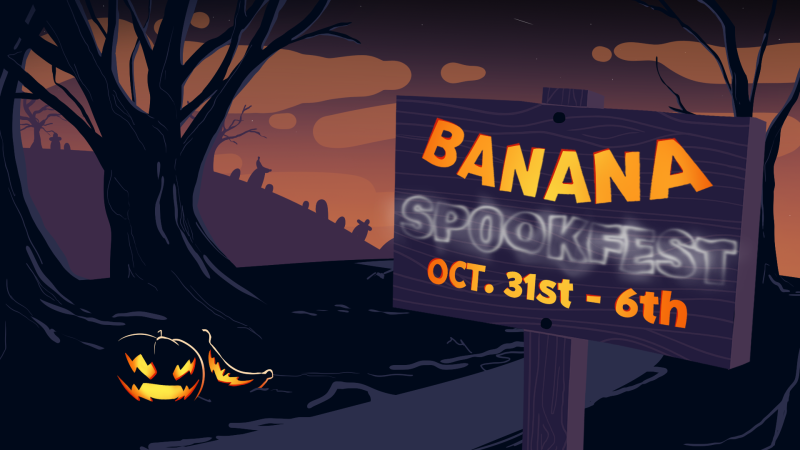
Happy Halloween From Everyone At BananaWe have updated the game to include some cool Halloween related things ! :HYPERS:
and that's not all !
For the next whole week there will be special Halloween Themed Drops which will drop ON TOP of your original drops :HYPERS:
Halloween Bananas:
Common:
Uncommon:
Rare:
Epic:
Ultra Rare:
Legendary:
Store Items:
You can also Exchange the normal bananas for a chance on a Halloween drop with a 70/30 in favor of Halloween.
Oh and we disabled the exchange tokens for the whole week, go nuts 😉
Change notes:
Notes: We're working on reducing the file size on the next big update!
- The Banana Team
View the full article
Donator: SteamDB
Donator: SteamLadder
Steam Level Up: https://slvlup.com/r/krrna6
Steam™ Hour Boosting!: https://freehourboost.com/?r=cosminzm
https://guns.lol/cosmingl
https://gamelife.ro/buy/