Remember, your participation is only valid with a submitted survey.
Who can Participate?
All PUBG: BATTLEGROUNDS players on PC and console.
Event Timeline
Event Duration (UTC): December 20, 2023, 7 AM - January 2, 2024, 6:59 AM
Winner Announcement: January 17, 2024
Prizes (Random draw from all entries):
PUBG: BATTLEGROUNDS Edition Razer Gaming Set (10 winners)
SAMSUNG SSD 990 PRO 1TB (20 winners)
PUBG COOLER (70 winners)
Golden G-Coin Box (30 Days) (100 winners)
Important Notes
Entries that are not aligned with the event's intention, involve the use of someone else's screenshots, breach operational policies, or constitute fraudulent behavior will be disqualified.
Uploaded screenshots may be utilized in the official PUBG: BATTLEGROUNDS channels.
Changing your PUBG nickname post-participation could bring issues for your reward eligibility.
Depending on circumstances, the prizes could be replaced with other products of the same value.
Winning entries might be disqualified if the associated post is set to private (thus hindering content verification) or if posted on inappropriate sites.
Participation is valid only for posts featuring screenshots taken on the Rondo map.
By participating, you consent to KRAFTON's collection and use of personal information such as your online platform account name and details in the post (including in-game nickname and gaming platform information) for winner selection. This consent is required for participation. (Personal data will be retained for six months post-event or destroyed immediately if not selected, barring specific legal requirements.)
Ensure that your participation post does not contain unnecessary personal information (like name, contact info, etc.).
If selected as a winner, the company may request additional personal information, like name, address, and ID copy, for prize distribution and tax purposes, with processes for further consent to be provided.
We are going to collect, store, and use information about you to operate this promotion. For more details about processing your information please visit “https://pubg.com/en/clause/privacy_policy”.



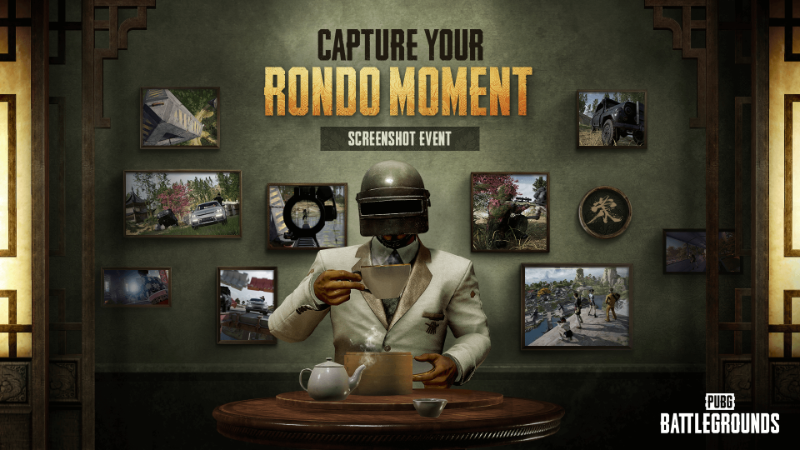
Share your memorable moments in Rondo and win a chance for special rewards including G-COIN and exclusive merchandise!How to Participate
- Capture a moment at Rondo.
- Take a screenshot of your character exploring the diverse landscapes of the new Rondo map.
- Whether it's breathtaking scenery, quirky in-game moments, or adrenaline-fueled combats, we want to see it all!
- Post the screenshot on social media or online communities.
- Be it Instagram, Facebook, YouTube, Reddit, Naver Cafe, or any other public platform, show us your Rondo scenes!
- Please include the following requirements to your post:
- PUBG: BATTLEGROUNDS in-game nickname
- Your gaming platform (e.g., Steam, Kakao, Epic Games Store, Xbox, PlayStation®).
- Enter the event by submitting the URL of your post via our survey.
- Survey link: https://forms.gle/o85r8HT7xFmgGo2r6
- Remember, your participation is only valid with a submitted survey.
Who can Participate?- All PUBG: BATTLEGROUNDS players on PC and console.
Event TimelinePrizes (Random draw from all entries):
- PUBG: BATTLEGROUNDS Edition Razer Gaming Set (10 winners)
- SAMSUNG SSD 990 PRO 1TB (20 winners)
- PUBG COOLER (70 winners)
- Golden G-Coin Box (30 Days) (100 winners)
Important NotesSee you in Rondo!
View the full article
Donator: SteamDB
Donator: SteamLadder
Steam Level Up: https://slvlup.com/r/krrna6
Steam™ Hour Boosting!: https://freehourboost.com/?r=cosminzm
https://guns.lol/cosmingl
https://gamelife.ro/buy/