
Iuliana
Content Type
Profiles
Forums
Downloads
Store
Release Notes
Everything posted by Iuliana
-
Dodge Challenger SRT Hellcat Widebody 2018 V1.9 1.50 ETS2 CHANGELOG: – Minor edits and fixes – Improved physics Specifications: – Custom UI with functional digital speedometer – Openable Front Windows – Wipers work accurately – Indicator stalk and headlight switch animations – Can be attached with a compatible trailer (Caravan included as a standard offering) – Realistic engine & transmission configuration (even the 0-100, 0-200 & 0-250 kmph timings are very close compared to the real-life counterpart) – High-quality exterior & interior *To achieve the top speed, slot the car into the 6th gear* FAQ: Q: Where to purchase it?: A: Truck Dealers > Access Mod Dealer > Dodge Q: Car is difficult to handle at corners A: While taking corners, release the accelerator. That’s typical even when you drive a high-powered RWD rear-engined car in real-life How to install ETS2 mods or ATS Mods In Euro Truck Simulator 2 it’s easy to install mods. You just need to download mod from here, copy/unzip files into: “My Documents\Euro Truck Simulator 2\mod” folder or if you play ATS please install mods to: “My Documents\American Truck Simulator\mod” folder. To unzip files you can use: WinRAR or 7zip. After that you need to activate the mods you want to use. DOWNLOAD MODView the full article
-
Land Rover Defender 110 2023 L663 V1.1 1.50 ETS2 CHANGELOG: – Fixed wipers not wiping the rain drops – Fixed multiple gaps in the interior Specifications: – Very high-quality exterior & interior – Custom UI with digital speedo & partially functional misc information – Excellent driveability – Openable Front Windows – Wipers work accurately – Indicator, Wiper stalk and handbrake button animations – Realistic engine & transmission configuration (even the 0-100, 0-200 & 0-250 kmph timings are very close compared to the real-life counterpart) – Two interior colour options (Black & Brown) – Four types of configuration for hood – Four types of configuration for side-cladding – Three types of configuration for roof – Three types of configuration for front bumper grille – Three types of configuration for rims – Two types of configuration for the front grille – Two types of configuration for A-pillar – Two types of configuration for B-pillar – Two types of configuration for the roof box – Snorkel option – Toolbox & Ladder option FAQ: Q: Where to purchase it?: A: Truck Dealers > Access Mod Dealer > Land Rover How to install ETS2 mods or ATS Mods In Euro Truck Simulator 2 it’s easy to install mods. You just need to download mod from here, copy/unzip files into: “My Documents\Euro Truck Simulator 2\mod” folder or if you play ATS please install mods to: “My Documents\American Truck Simulator\mod” folder. To unzip files you can use: WinRAR or 7zip. After that you need to activate the mods you want to use. DOWNLOAD MODView the full article
-
Improved Headlight for SCS Trucks 1.50 ATS The modification replaces the default halogen light with a softer led one, while the lighting system did not change – all edits were made by adjusting the color parameters and the glare / light range. All lightmasks are default, so performance will not suffer. You don’t need to buy a new truck for the changes to take effect. Compatible with all default trucks How to install ETS2 mods or ATS Mods In Euro Truck Simulator 2 it’s easy to install mods. You just need to download mod from here, copy/unzip files into: “My Documents\Euro Truck Simulator 2\mod” folder or if you play ATS please install mods to: “My Documents\American Truck Simulator\mod” folder. To unzip files you can use: WinRAR or 7zip. After that you need to activate the mods you want to use. DOWNLOAD MODView the full article
-
INTERNATIONAL Trucks 1000 HP Engine + & 6/12/18 Speed Transmissions v1.50 ATS This mod is about engines and transmissions for ALL INTERNATIONAL trucks: INTERNATIONAL LONESTAR INTERNATIONAL LT INTERNATIONAL 9900I It’s more power than original Kenworth 625 hp engine. 6, 12 and 18 speed transmissions have a little bit longer gears and shifts faster. Gears which ratios are more than 1 have maximum torque of 4800. Gears which ratios are smaller or equal to 1 (final 2 or 3 gears) have maximum torque of 5000 and have more power from 1900 rpm. ENGINES should be used on three or more axle trucks, because they have more grip and weight at the rear part of the trucks. Two axle trucks are slipping too much with traction control turned off. Trucks can do 200+ km/h (120+ mph). Prices: Engine: €1,000 6 speed dct Mario: €600 12 speed dct Mario: €1,200 You can unlock them at level 1 Engine DATA: Name: 1000 HP Mario Power: 1,000 HP (735 kw) Torque: 3540 lb-ft (4800 Nm) at 1300 – 1500 rpm Redline: 2600 rpm Idling RPM: 550 rpm Adblue off Transmissions DATA: 6 speed: Name: 6 speed DCT Mario Shift time: 200ms Differential ratio: 4.05 Gears: 6 speed Crawls: 0 Retarder: 6 12 speed: Name: 12 speed DCT Mario Shift time: 200ms Differential ratio: 3.08 Gears: 12 speed Crawls: 0 Retarder: 6 18 speed: Name: 18 speed DCT Mario Shift time: 200ms Differential ratio: 3.08 Gears: 12 speed Crawls: 6 Retarder: 6 How to install ETS2 mods or ATS Mods In Euro Truck Simulator 2 it’s easy to install mods. You just need to download mod from here, copy/unzip files into: “My Documents\Euro Truck Simulator 2\mod” folder or if you play ATS please install mods to: “My Documents\American Truck Simulator\mod” folder. To unzip files you can use: WinRAR or 7zip. After that you need to activate the mods you want to use. DOWNLOAD MODView the full article
-
Neobus New Road 340 1.50 ETS2 standalone mod. various skins. own sound. door animation. version 1.50 How to install ETS2 mods or ATS Mods In Euro Truck Simulator 2 it’s easy to install mods. You just need to download mod from here, copy/unzip files into: “My Documents\Euro Truck Simulator 2\mod” folder or if you play ATS please install mods to: “My Documents\American Truck Simulator\mod” folder. To unzip files you can use: WinRAR or 7zip. After that you need to activate the mods you want to use. DOWNLOAD MODView the full article
-
SCS LEBANON ADD 1.50.x ETS2 LEBANON Promods middle east Promods Tested on 1.50.x version Game: Euro Truck Simulator 2 How to install ETS2 mods or ATS Mods In Euro Truck Simulator 2 it’s easy to install mods. You just need to download mod from here, copy/unzip files into: “My Documents\Euro Truck Simulator 2\mod” folder or if you play ATS please install mods to: “My Documents\American Truck Simulator\mod” folder. To unzip files you can use: WinRAR or 7zip. After that you need to activate the mods you want to use. DOWNLOAD MODView the full article
-
Middle-East Map Addon v1.1.1 ETS2 This map adds: – Egypt – Iraq – Israel – Jordan – Lebanon – Saudi Arabia – Syria How to install ETS2 mods or ATS Mods In Euro Truck Simulator 2 it’s easy to install mods. You just need to download mod from here, copy/unzip files into: “My Documents\Euro Truck Simulator 2\mod” folder or if you play ATS please install mods to: “My Documents\American Truck Simulator\mod” folder. To unzip files you can use: WinRAR or 7zip. After that you need to activate the mods you want to use. DOWNLOAD MODView the full article
-
Real European Companies Reloaded 1.50 ETS2 This mod replaces ALL (over 150) original SCS companies inside base game and map DLCs Mod is formally updated to v1.50 (added missing files). Fixed some bugs. Minor update of mod description. How to install ETS2 mods or ATS Mods In Euro Truck Simulator 2 it’s easy to install mods. You just need to download mod from here, copy/unzip files into: “My Documents\Euro Truck Simulator 2\mod” folder or if you play ATS please install mods to: “My Documents\American Truck Simulator\mod” folder. To unzip files you can use: WinRAR or 7zip. After that you need to activate the mods you want to use. DOWNLOAD MODView the full article
-
Volvo FH5 2022 Megamod v1.8p 1.50 ETS2 Features – RHD version (Right Hand Drive version for all cabs and interiors) – Sleeper cab in two versions (with and without side windows) – XL cab in two versions (with and without side windows) – Premium black leather interior – Steering column and pedal animation – 4×2 X-Low chassis (Lowdeck) – 4 chassis on the WB3000 (6×2, 6×2 Tag, 6×2 Tag dual wheels, 6×4) – 8×4 XL chassis – The LightFix range of lightbars can be installed in one click with a set of markers and/or strobes already attached (2 variants of bottom grill bars, 8 variants of roof grill bars, 3 variants of side bars, 3 variants of light bars for cab deflectors all in three colors. And more models will be added later. – Wind deflectors (11 variants) – Headlight Guard (4 variants) – Front mudflap(2 variants) – Interior lights in different colours and intensities (21 variants) – accessory Antenna (14 variants) – other optional exclusive accessories – materials of black accessories have been reworked and various new accessories have been added – Everything listed in the to-do list will be added later, as well as many other new exclusive items that will not appear in the free version of the mod. As from now on, new stuff will only be added to the premium version of the mod. – all future updates are free – access to a special section of the Discord server with user support and pleasant chatting in a private circle. – the mod archive is unlocked, so you can easily create your own modifications for your own use – access to additional OptiShift software that adds new features to the game. Such as automatic activation of the passenger’s corner camera when the turn signal is switched on, Volvo I-Roll, Volvo VEB, automatic Electronic Brakes, Shift system based on engine load and terrain, etc. How to install ETS2 mods or ATS Mods In Euro Truck Simulator 2 it’s easy to install mods. You just need to download mod from here, copy/unzip files into: “My Documents\Euro Truck Simulator 2\mod” folder or if you play ATS please install mods to: “My Documents\American Truck Simulator\mod” folder. To unzip files you can use: WinRAR or 7zip. After that you need to activate the mods you want to use. DOWNLOAD MODView the full article
-
Mercedes-Benz W201 190E V3.5 1.50 ETS2 Mercedes-Benz W201 190E CHANGELOG: – Updated to game version 1.50 How to install ETS2 mods or ATS Mods In Euro Truck Simulator 2 it’s easy to install mods. You just need to download mod from here, copy/unzip files into: “My Documents\Euro Truck Simulator 2\mod” folder or if you play ATS please install mods to: “My Documents\American Truck Simulator\mod” folder. To unzip files you can use: WinRAR or 7zip. After that you need to activate the mods you want to use. DOWNLOAD MODView the full article
-
Lada Niva 2121 V5.8 1.50 ETS2 CHANGELOG: – Updated to game version 1.50 The car has a manual transmission, please switch to manual mode for a better driving experience. How to install ETS2 mods or ATS Mods In Euro Truck Simulator 2 it’s easy to install mods. You just need to download mod from here, copy/unzip files into: “My Documents\Euro Truck Simulator 2\mod” folder or if you play ATS please install mods to: “My Documents\American Truck Simulator\mod” folder. To unzip files you can use: WinRAR or 7zip. After that you need to activate the mods you want to use. DOWNLOAD MODView the full article
-
BMW X5M F85 V2.4 1.50 ETS2 BMW X5M F85 V2.4 CHANGELOG: – Updated to game version 1.50 – New and realistic V8 sound How to install ETS2 mods or ATS Mods In Euro Truck Simulator 2 it’s easy to install mods. You just need to download mod from here, copy/unzip files into: “My Documents\Euro Truck Simulator 2\mod” folder or if you play ATS please install mods to: “My Documents\American Truck Simulator\mod” folder. To unzip files you can use: WinRAR or 7zip. After that you need to activate the mods you want to use. DOWNLOAD MODView the full article
-
Horn of Africa v0.7 ETS2 Version 0.7 and 0.7 for version 1.50, PM and PMME 2.70 Changelog: Compatibility with ProMods 2.70 and game version 1.50 Added support for these languages: – Bulgarian, German, Spanish, Finnish, French – Japanese, Macedonian, Dutch, Polish, Romanian – Russian, Serbian, Turkish, Ukrainian, Chinese New country – Ethiopia with new cities: – Ferfer, Mustahil New cities in Somalia: – Baardheere, Beledweyne, Jawiil, Mataban, Guriceel How to install ETS2 mods or ATS Mods In Euro Truck Simulator 2 it’s easy to install mods. You just need to download mod from here, copy/unzip files into: “My Documents\Euro Truck Simulator 2\mod” folder or if you play ATS please install mods to: “My Documents\American Truck Simulator\mod” folder. To unzip files you can use: WinRAR or 7zip. After that you need to activate the mods you want to use. DOWNLOAD MODView the full article
-
The Great Steppe v1.1.1 ETS2 The “Great Steppe” Map of the Republic of Kazakhstan, which opens the way from Europe to Asia with the help of the RusMap Project. The modification works both on its own (on the right side of the main map and is not connected to others, that is, autonomously) and in conjunction with RusMap, which gives a road connection with the map of Europe and other modifications … The map is practically completely redesigned, that is, it is shifted along a more realistic projection, similar to the SCS Compatibility: 1.50 How to install ETS2 mods or ATS Mods In Euro Truck Simulator 2 it’s easy to install mods. You just need to download mod from here, copy/unzip files into: “My Documents\Euro Truck Simulator 2\mod” folder or if you play ATS please install mods to: “My Documents\American Truck Simulator\mod” folder. To unzip files you can use: WinRAR or 7zip. After that you need to activate the mods you want to use. DOWNLOAD MODView the full article
-
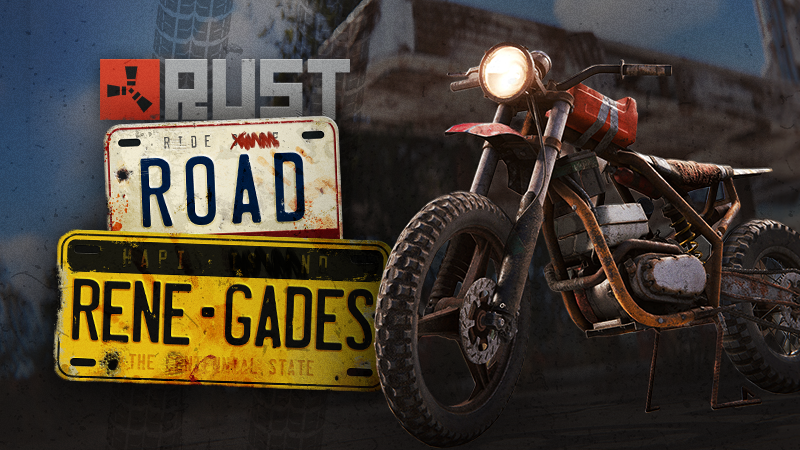
MOTORBIKES Motorbikes can now be found at several monument locations. One is a single-person bike and one has a sidecar as well, where a second player can sit and use weapons. These are relatively fast and nimble vehicles, useful for quickly traversing the map using low grade fuel. If damaged, they can be repaired with a small amount of Metal Fragments. BICYCLES Bicycles can now be found across the map on roadsides, and also at several monuments. The standard bike takes one player, but a three-wheeled variant allows a second player to sit and shoot from the rear. The bicycles aren't as fast or strong as the new motorbikes, but they're easier to acquire, and they don't use any fuel. Instead, they slowly consume your own food and water levels. Holding Sprint while biking will have the driver stand up and give you a bit more temporary power and speed. Sprint mode will also automatically engage if you're struggling up a hill. This feature wears out after a few seconds and needs time to recharge. HANDCUFFS AND PRISONER HOOD Take your enemies captive with the new Handcuff and Prisoner Hood items! Use the Handcuffs on a surrendering (friendly gesture) or downed player to take them prisoner - restricting their inventory, belt, use and interact options. Handcuffed players can be pushed around and forced into vehicles and other mountables. Place the new Prisoner Hood on your victim to block their vision and disable their map access, preventing them from seeing where you are taking them. Handcuffed players can hold their attack button to progress the unlock minigame. Fill the progress bar and the Handcuffs break, releasing you! Unlock progress is tied to the Handcuff item condition so that you can always eventually get free - but being damaged or pushed will temporarily interrupt your breakout attempt! Additionally, performing the friendly gesture - at any time - lets other players inspect your full inventory and modify your belt - a great way to show you're not a threat or hiding something valuable! TRAVELLING VENDOR We've added a brand new event! The Travelling Vendor. The vendor will spawn naturally on maps with ring roads (4000+) and traverse the roads. The vendor sells a selection of wares: from basic building materials to some of the best items in the game. Each time the vendor spawns a random selection of items are chosen to sell, along with a different price each time. If you're lucky, the vendor will decide to sell something at a discount, so keep an eye out! To get the vendor to stop just run up to it, but don't stand blocking its way for too long or you will be ignored. It can't wait on you forever! It doesn't take too kindly to gunfire or selling to hostiles so make sure you're on your best behaviour. I want to say a huge thanks to the Rust Discord Community for their incredible work in helping debug and improve the vendor. QUALITY OF LIFE CHANGES Ceiling Light Wiring Ceiling lights IO points are now easier to target Improved Barricade Placement Can now place barricades on rocks and dirt roads DYNAMIC VENDOR PRICING To introduce a little more variety into the NPC vending system, this month we have introduced a change that increases or decreases the sale price of items purchased with scrap based on that item’s popularity. The way it works is we now keep a running total of the average number of items sold every 6 in-game hours. Every 6 hours if the number sold is less than the average then the price of the item will drop by 5% for the next 6 hours (down to a minimum of 50%). If the number of items sold has increased above the average then its price will be increased by 10% (to a maximum of 100% extra, or twice the price). We will be starting prices at 200% so they will likely drop for a while before settling to the “market” price. An example of the logic: The average amount of SAM sites purchased in a 6 hour window is 150, and the current price has no increases or decreases. At the end of a 6 hour window we check and see that 155 SAM sites have been purchased. Since the average has gone up, we raise the price by 10%. Since the price is now more expensive, sales drop to 120 over the next 6 hours. Since this is below the average we then drop the price by 5%, which results in a 5% price increase in total. You can see the current discount and price when looking at an item on the map or in-person, the price displayed is the final price and there’s a small indicator that communicates what the current price change is and what that item’s initial price was. You can easily tell at a glance what items are cheap and what items are expensive, as well as how much they’ve changed price to make informed purchasing decisions. We’ve only applied this to sales where the currency paid is scrap - vending machines that offer scrap in exchange for items (fish market, resource exchange, etc) are unaffected. This will also not apply to player created vending machines. Why are we making this change? We believe the NPC vending meta can be shaken up a bit and this seems like a fairer change than us just arbitrarily changing a bunch of prices across the board. This way the prices will increase and decrease based on player behaviour and will vary from server to server. As usual we’ll monitor how this goes over the next month and make changes as necessary. FURTHER MEMORY IMPROVEMENTS Building on last month's work to reduce the overall number of objects in Rust to save memory, this month we are rolling out even more improvements. We applied the same principle (reducing the number of objects by combining them when possible) but at the project level, so that most assets are already combined and streamlined in the build and don’t need to be processed when starting the game up. The streamlining process we use here is even more aggressive and results in even greater memory savings while also reducing time spent processing assets. As well as these optimisations, we’re going to be making last month's renderer improvements now enabled by default. We believe this approach combined with last month's improvements has resulted in about a gigabyte of reduced memory usage on a fresh server. This was a huge effort as it involved manually modifying hundreds of assets across the entire game. Thanks to the valiant efforts of our QA team we’ve identified many cases where slight unintentional material and colour changes occurred but it’s possible some more snuck through into the release so please let us know if you see anything that looks incorrect! Just like last month, we have more improvements in the pipeline for next month including memory improvements to monument foliage and a new process for loading monuments that will hopefully reduce loading times and further reduce memory usage. UNDERWATER VISIBILITY Underwater visibility has been messed up for a while now. It was an unintended consequence of us rewriting the way we shade things underwater, to make it more flexible. That low visibility has now been fixed, but we might continue to tweak it some more in subsequent patches. ANTI-CHEAT UPDATE Since our last anti-cheat update back in April, we have banned an additional 65,181 accounts, 10,297 of these were temporary, and the remaining 54,884 were permanent bans. Here's the breakdown per patch: June - Seismic Shift: 14,949 permanent bans 5,898 temporary bans (86.39% of which were automated) 117,554 reports May - Meta Madness: 19,876 permanent bans 2,755 temporary bans (91.80% of which were automated), 111,094 reports April - Waves of Change: 20,059 permanent bans 1,644 temporary bans (94.67% of which were automated) 96,473 reports NOTES Patch-specific report data is only from Facepunch Official servers due to data reliability originating from non-official servers, the total number of reports across all server since April is 3,645,165. Bans that were later reverted are excluded from these metrics. Bans are placed for multiple reasons. The numbers above do not strictly reflect only cheat-related bans, but cheat-related bans make up the vast majority of bans. A single player can receive multiple bans, for example, if a user is temporarily banned and then later switched to a permanent ban, this is counted as 2 bans in the above metrics. Over the last 31-days, we've had 1,751,457 unique players, and close to half a million daily active players. Using the metrics above, it could be interpreted that 1.2% of the player base are cheaters, it's very common for cheaters to use many accounts over the course of the month. Cheaters often receive an account suspension, get another account, receive another ban, rinse and repeat inflating the true number. The above is to provide context and transparency, not to state we're doing a good job, there is much more to be done in this area, and we are continuing to work on it. NEXTIn the last anti-cheat blog update, I discussed how we've limited the information cheaters can read and abuse from network data, such as knowing players health and buried stash locations, authorization lists from turrets and tool cupboards. The holy grail would be not networking nearby players and items you can't see. If a player is behind a hill and you can't see them, don't network the player. If a tool cupboard is inside a base, don't network the tool cupboard. This is server occlusion, and it's difficult to get perfect. We're currently experimenting with this and hope to do a slow rollout over the coming months, pending further internal testing. Additionally, we're currently working on many experimental features to disrupt cheats, some of these changes are nearly completion and will be deployed Soon™. Last month, we teamed up with a third party to handle takedowns on our behalf. One of the core objectives is aimed at cheat-related material. The takedowns will be made at the request of Facepunch staff after manual review. There is no automation, and there is no room for innocent content to be taken down. In the past 30 days, we've taken down over 300 cheats-related media on social platforms We're working on several other legal fronts, which are too early to discuss The next anticheat update will be in November CREATIVE MODE Creative mode is a new set of native tools Paddy and I have added which allows players to freely build, place and experiment without needing additional plugins. You can enable creative mode for everyone on your server using the server convar "creative.allUsers" or enable it just for a specific player using “creative.toggleCreativeModeUser PLAYERNAME”. Once enabled, there are several convars you can enable which overrides standard build and placement restrictions: creative.freeRepair - allows resource free repairs and bypass the repair cooldown creative.freeBuild - makes all building blocks free and adds the option to spawn blocks in a specific grade. Also allows the Hammer to upgrade and downgrade blocks for free. creative.freePlacement - removes most placement restrictions when deploying objects. Will allow building in building blocked zones, in other TC zones and when intersecting other objects. creative.unlimitedIO - allows an unlimited amount of line points and raises the distance limit when wiring IO entities to 200m. Also adds an invisible colour option in the colour wheel. This was originally made to help our Media team more efficiently build and film content, but we also see this being helpful for QA purposes as well. Hopefully you find it helpful too! TWITCH DROPS - JULY 26-AUG 2ND FancyOrb's Global Warfare event takes place and all your favorite creators will be involved with Twitch drops! Drops will be available across the entire Rust category on Twitch. Be sure to get synced at https://twitch.facepunch.com/connect to claim your skins!Vezi articolul complet

-
How to install ETS2 mods or ATS Mods In Euro Truck Simulator 2 it’s easy to install mods. You just need to download mod from here, copy/unzip files into: “My Documents\Euro Truck Simulator 2\mod” folder or if you play ATS please install mods to: “My Documents\American Truck Simulator\mod” folder. To unzip files you can use: WinRAR or 7zip. After that you need to activate the mods you want to use. DOWNLOAD MODView the full article
-
Red Sea addon for Beyond V1.0 ETS2 This mod reintroduces the areas around the Red Sea from the Terramaps map of the same name, which were cut following the release of the “Road to Africa” map, and further cut with the introduction of “Beyond”. Since I didn’t understand the reason for this cut, I decided to reintroduce these areas of the map, hoping to please you. I would like to thank the Terramaps Team for creating these beautiful maps for those who play ETS2. Game version: 1.50 How to install ETS2 mods or ATS Mods In Euro Truck Simulator 2 it’s easy to install mods. You just need to download mod from here, copy/unzip files into: “My Documents\Euro Truck Simulator 2\mod” folder or if you play ATS please install mods to: “My Documents\American Truck Simulator\mod” folder. To unzip files you can use: WinRAR or 7zip. After that you need to activate the mods you want to use. DOWNLOAD MODView the full article
-
Interior Cabin Lights v1.50 ATS This mod provides interior cabin-light glow in choice of blue, green, orange, purple, red, and white for SCS trucks and mod trucks listed below. Lights are available under “Driver’s Plate” and “Co-Driver’s Plate” in both (on w/Parking) and (Beacon switched) configurations; you can even mix them up: assign (on w/Parking) to one plate and (Beacon switched) to the other plate. – International HX520H by Harven – Kenworth T800 by GT%M – Kenworth W990 by Harven – Mack R by Harven – Peterbilt 389v2.3 By Viper – Peterbilt 3xx by [HFG]guidot – Volvo VNL 2018 by Galimim (found in antenna slots for main mirrors) – Peterbilt 389 by Rezbilt – Freightliner FLB edited by Harven – Kenworth K100-E How to install ETS2 mods or ATS Mods In Euro Truck Simulator 2 it’s easy to install mods. You just need to download mod from here, copy/unzip files into: “My Documents\Euro Truck Simulator 2\mod” folder or if you play ATS please install mods to: “My Documents\American Truck Simulator\mod” folder. To unzip files you can use: WinRAR or 7zip. After that you need to activate the mods you want to use. DOWNLOAD MODView the full article
-
DAF 2021 BY RODONITCHO MODS V1.50 ATS 3 CABINS XF XG XG+ 4 CHASSIS FT FT FTS FTN 7 ENGINES 367 408 428 449 483 530 660 HP 6 TRANSMISSIONS 3 INTERIORS 12 SKINS How to install ETS2 mods or ATS Mods In Euro Truck Simulator 2 it’s easy to install mods. You just need to download mod from here, copy/unzip files into: “My Documents\Euro Truck Simulator 2\mod” folder or if you play ATS please install mods to: “My Documents\American Truck Simulator\mod” folder. To unzip files you can use: WinRAR or 7zip. After that you need to activate the mods you want to use. DOWNLOAD MODView the full article
-
Kenworth CBE (1950s) v1.0.1a – ATS 1.50 Includes: – 5 Cabins – 2 Chassis – Cummins NH Engines – Original/Stock Interior – Some tunings & accessories – Standalone – Buy in Mod dealer OG Model by D3D Designs Textures by guidot, SCS Animations by guidot Model provided by EddieD How to install ETS2 mods or ATS Mods In Euro Truck Simulator 2 it’s easy to install mods. You just need to download mod from here, copy/unzip files into: “My Documents\Euro Truck Simulator 2\mod” folder or if you play ATS please install mods to: “My Documents\American Truck Simulator\mod” folder. To unzip files you can use: WinRAR or 7zip. After that you need to activate the mods you want to use. DOWNLOAD MODView the full article
-
No one is your friend inside a battleground, but we are here to help you with free codes. If you are a One Piece fan, join today to experience a world full of fruits to eat and enemies to kill. Enter a battleground theme around the famous anime and fight to the top. Earn bounties, take your targets down, and obtain new fruits to get abilities and become more powerful. Sadly, becoming stronger in the game will require you to put hours into your grind. Are There Any Working Codes? As for now, there are no active codes for this game. However, we are expecting new codes to drop soon. So make sure you redeem all of them once they are out. Sound ID Codes Here are all the active Sound ID codes for The Strongest Battlegrounds. Note that you will have to spend 199 Robux to unlock this feature. 130783046 – Godzilla 132366334 – Pac Man Death 792323017 – Alarm! 937885646 – Ultra Kill 1832576951- Pathetic 2261507666 – Cool Remix 2618158728 – Children Scream 2661731024 – Windows Crash 3168087931 – Telephone roar 3200130016 – You are an Idiot 4544601361- Pls Subscribe 4702564143 – Mini Jam 5304557205 – Ah!!!! 5700183626 – Blood Splash 5951474720 – Naruto Pain! 6087891128 – Toilet Fart 6185331235 – Acne Sad 6286038151- Birb 6467894576 – Scary Scream 6649017583 – Gambare Gambare 6835794541 – Sponge Bob! 6879335951 – Android 6927310432 – Prowler 7109386510 – Dababy? 7118312248 – Finishing Blow 7147847068 – You Lie 7187643697 – MM2 Win Sound 7291000847 – Blue Passport 7345224995 – Welcome to the Shadow Realm 7355090174 – Toxicity! 7361085557 – Boom Headshot Meme 7393653993 – Don’t Get Mad! 7405233417 – Sorry About that! 7727945686 – Slice 8223869886 – I will send you to jesus 8233569802 – Ara Ara 8235260386 – Another Fatherless Child 8243098911 – Do you feel something for me? 8395383233 – Lego Brick Breaking 8508727445 – Death 8550333107 – Beat with a stick! 8649450925 – You going to cry? 8721555368 – Fetch 8974751426 – Head Shot 9057023555 – Leave me Alone 9064673560 – Man Shut Up! 9073674876 – Bone Cold 9117321903 – Gojo from Wish The Strongest Battlegrounds Trello Sadly, The Strongest Battleground is still due to the update, which adds the feature of redeeming codes in the game. However, if you want to learn more about the game, like understanding the different types of items, characters, boosts, and maps the game offers, remember to check out the Trello Link. How to Redeem Codes in The Strongest Battlegrounds The game has yet to receive the update, which includes the option of redeeming codes. Once the developers drop that update, we will add all the steps you must follow to redeem codes in this section. Credit: Roblox How to Get in Touch If There are New Codes? If you want to keep up with the latest news and updates, make sure you join the Official Discord Server and the Official Roblox Group. Also, you can just bookmark this page, as we will update the article instantly. The post All The Strongest Battlegrounds Codes appeared first on GameRiv. View the full article
-
Controlling an entire faction comes with responsibilities one can not handle alone, so here are some codes that will make things easier. Build up your army and prepare them to take over the world of Roblox. In Faction Defense Tycoon, you must lead a faction and build your way to the top. You can update your faction’s ability to mine resources, train your army, and upgrade your base. The game’s main goal is to make a perfect base that opponents can not destroy. Faction Defense Tycoon Codes Here are all the codes you can redeem in Faction Defense Tycoon: gzedtest122 – Spawn a giant into your army (NEW) How to Redeem Codes Follow these steps to redeem these codes: Boot up Faction Defence Tycoon on your preferred device Now search for the entry codes here box in the bottom right of the screen Copy and paste the codes from above Hit redeem to get all the rewards Credits – Roblox Expired Codes RIPZED ZEDGAMING XP123 FLAMER2 ZEDYT SYKE ZEDGAMINGYT FREEPRESTIGE CAPTAIN pres123 – Fire On Arms cosmetic and 2 prestige points (New) morexp CASHER FIREFLAME The post All Faction Defense Tycoon Codes appeared first on GameRiv. View the full article
-
But Every Second You Get 1 Jump, a popular game, recently released some redeemable in-game codes. But Every Second You Get 1 Jump is a fun game created by impractical inc. Your capacity to jump higher in this game will improve every second. You will be able to discover new regions to explore as you may launch higher into the air. See whether you can raise your capacity for leaping to the highest level and emerge as the world’s top jumper. But Every Second You Get 1 Jump Codes Here’s a list of all the available and newly published redeem codes: FreeRebirth: 100 Gems & 1 Free Rebirth (NEW) 400K: 400 Gems 200K: 200 Gems Expired Codes Release: 100 Gems How to Redeem But Every Second You Get 1 Jump Codes Credit: Roblox Simply follow the steps described below to redeem any active codes: Open up But Every Second You Get 1 Jump on your device. Tap for a Codes button on the side of the screen. Copy a code as it appears in the list we gave. Simply paste it into the text box. Finally, click the Submit button and enjoy your reward! How to Get More Codes for Free? Simply search and join the official But Every Second You Get +1 Jump impractical inc Roblox Group and impractical inc. Discord Server for more information. We’ll inform you about new codes as soon as they become available. It would be best to use them as quickly as possible when they get published because you never know when they’ll run out. The post Roblox But Every Second You Get 1 Jump Codes appeared first on GameRiv. View the full article
-
Let’s take a peek at what Cabin Crew Simulator has in store for you this month. Cabin Crew Simulator is an airplane game developed by Cruising Studios. This game allows you to experience what it’s like to be the captain of your own airline. You’ll have to deal with the plane, food, and drinks, as well as be a flight attendant and look after your passengers. If you can deliver a good flight, you will be able to earn extra money, which you can spend to improve your experience. Attempt to become the most popular airline in the Roblox universe. Cabin Crew Simulator Codes Here’s a list of all the available and newly published Cabin Crew Simulator redeem codes: myles: $2,000 Skybux (New) airport: $1,200 Skybux (New) star: $1,500 Skybux (New) 100m: 1k Skybux decoration: 1.5k Skybux customize: 1.5k Skybux airstairs: 1.3k Skybux service: 1.3k Skybux galley: 1.3k Skybux boba: 1.3k Skybux jetway: 1.3k Skybux badge: 1.3k Skybux Expired Codes pilot: 1.1k Skybux landing: 1.1k Skybux snow: 1.6k Skybux captain: 1.2k Skybux turbulence: 1k Skybux paris: Free SkyBux triple7: 1,500 SkyBux cruising: Free SkyBux evacuate: Free SkyBux airliner: Free SkyBux mission: 1,500 SkyBux wheelsup: 2,000 SkyBux takeoff: 150 SkyBux clouds: 100 SkyBux flying: 200 SkyBux How to Redeem Cabin Crew Simulator Codes Credit: Roblox If you don’t know how to redeem codes in Cabin Crew Simulator, just follow the steps given below: Open up Cabin Crew Simulator on your device. Search for a Gift button on the left side of the screen. It will open the code redemption box if you tap on it. Copy a code as it appears in the list we gave. Simply paste it into the text box labeled, “Enter Code.” Finally, click the redeem button and enjoy your reward! How to Get More Cabin Crew Simulator Codes for Free? Simply search and join the developer Cruising Studios, follow them on Twitter @CruisingStudios and join their Cruising Studios Discord Servers for more information on Cabin Crew Simulator and Codes. We’ll keep you informed about new codes as soon as they become available. It would be best if you use them as quickly as possible when they get published because you never know when they’ll run out. The post All Cabin Crew Simulator Codes appeared first on GameRiv. View the full article
-
Are you looking for the most up-to-date War Simulator Codes? Don’t worry! We’ve got you covered. War Simulator is one of the military games available on Roblox, developed by Calculated Studio. You can fight in several historical battles throughout history in this game. See if you can prove yourself to establish yourself as the greatest soldier ever. War Simulator Codes Are There Any Working Codes? As for now, there are no new codes for this game. However, we are expecting the developers to release new codes soon enough, and when they do, we will update them here in this section. Expired Codes If you ever found codes that aren’t working, it’s very likely that they have already expired. Here’s a list of all the expired codes: 300KLikes 300KLikes! release joineddiscord ActiveWizard20K 73M1LL1ON SnugLife – an Elsa pet WinterWarrior – 50K coins How to Redeem War Simulator Codes Credit: Roblox In the Sea Piece, redeeming codes for free rewards is very easy. Just follow the steps described below: Open up War Simulator on your device. Search for a Twitter button on the left side of the screen. It will open the code redemption box if you tap on it. Copy a code as it appears in the list we gave. Simply paste it into the text box. Finally, click the Enter button and enjoy your reward! How to Get More Codes for Free? Simply search the developer’s official Twitter accounts, @SimpleGamesInc and @UndoneBuilder for more information on War Simulator Codes. We’ll inform you about new codes as soon as they become available. It would be best to use them as quickly as possible when they get published because you never know when they’ll run out. The post All War Simulator Codes appeared first on GameRiv. View the full article