Skip to content
View in the app

A better way to browse. Learn more.

GAMELIFE România

A full-screen app on your home screen with push notifications, badges and more.

To install this app on iOS and iPadOS
  1. Tap the Share icon in Safari
  2. Scroll the menu and tap Add to Home Screen.
  3. Tap Add in the top-right corner.
To install this app on Android
  1. Tap the 3-dot menu (⋮) in the top-right corner of the browser.
  2. Tap Add to Home screen or Install app.
  3. Confirm by tapping Install.

WANDERER

Members
  • Joined

  • Last visited

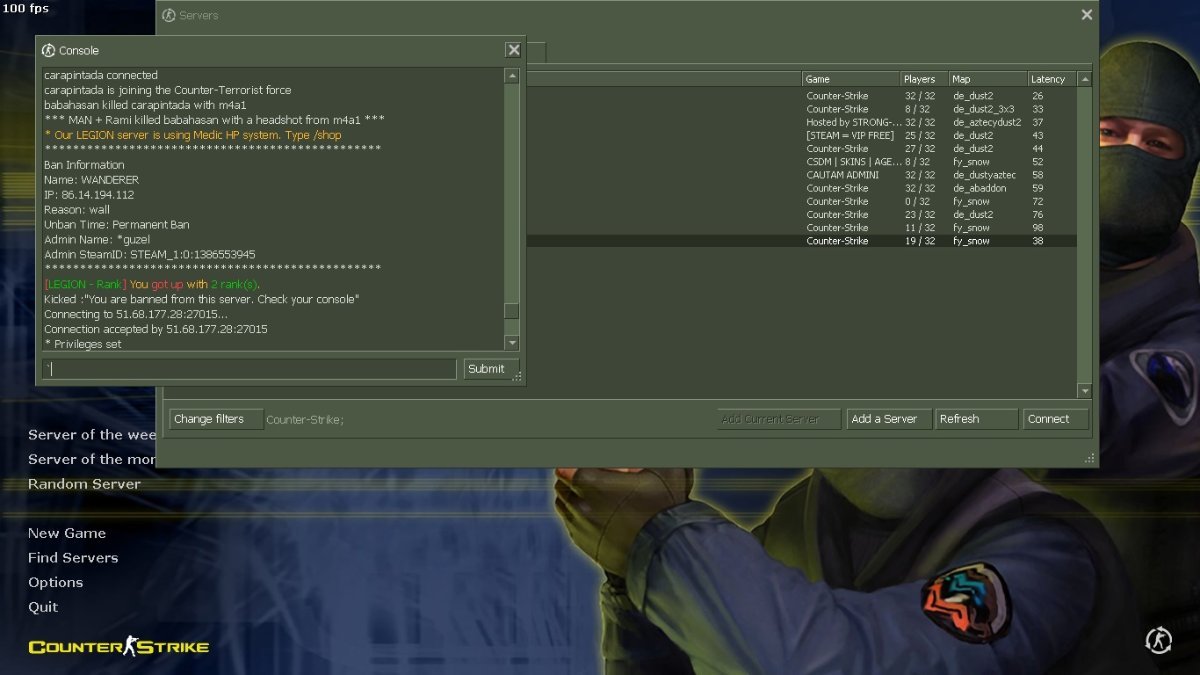
  1. SE PARE CA NE-A DAT BAN IN ACEEASI SEARA ASTA MERITAM DACA IL IMPUSCAM
  2. AUZITI? STITI CE? LASATI BANUL ACOLO :))))))))) SUNT SI ALTE SERVERE.... NUMA BINE SA FITI SANATOSI 🙂 MERCI NATSSU MERCI TH3AFK RESPECT LA BAIETI
  3. Moderator îi spune la rank, dar unii chiar strică jocul.
  4. Nu era nimeni cu nick asemănător, măi, băiat. Dacă acționezi așa, măcar asumă-ți. Mulțumesc că ai răspuns, totuși. Numa bine.
  5. VA ROG SA CONSIDERATI SA IMI SCOATETI BAN-UL. AM ATASAT WG SCAN LA POSTAREA PRECEDENTA
  6. Scanare WG obligatoriu : https://www.wargods.ro/wcd/report.php?id=3084725
Account

Navigation

Search

Search

Configure browser push notifications

Chrome (Android)
  1. Tap the lock icon next to the address bar.
  2. Tap Permissions → Notifications.
  3. Adjust your preference.
Chrome (Desktop)
  1. Click the padlock icon in the address bar.
  2. Select Site settings.
  3. Find Notifications and adjust your preference.