



Echo
Administrators
-
Joined
-
Last visited
Everything posted by Echo
-
Commanders! Freedom is a loud idea: it starts with a spark, gathers a crowd, and doesn't wait politely at the gate. From July 3 through July 15, join the United in Freedom celebration inspired by American Independence Day and Bastille Day, and take part in missions, discounts, and Twitch Drops! EU (CEST/UTC+2) NA (PT | CT | ET) ASIA (UTC+8) Event Start July 3 at 11:00 July 3 at 02:00 | 04:00 | 05:00 July 3 at 17:00 Event End July 15 at 11:00 July 15 at 02:00 | 04:00 | 05:00 July 15 at 17:00 MissionsComplete daily objectives, collect Tokens, and advance through the United in Freedom reward line. With up to 48 Tokens available and 16 needed for the full progression, there’s plenty of room to play your way and still claim rewards. United in Freedom Missions. Complete daily missions in Tier IV+ vehicles to earn Tokens and progress through the reward line. U.S. Independence Weekend. From July 3 through July 6, roll out in American vehicles for Personal Reserves and themed rewards. Bastille Day Weekend. From July 10 through July 13, command French vehicles for Personal Reserves and themed rewards. DiscountsBuild up your Garage during the celebration with up to 50% discounts on American and French vehicles. American vehicles take the spotlight during the U.S. Independence celebration, while French vehicles follow for Bastille Day. U.S. Independence Discounts EU (CEST/UTC+2) NA (PT | CT | ET) ASIA (UTC+8) Start July 3 at 11:00 July 3 at 02:00 | 04:00 | 05:00 July 3 at 17:00 End July 6 at 11:00 July 6 at 02:00 | 04:00 | 05:00 July 6 at 17:00 Bastille Day Discounts EU (CEST/UTC+2) NA (PT | CT | ET) ASIA (UTC+8) Start July 10 at 11:00 July 10 at 02:00 | 04:00 | 05:00 July 10 at 17:00 End July 13 at 11:00 July 13 at 02:00 | 04:00 | 05:00 July 13 at 17:00 Twitch DropsKeep the celebration running off the battlefield. Watch participating streams to earn themed Drops: 180-minute rewards are available from your favorite content creators, while extra 120-minute national Drops come from select American and French streamers. U.S. Independence Drops EU (CEST/UTC+2) NA (PT | CT | ET) ASIA (UTC+8) Event StartAll content creators July 3 at 17:00 July 3 at 08:00 | 10:00 | 11:00 July 3 at 23:00 Event End July 6 at 17:00 July 6 at 08:00 | 10:00 | 11:00 July 6 at 23:00 Event StartAmerican streamers July 4 at 17:00 July 4 at 08:00 | 10:00 | 11:00 July 4 at 23:00 Event End July 5 at 17:00 July 5 at 08:00 | 10:00 | 11:00 July 5 at 23:00 Bastille Day Drops EU (CEST/UTC+2) NA (PT | CT | ET) ASIA (UTC+8) Event StartAll content creators July 13 at 17:00 July 13 at 08:00 | 10:00 | 11:00 July 13 at 23:00 Event End July 15 at 17:00 July 15 at 08:00 | 10:00 | 11:00 July 15 at 23:00 Event Start French streamers July 14 at 17:00 July 14 at 08:00 | 10:00 | 11:00 July 14 at 23:00 Event End July 15 at 17:00 July 15 at 08:00 | 10:00 | 11:00 July 15 at 23:00 STREAMS WITH DROPS Note: Claimed Twitch Drops must be collected in-game by July 29 at 09:00 UTC. How to Receive Twitch Drops[expand type=details expanded=false]In order to receive Twitch Drops, you need to have an account linked to your email. If you haven't completed this process yet, you'll need to do so first to participate in the activity. After that, make sure to link your World of Tanks and Twitch accounts to receive your prize. Check our official Twitch Drops guide to learn more.[/expand] Take part in United in Freedom, complete the missions, claim your Drops, and keep the celebration rolling. EU NA ASIA Roll Out! View the full article
 Commanders! July brings fresh reasons to roll out in World of Tanks, including the return of Last Stand, international celebrations, Road to Glory rewards, and AMD Onslaught Summer Arena. Watch the video now. Here are some of this month's highlights: Update 2.3.1. A new update arrives in mid-July. Keep an eye on the portal for the full details closer to launch, with Twitch Drops coming around the release. Last Stand. The PvE event returns from July 30 through August 9, bringing the fight to Nordskar for the first time in the mode. Team up to face new enemy types, destroy Obelisks, and survive wave after wave as the experience gets gameplay improvements. United in Freedom. Celebrate from July 3 through July 15 with themed missions, Twitch Drops, discounts, special offers, and rewards inspired by American Independence Day and Bastille Day. Road to Glory. The football-themed web event continues through July 22. Head to the portal to back your favorite, complete missions, and earn credits, customizations, and unique 3D attachments. AMD Onslaught Summer Arena. Follow top-tier 7v7 action as teams from Europe, the Americas, and China clash in the AMD Onslaught Summer Arena. Watch for high-level gameplay, Twitch Drops, and a look at how fan-favorite teams stack up before WCI. Boosteroid. The desert does not wait. Play World of Tanks through Boosteroid with no downloads required and claim special July rewards including the ASTRON Rex 105 mm, unique Commander Len Burrows, 1,000 gold, brand-new decals, Experimental Equipment, and more. Make sure to check out the video to see more of what's coming, then head to the full article for the July calendar, event dates, and more details on this month's highlights. EU NA ASIA Roll Out! View the full article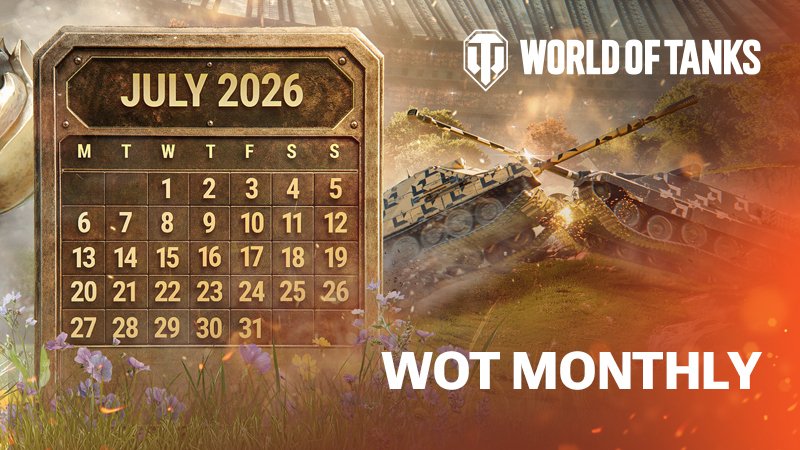
Account
Navigation
Search
Configure browser push notifications
Chrome (Android)
- Tap the lock icon next to the address bar.
- Tap Permissions → Notifications.
- Adjust your preference.
Chrome (Desktop)
- Click the padlock icon in the address bar.
- Select Site settings.
- Find Notifications and adjust your preference.
Safari (iOS 16.4+)
- Ensure the site is installed via Add to Home Screen.
- Open Settings App → Notifications.
- Find your app name and adjust your preference.
Safari (macOS)
- Go to Safari → Preferences.
- Click the Websites tab.
- Select Notifications in the sidebar.
- Find this website and adjust your preference.
Edge (Android)
- Tap the lock icon next to the address bar.
- Tap Permissions.
- Find Notifications and adjust your preference.
Edge (Desktop)
- Click the padlock icon in the address bar.
- Click Permissions for this site.
- Find Notifications and adjust your preference.
Firefox (Android)
- Go to Settings → Site permissions.
- Tap Notifications.
- Find this site in the list and adjust your preference.
Firefox (Desktop)
- Open Firefox Settings.
- Search for Notifications.
- Find this site in the list and adjust your preference.
