Skip to content
View in the app

A better way to browse. Learn more.

GAMELIFE România

A full-screen app on your home screen with push notifications, badges and more.

To install this app on iOS and iPadOS
  1. Tap the Share icon in Safari
  2. Scroll the menu and tap Add to Home Screen.
  3. Tap Add in the top-right corner.
To install this app on Android
  1. Tap the 3-dot menu (⋮) in the top-right corner of the browser.
  2. Tap Add to Home screen or Install app.
  3. Confirm by tapping Install.

Spring Forward

  • Moderators

rssImage-df0f0f6e14c479443682e564ee7dc5f1.png

New weekly care package drop collections, Spring cleaning on Inferno and Train, and an update to content in the Armory—today's update contains a little something for everyone!

New Drop Collections
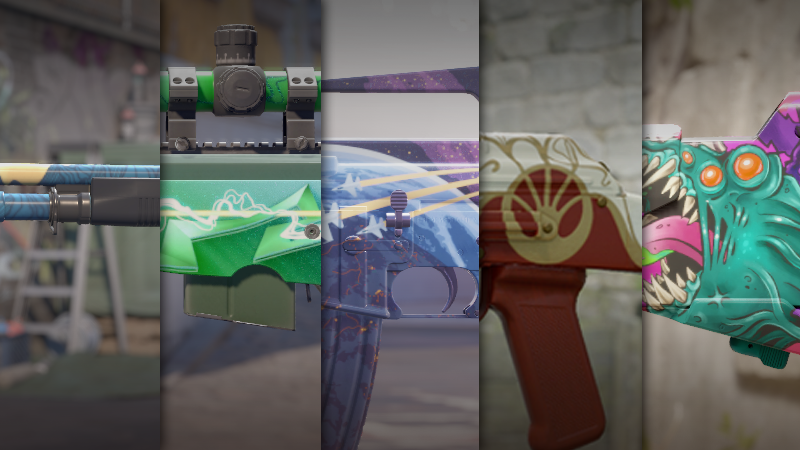
Your weekly care packages just got a bit more interesting. Three new weapon collections have been added to the care package drop list, so keep an eye out for items from the all-new Ascent, Boreal, and Radiant collections. With over 70 new finishes, these collections feature a wide range of styles from solid colors, gold reliefs, camo patterns, custom paint jobs and more.

601d33cc08e6cdff60dd5e06607c93abaab4df8a03db35cc824943a55ab73415c613d6fe91853b4b16ce891176919f3728f08b206dc33f1ad702132a
Spring cleaning on Inferno and Train
We're also tidying up a few maps. Inferno and Train have undergone some Spring cleaning. You'll notice cleaner surfaces, less clutter, and a slightly wider banana.

b55c104f0c2cc312b2e6eb83c5811634910b8699

New additions to the Armory
The Armory has received some new offerings, beginning with the all-new Fever Case, featuring 17 weapon finishes from community contributors and Shattered Web knives in Chroma finishes:

[carousel]5892c4382bfbd600565554a20bcabfaf307a3606faaac749ffac30ccd49f986dcf7ed442c2221f6ed25f69a427f516ae8ec702b4f611d313e8e6ef72d755a62e06da8b5e91d5dfa182cdbf2658096bf9a475832075ba1b2a30ce66b85afc280cd5f614f1a54176a219c0de9e779e7136248c05272ca2b39b85a164a3f63326e849ed6d02d57e299782c14cdc97a0893495957dd7fafe103c54c587b28eb64798a681b6dcfe7a50adee9d45234575c0eabea56e865f7c18a627e1f8de5b9aa6ef2708febc11bdabc900ace9af5a5f4bf3288bede5207044aa749b5d1ca6b19d825b6e1ac7bbacfb64fb57bd8a066f6efb02814b4b4aeb224edadc70a47e43b6743eff25baa9e411ad6b1947766c518aa7c2c35fcad77138c1c0df9c31d99904477d896f8d6447c16594abc98314a7e8d3ffffb7de74aaf84ebf6cffb12ea5647a1862f0b14868b1a37e7993cf479eb75c7889f2a542f5fe8fc0c74e51b36a94e766b55d7d8d399c9a[/carousel]

And with Train releasing earlier this year, its collection gets a revamp featuring designs inspired by the map's graffiti, location, and more:

[carousel]5a41ddeb23099b24764e09e3bbbc82adeb9d8d7c364c260727b7c9cfd1cb8b3254674711c5b6de757edeee04a993875ed12eaa0544dcae90a0155139911b13881d223108837ede7ac38907ecca90f8bc7693e86d83bd261a4a064a941e2f3ca11e145fd4a09af00fc828ac02ddcee1f3bde5c2cd2747f26e2335fb1bf916d91856c0168b6de0f7019d7310a5fce6b97de8322657c2a8af4a83a044ac49370d03a848d5223d2b41fd66f07970928dd505677e2618c3236fd81c27b2703b1f5e0cb69d5ed1931bb3eb6875ba48b2e4e761dfbb90898cd4a3924537a636ffd6a06e5c3d55325c574ec6df96a205a15d2b92f3256e0de94bb81bbfa34be3524e06cad5cbbb859af0a12693e96b9ff8601c2cf85432336afa4e731f06b3028364f8826e3d9e2dddd4a357e07aa2af1b1475be64b0ec40fe5a7e4c4675722ec69ce933[/carousel]

And one more thing, we have added a new Limited Edition Item: the XM1014 | Solitude. Its mountainous pattern comes in a wide range of variations:


What are you waiting for? Jump into a match and check out what's new!

View the full article

Featured Replies

No posts to show

Create an account or sign in to comment

Recently Browsing 0

  • No registered users viewing this page.

Account

Navigation

Search

Search

Configure browser push notifications

Chrome (Android)
  1. Tap the lock icon next to the address bar.
  2. Tap Permissions → Notifications.
  3. Adjust your preference.
Chrome (Desktop)
  1. Click the padlock icon in the address bar.
  2. Select Site settings.
  3. Find Notifications and adjust your preference.