Skip to content
View in the app

A better way to browse. Learn more.

GAMELIFE România

A full-screen app on your home screen with push notifications, badges and more.
To install this app on iOS and iPadOS
  1. Tap the Share icon in Safari
  2. Scroll the menu and tap Add to Home Screen.
  3. Tap Add in the top-right corner.
To install this app on Android
  1. Tap the 3-dot menu (⋮) in the top-right corner of the browser.
  2. Tap Add to Home screen or Install app.
  3. Confirm by tapping Install.

Obtain the Mighty Grom Premium Tank Destroyer for Less or No Money!

  • Administrators

rssImage-5be9b904f4ea0d82649de1d5fa37ca03.jpeg

Commanders!

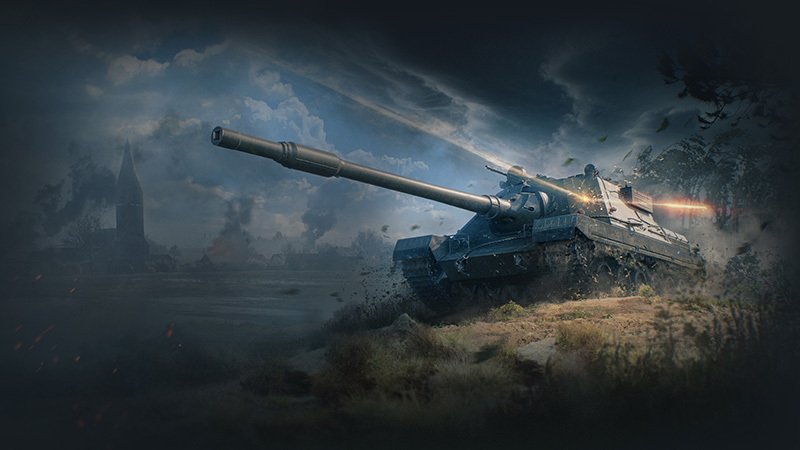
Prepare for the Rolling Thunder event, a unique opportunity to obtain the SDP wz 66 Grom: a powerful Polish Tier VIII Premium tank destroyer with a hefty discount or even without spending money at all!

youtube_16x9_placeholder.gif

EU: October 3, 2024 at 05:00 CEST (UTC+2) through October 14, 2024 at 05:00 CEST (UTC+2)
NA: October 2, 2024 at 20:00 PT | 22:00 CT | 23:00 ET through October 13, 2024 at 20:00 PT | 22:00 CT | 23:00 ET
ASIA: October 3, 2024 at 11:00 (UTC+8) through October 14, 2024 at 11:00 (UTC+8)
Get the Grom with a Raucous Discount—or Without Spending Money!
The Rolling Thunder event runs for 11 full days and consists of 10 stages. Each stage can be conquered either by mastery or by commitment: just complete the corresponding mission. Every Stage you reach adds 10% to your discount on the Grom bundle and gives you additional rewards. Finish the progression and get this thunder on tracks without spending money!

By the Name of Thunder
Grom is Polish for "thunder", and this chariot of war fully deserves the name. Its damage at distances of 50 m or closer is a deafening 800 points: It benefits from close combat even more than its relatives from the Polish tech tree. The SDP wz 66 Grom also possesses adequate mobility and sloped frontal armor, helping it play hit-and-run style.

1e4ec2e9c6bc8b2a31c0c93097aa3488429b7f3e

MORE ABOUT ROLLING THUNDER

Triumph over your enemies, complete Stages, charge up your discount, and roll out into battle riding the thunder!

View the full article

FtoSGs6.pngwv0xQgG.pngcriykUt.gifFtoSGs6.png

Featured Replies

No posts to show

Create an account or sign in to comment

Recently Browsing 0

  • No registered users viewing this page.

Account

Navigation

Search

Search

Configure browser push notifications

Chrome (Android)
  1. Tap the lock icon next to the address bar.
  2. Tap Permissions → Notifications.
  3. Adjust your preference.
Chrome (Desktop)
  1. Click the padlock icon in the address bar.
  2. Select Site settings.
  3. Find Notifications and adjust your preference.