Skip to content
View in the app

A better way to browse. Learn more.

GAMELIFE România

A full-screen app on your home screen with push notifications, badges and more.
To install this app on iOS and iPadOS
  1. Tap the Share icon in Safari
  2. Scroll the menu and tap Add to Home Screen.
  3. Tap Add in the top-right corner.
To install this app on Android
  1. Tap the 3-dot menu (⋮) in the top-right corner of the browser.
  2. Tap Add to Home screen or Install app.
  3. Confirm by tapping Install.

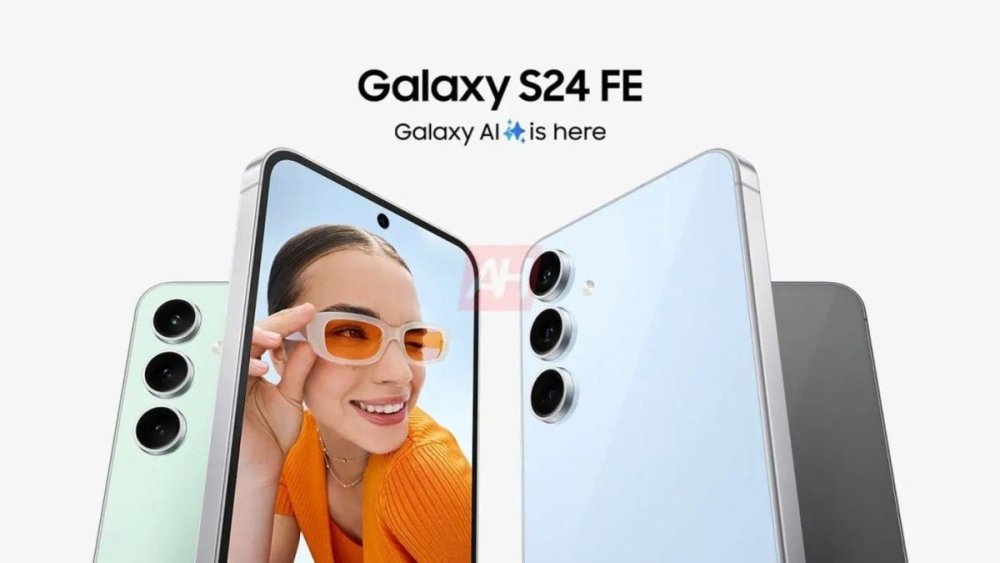
Massive new leak reveals (almost) every single Samsung Galaxy S24 FE secret

  • Administrators

rssImage-f1268c0831627296c0f10638d756030b.jpeg

There are almost no major questions left unanswered about the Galaxy S24 FE, which Samsung is expected to unveil at some point in October at a fairly reasonable price (for a high-end smartphone).

View the full article

„Poveștile bune rămân. Cuvintele potrivite le dau viață.”

Fost redactor Descopera.ro
Fost redactor Descopera.net
Administrator • Jurnalul unui Visător

Canal youtube : https://www.youtube.com/gabytzuspecial

Grup muzica : https://www.facebook.com/groups/muzica2025

Blog personal : https://www.facebook.com/jurnalulunuivisator


Featured Replies

No posts to show

Create an account or sign in to comment

Recently Browsing 0

  • No registered users viewing this page.

Account

Navigation

Search

Search

Configure browser push notifications

Chrome (Android)
  1. Tap the lock icon next to the address bar.
  2. Tap Permissions → Notifications.
  3. Adjust your preference.
Chrome (Desktop)
  1. Click the padlock icon in the address bar.
  2. Select Site settings.
  3. Find Notifications and adjust your preference.