Skip to content
View in the app

A better way to browse. Learn more.

GAMELIFE România

A full-screen app on your home screen with push notifications, badges and more.

To install this app on iOS and iPadOS
  1. Tap the Share icon in Safari
  2. Scroll the menu and tap Add to Home Screen.
  3. Tap Add in the top-right corner.
To install this app on Android
  1. Tap the 3-dot menu (⋮) in the top-right corner of the browser.
  2. Tap Add to Home screen or Install app.
  3. Confirm by tapping Install.

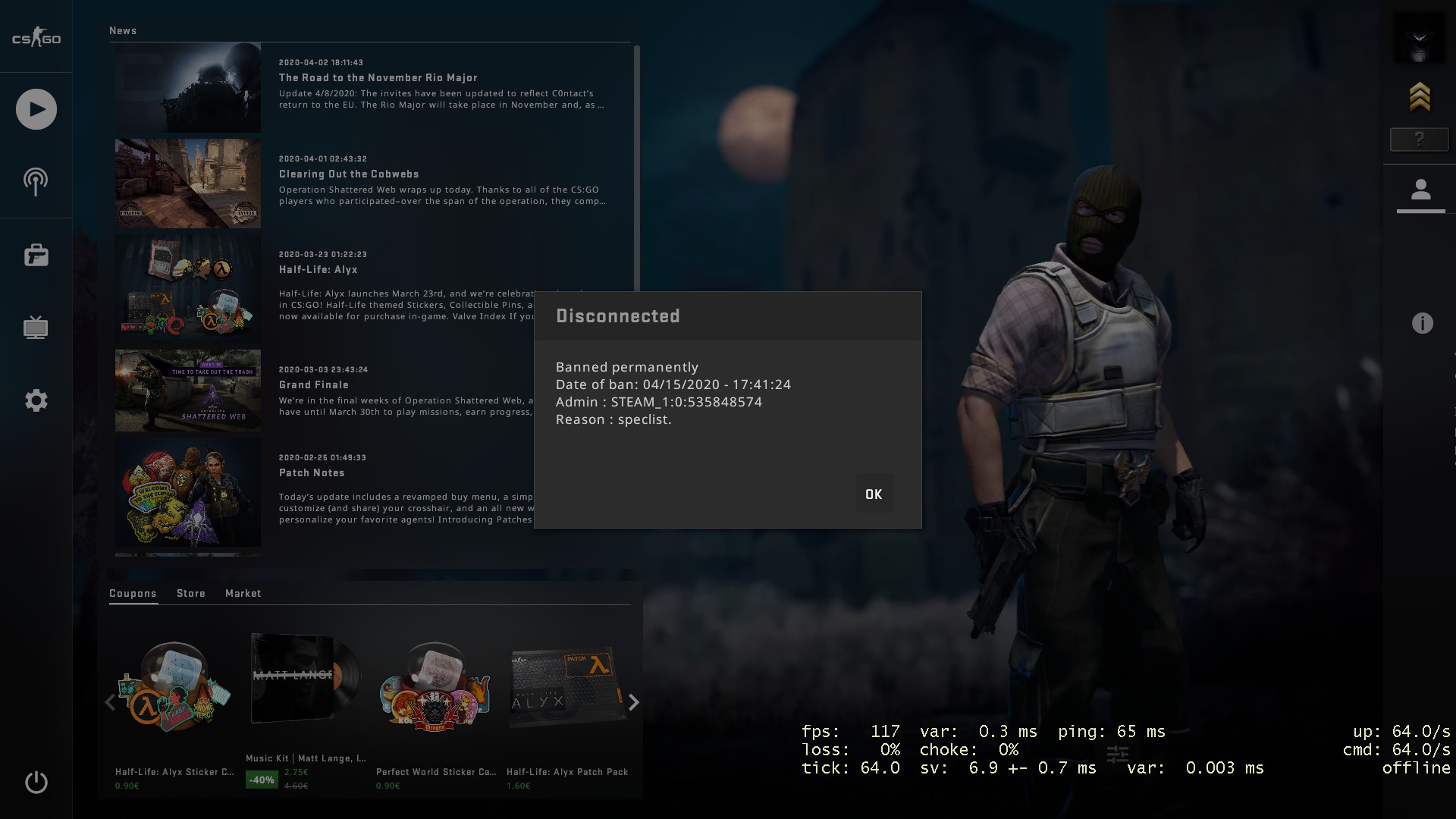
Cerere Unban fr0st

  • Members


Nick-ul tau: fr0st esl.gamelife.ro
SteamID ul tau: STEAM_0:0:0 (asta imi arata la STEAMID Finder)
Link profil STEAM : https://steamcommunity.com/profiles/76561199046819417/
Adminul care te-a banat: Nu stiu
Steam ID numeric al adminului: STEAM_1:0:535848574
Motivul pentru care ai luat ban: Cica speclist dar n am idee dc
Data si ora banului: 04/15/2020 ora 17:41:24
Screenshot: 754E7C370245A30FE9E0B2429B46CF161A118B12

Featured Replies

t.c

1.gif


Guest
This topic is now closed to further replies.

Recently Browsing 0

  • No registered users viewing this page.

Account

Navigation

Search

Search

Configure browser push notifications

Chrome (Android)
  1. Tap the lock icon next to the address bar.
  2. Tap Permissions → Notifications.
  3. Adjust your preference.
Chrome (Desktop)
  1. Click the padlock icon in the address bar.
  2. Select Site settings.
  3. Find Notifications and adjust your preference.