
Iuliana
Content Type
Profiles
Forums
Downloads
Store
Release Notes
Everything posted by Iuliana
-
Euro Truck Simulator 2 Mods | American Truck Simulator Mods | May 14, 2026 SCS Wheels Rework v1.59 ETS2 This mod is a rework of the standard SCS wheels. A total of 125 models have been updated. The most popular (and realistic) wheels, nuts, hubs and hub covers for both trucks and trailers, improved and standardized their material parameters to make them look better. Wheels options: 5 front, 2 rear, 5 trailer with GLOSS, CHROME, PAINT and CUSTOM PAINT* variants. Nuts options: 1 front, 1 rear, 3 trailer with GLOSS, CHROME and PAINT variants. Hubs options: 8 front, 5 rear, 9 trailer with MATTE and PAINT variants. Hub covers options: 2 front, 1 rear, 3 trailer with GLOSS, CHROME and PAINT variants. The CUSTOM PAINT wheels allows you to select 1 color in game, while the other color is white by default. You can change the color of the white part, editing “vehicle/truck/upgrade/wheel/disc/editabl_texture.dds”. Updated for 1.59 game version Credits: Albertoequisyezeta How to install ETS2 mods or ATS Mods In Euro Truck Simulator 2 it’s easy to install mods. You just need to download mod from here, copy/unzip files into: “My Documents\Euro Truck Simulator 2\mod” folder or if you play ATS please install mods to: “My Documents\American Truck Simulator\mod” folder. To unzip files you can use: WinRAR or 7zip. After that you need to activate the mods you want to use. Report bugs in the comments and help modders improve this mod. Always check the comments, you can find a solution. DOWNLOAD MOD View the full article
-
Euro Truck Simulator 2 Mods | American Truck Simulator Mods | May 14, 2026 ALL TRUCKS AT THE DEALER 13 05 2026 v1.0 1.50 1.59 ATS THIS MOD DOESN’T NEED TO EXTRACT PUT IT AS YOU DOWNLOADED IT IN YOUR GAME’S MODS FOLDER OPTION TO PURCHASE ALL OLD TRUCKS TOGETHER WITH THE NEW SCS OPTION TO PURCHASE ELECTRIC TRUCKS Credits: RODONITCHO MODS How to install ETS2 mods or ATS Mods In Euro Truck Simulator 2 it’s easy to install mods. You just need to download mod from here, copy/unzip files into: “My Documents\Euro Truck Simulator 2\mod” folder or if you play ATS please install mods to: “My Documents\American Truck Simulator\mod” folder. To unzip files you can use: WinRAR or 7zip. After that you need to activate the mods you want to use. Report bugs in the comments and help modders improve this mod. Always check the comments, you can find a solution. DOWNLOAD MOD View the full article
-
Euro Truck Simulator 2 Mods | American Truck Simulator Mods | May 14, 2026 550 GALLON FOR ALL TRUCKS 13 05 2026 v1.0 1.50 1.59 ATS THIS MOD DOESN’T NEED TO EXTRACT PUT IT AS YOU DOWNLOADED IT IN YOUR GAME’S MODS FOLDER RECOMMENDED MOD ALL TRUCKS AT THE DEALER ATS BY RODONITCHO MODS 1.0 1.50 1.59 13 05 2026 ADDS 550 US GALLONS (2082 LITERS OF DIESEL) ALL SCS TRUCKS Credits: RODONITCHO MODS How to install ETS2 mods or ATS Mods In Euro Truck Simulator 2 it’s easy to install mods. You just need to download mod from here, copy/unzip files into: “My Documents\Euro Truck Simulator 2\mod” folder or if you play ATS please install mods to: “My Documents\American Truck Simulator\mod” folder. To unzip files you can use: WinRAR or 7zip. After that you need to activate the mods you want to use. Report bugs in the comments and help modders improve this mod. Always check the comments, you can find a solution. DOWNLOAD MOD View the full article
-
Euro Truck Simulator 2 Mods | American Truck Simulator Mods | May 12, 2026 Scania Super Brazilian Style v1.0 ETS2 SCANIA SUPER BRAZILIAN STYLE Brazillian Version Own sounds Own interior Tuning Credits: NEW MODS FREE BRAZIL How to install ETS2 mods or ATS Mods In Euro Truck Simulator 2 it’s easy to install mods. You just need to download mod from here, copy/unzip files into: “My Documents\Euro Truck Simulator 2\mod” folder or if you play ATS please install mods to: “My Documents\American Truck Simulator\mod” folder. To unzip files you can use: WinRAR or 7zip. After that you need to activate the mods you want to use. Report bugs in the comments and help modders improve this mod. Always check the comments, you can find a solution. DOWNLOAD MOD View the full article
-
Euro Truck Simulator 2 Mods | American Truck Simulator Mods | May 12, 2026 Scania Next Gen Sound Pack v1.59 ETS2 This sound pack works on the following models: Scania Next Gen – SCS Software (Game Standard) Scania Next Gen – Eugene Scania Next Gen – Luan Lima Developed to deliver a realistic and immersive experience, with high sound fidelity at all rotations. Comes with DEF file for use on other compatible trucks INSTALLATION AND USE Put the file in the folder Mods Activate in the mod manager Set as top priority Update for 1.59 game version Credits: Rafasound How to install ETS2 mods or ATS Mods In Euro Truck Simulator 2 it’s easy to install mods. You just need to download mod from here, copy/unzip files into: “My Documents\Euro Truck Simulator 2\mod” folder or if you play ATS please install mods to: “My Documents\American Truck Simulator\mod” folder. To unzip files you can use: WinRAR or 7zip. After that you need to activate the mods you want to use. Report bugs in the comments and help modders improve this mod. Always check the comments, you can find a solution. DOWNLOAD MOD View the full article
-
Euro Truck Simulator 2 Mods | American Truck Simulator Mods | May 12, 2026 M12 Vostok – RusMap RC (Aldi) v3.4 ETS2 Mod features: Added M7 Road Connection Connect M12 Vostok to Kolomna Added M5 Road Added Saransk Penza Road REQUIRED MODs: NNmap M12 Vostok 3.0 Rusmap Aldi version Load Order M12 VOSTOK – Rusmap RC (Aldi) NNMap M12 VOSTOK 3.0 RusMap Aldi version Credits: Bozkie How to install ETS2 mods or ATS Mods In Euro Truck Simulator 2 it’s easy to install mods. You just need to download mod from here, copy/unzip files into: “My Documents\Euro Truck Simulator 2\mod” folder or if you play ATS please install mods to: “My Documents\American Truck Simulator\mod” folder. To unzip files you can use: WinRAR or 7zip. After that you need to activate the mods you want to use. Report bugs in the comments and help modders improve this mod. Always check the comments, you can find a solution. DOWNLOAD MOD View the full article
-
Euro Truck Simulator 2 Mods | American Truck Simulator Mods | May 12, 2026 Kazakhstan – Altai Road Connection v1.1 ETS2 Required mods: Altai Map Kazakhstan Map FIX Kazakhstan Map Load Order Put Above Altai and Kazakhstan Map Credits: Bozkie How to install ETS2 mods or ATS Mods In Euro Truck Simulator 2 it’s easy to install mods. You just need to download mod from here, copy/unzip files into: “My Documents\Euro Truck Simulator 2\mod” folder or if you play ATS please install mods to: “My Documents\American Truck Simulator\mod” folder. To unzip files you can use: WinRAR or 7zip. After that you need to activate the mods you want to use. Report bugs in the comments and help modders improve this mod. Always check the comments, you can find a solution. DOWNLOAD MOD View the full article
-
Euro Truck Simulator 2 Mods | American Truck Simulator Mods | May 12, 2026 Kazakhstan – SibirMapFV RC v1.6 ETS2 Mod features: Connect SibirMap and Republic of Kazakhstan Added Atbasar Zhaltyr and Kokshetau Required mods: ibirMap FV 2.12.1 Kazakhstan Map FIX Kazakhstan Map Load Order: Put Above SibirMapFV 2.12.1 and Kazakhstan Map Credits: Bozkie How to install ETS2 mods or ATS Mods In Euro Truck Simulator 2 it’s easy to install mods. You just need to download mod from here, copy/unzip files into: “My Documents\Euro Truck Simulator 2\mod” folder or if you play ATS please install mods to: “My Documents\American Truck Simulator\mod” folder. To unzip files you can use: WinRAR or 7zip. After that you need to activate the mods you want to use. Report bugs in the comments and help modders improve this mod. Always check the comments, you can find a solution. DOWNLOAD MOD View the full article
-
Euro Truck Simulator 2 Mods | American Truck Simulator Mods | May 10, 2026 BMW M8 Competition G16 2022 v3.7 ETS2 Added more color interior Edited the engine Added more interior lights Added a new Dashboard and added more options Changes: Updated to 1.59x Added licence plate Improved the physics and engine Max Speed: 280 KmH Credits: Gaza How to install ETS2 mods or ATS Mods In Euro Truck Simulator 2 it’s easy to install mods. You just need to download mod from here, copy/unzip files into: “My Documents\Euro Truck Simulator 2\mod” folder or if you play ATS please install mods to: “My Documents\American Truck Simulator\mod” folder. To unzip files you can use: WinRAR or 7zip. After that you need to activate the mods you want to use. Report bugs in the comments and help modders improve this mod. Always check the comments, you can find a solution. DOWNLOAD MOD View the full article
-
Euro Truck Simulator 2 Mods | American Truck Simulator Mods | May 10, 2026 Expansion Cargo Add On v090526 ATS Included Modded Trailers Added new loads in for alot of the trailers Cleared some outdated stuff Credits: Dr.PupzEditz.scs How to install ETS2 mods or ATS Mods In Euro Truck Simulator 2 it’s easy to install mods. You just need to download mod from here, copy/unzip files into: “My Documents\Euro Truck Simulator 2\mod” folder or if you play ATS please install mods to: “My Documents\American Truck Simulator\mod” folder. To unzip files you can use: WinRAR or 7zip. After that you need to activate the mods you want to use. Report bugs in the comments and help modders improve this mod. Always check the comments, you can find a solution. DOWNLOAD MOD View the full article
-
Euro Truck Simulator 2 Mods | American Truck Simulator Mods | May 10, 2026 BXP SCS Antarctica 159.0 ETS2 SCS map add-on of Antarctica CONTAINS: Amundsen Scott, Arrival Heights, Discovery Hut, Gondwana, Jang Bogo, Marble Point, Mario Zucchelli, McMurdo, Phoenix Airfield, Scott, Taylor Valley, Vanda Station and Wright Valley FEATURES: the Antarctica continent COMPLETED: various roads and improvements INCOMPLETE: nothing reported DEPENDENCY: no Credits: BXP How to install ETS2 mods or ATS Mods In Euro Truck Simulator 2 it’s easy to install mods. You just need to download mod from here, copy/unzip files into: “My Documents\Euro Truck Simulator 2\mod” folder or if you play ATS please install mods to: “My Documents\American Truck Simulator\mod” folder. To unzip files you can use: WinRAR or 7zip. After that you need to activate the mods you want to use. Report bugs in the comments and help modders improve this mod. Always check the comments, you can find a solution. DOWNLOAD MOD View the full article
-
Euro Truck Simulator 2 Mods | American Truck Simulator Mods | May 10, 2026 Traffic MX for Reforma Map v3.3 ATS – Custom patrol cars configured for each state. – Ambulances and fire trucks with Mexican paintwork. – Improved traffic configuration across the map. US patrol cars and other uncommon vehicles, such as Tesla cars or RVs, will no longer be displayed in Mexico. – The 3D model of the Charger for the police has been improved, and the federal police have been removed, since that corporation no longer exists. – Added typical vehicles seen in Mexico, such as the Jetta, Beatle, Golf, and Amarok. – A Pemex Torton Freightliner M2 tanker truck has been added. – A soft drink Torton Freightliner M2 truck with 5 different paint colors has been added. – A refrigerated Torton Freightliner M2 truck with 9 different paint colors has been added. – A flatbed Torton Freightliner M2 truck has been added. – A dry van Kenworth T370 torton truck with 14 different paint colors has been added. – Added bus irizar i8 – Added 3 new vans – Added bus for Nuevo León area – Added police for Nuevo León area – Added double trailer – Added a dryvan mexican trailer Bug fixes Credits: Marco Mapper How to install ETS2 mods or ATS Mods In Euro Truck Simulator 2 it’s easy to install mods. You just need to download mod from here, copy/unzip files into: “My Documents\Euro Truck Simulator 2\mod” folder or if you play ATS please install mods to: “My Documents\American Truck Simulator\mod” folder. To unzip files you can use: WinRAR or 7zip. After that you need to activate the mods you want to use. Report bugs in the comments and help modders improve this mod. Always check the comments, you can find a solution. DOWNLOAD MOD View the full article
-
Euro Truck Simulator 2 Mods | American Truck Simulator Mods | May 10, 2026 SiSLs Trailers Pack v1.59 ETS2 More than 700 real company skins High quality textures, clear logos and detailed materials for all types of trailers Integration with AI traffic – trailers naturally appear in the traffic flow Support for own trailers A variety of cargo – dry vans, refrigerated trucks, tanker trucks and much more Optimized 3D models Tested for 1.59 game version Credits: SiSL How to install ETS2 mods or ATS Mods In Euro Truck Simulator 2 it’s easy to install mods. You just need to download mod from here, copy/unzip files into: “My Documents\Euro Truck Simulator 2\mod” folder or if you play ATS please install mods to: “My Documents\American Truck Simulator\mod” folder. To unzip files you can use: WinRAR or 7zip. After that you need to activate the mods you want to use. Report bugs in the comments and help modders improve this mod. Always check the comments, you can find a solution. DOWNLOAD MOD View the full article
-
Euro Truck Simulator 2 Mods | American Truck Simulator Mods | May 9, 2026 House south of Östersund v2.1 1.59 ETS2 House south of Östersund. At this house you can rest. Its a very luxerious house with a road leading up to it that also fully made by me. This is a Standalone Scs Addon. Because the house is surrounded by lakes its perfect for pictures! Compatibility 1.59 Credits: Lars Geveke How to install ETS2 mods or ATS Mods In Euro Truck Simulator 2 it’s easy to install mods. You just need to download mod from here, copy/unzip files into: “My Documents\Euro Truck Simulator 2\mod” folder or if you play ATS please install mods to: “My Documents\American Truck Simulator\mod” folder. To unzip files you can use: WinRAR or 7zip. After that you need to activate the mods you want to use. Report bugs in the comments and help modders improve this mod. Always check the comments, you can find a solution. DOWNLOAD MOD View the full article
-
Euro Truck Simulator 2 Mods | American Truck Simulator Mods | May 9, 2026 Iveco Sway engine sound v1.0 1.59 ETS2 This mod adds the realistic engine sound of an Iveco Sway to the game. Recorded with the help of my friend Alex, it gives a realistic experience with the Iveco Sway. You have two mods to choose from. The ONLY difference is the “bip” sound in the interior view when you start the truck that comes with the 2019 version, and the blinker sounds that are different. The rest of the sound is the same: engine, accessories, etc… Version 1.0 Recorded myself with my Zoom H5 recorder. This engine sound mod is realistic; it also includes the sounds of the interior truck, like Windows sounds, sticks, blinkers, wipers, switches, horn, air brakes/gears sounds. It also works in multiplayer (convoys). Credits: kriechbaum How to install ETS2 mods or ATS Mods In Euro Truck Simulator 2 it’s easy to install mods. You just need to download mod from here, copy/unzip files into: “My Documents\Euro Truck Simulator 2\mod” folder or if you play ATS please install mods to: “My Documents\American Truck Simulator\mod” folder. To unzip files you can use: WinRAR or 7zip. After that you need to activate the mods you want to use. Report bugs in the comments and help modders improve this mod. Always check the comments, you can find a solution. DOWNLOAD MOD View the full article
-
Euro Truck Simulator 2 Mods | American Truck Simulator Mods | May 9, 2026 Overweight Trailers and Cargo Pack by Jazzycat v11.10.3 ETS2 Pack adds in game 53 new models of overweight and flatbed trailers (different trailers by Fliegl, Wielton, Kassbohrer, Krone, Goldhofer, Nooteboom, HRD, Estepe, Langendorf, Galtrailer, Chmzap, Maz, Nefaz and others), 341 new cargo, 110 traffic trailers. New cargo added to companies for all popular maps. All standalone. Works on any maps. For version 1.59.x Compatible with all my packs, except trailers and cargo pack. Included english and russian localization. If you want overweight trailers in traffic put in mod folder file: overweight_trailers_and_cargo_pack_by_Jazzycat_traf.scs Attention! This pack is part of my Trailers and cargo pack. Don’t use them together! Version 11.10.3 – compatibility update for patch 1.59.x Credits: Jazzycat How to install ETS2 mods or ATS Mods In Euro Truck Simulator 2 it’s easy to install mods. You just need to download mod from here, copy/unzip files into: “My Documents\Euro Truck Simulator 2\mod” folder or if you play ATS please install mods to: “My Documents\American Truck Simulator\mod” folder. To unzip files you can use: WinRAR or 7zip. After that you need to activate the mods you want to use. Report bugs in the comments and help modders improve this mod. Always check the comments, you can find a solution. DOWNLOAD MOD View the full article
-
Euro Truck Simulator 2 Mods | American Truck Simulator Mods | May 9, 2026 Motorcycle Traffic Pack by Jazzycat v6.5.16 ETS2 Pack adds in traffic 95 motorcycles: BMW S1000RR(’09, ’15), K1200S, HP2 Honda CB600 Hornet, CB500, CBR250R, CBR1000RR, Shadow RS, CB750F, XR125, CBR650R, PCX, Gold Wing GL, Shadow Phantom, CMX500 Rebel, Interstate, Monkey 125, Forza 300, CRF1000L Africa Twin, RF250L Rally Ducati 999, 1199, Monster 1200, XDiavel, Supersport, Multistrada, 848 Evo, Monster S4, Desmosedici RR, 1000SS, 1098, Diavel, Scrambler, Monster S4, Hypermotard Kawasaki Ninja 300, ZX-10R, ZX-12R, ZX-14R, Z800, 1400GTR, VN2000 Vulcan, Z750, Z1000, VN900 Vulcan, KLX250 Triumph Speed Triple, Bonneville Aprilia Tuono V4, RSV4, Dorsoduro KTM 1290 Super Duke GT, 1190 RC8, 690 Duke, 1290 Super Adventure, 790 Duke, 690 SMC R Husqvarna 701 Supermoto, Vitpilen 701 MBK Nitro MV Agusta Brutale, F4 MZ Mastiff Suzuki Hayabusa, GSX-R750, Boulevard M109R, RG250 Gamma Yamaha MT-10, YZF-R6, YZF-R1, YFZ-R3, Midnight Star, VMax, XMax, Vino, XJ6, XT660, FZ8 Benelli Tornado Naked Tre R160 Lauge Jensen Viking Piaggio Vespa 946 Lightning LS218 Indian Chieftain Harley Davidson Fat Boy Lo, FXSTC Softail Custom, Heritage Classic, Road Glide, FXSTB Softail Night Train, Iron 883, Night Rod Special All standalone, works on any maps. Compatible with all my packs. For version 1.59.x Included two versions: for use only with default traffic and for use with my AI pack. You must have in mod folder two files: motorcycle_traffic_pack_by_Jazzycat.scs and motorcycle_traffic_pack_by_Jazzycat_def.scs (only with default traffic) or motorcycle_traffic_pack_by_Jazzycat_jaz.scs (with my AI pack) Version 6.5.16 – compatibility update for patch 1.59.x Credits: Jazzycat How to install ETS2 mods or ATS Mods In Euro Truck Simulator 2 it’s easy to install mods. You just need to download mod from here, copy/unzip files into: “My Documents\Euro Truck Simulator 2\mod” folder or if you play ATS please install mods to: “My Documents\American Truck Simulator\mod” folder. To unzip files you can use: WinRAR or 7zip. After that you need to activate the mods you want to use. Report bugs in the comments and help modders improve this mod. Always check the comments, you can find a solution. DOWNLOAD MOD View the full article
-
Euro Truck Simulator 2 Mods | American Truck Simulator Mods | May 9, 2026 Oberhavel Map v1.7.3 1.59 ETS2 Changelog ETS 1.59 – 1.7.3 Update 1.59 Oberhavel is a district in the north of Berlin. The map mod includes two towns: Velten has four businesses, two gas stations, a garage, and a workshop with its own house. Germendorf in the industrial area with two businesses and a workshop. Doesn’t work with the construction mod / Baustellen Mod This version is not ProMods compatible Credits: Kimble How to install ETS2 mods or ATS Mods In Euro Truck Simulator 2 it’s easy to install mods. You just need to download mod from here, copy/unzip files into: “My Documents\Euro Truck Simulator 2\mod” folder or if you play ATS please install mods to: “My Documents\American Truck Simulator\mod” folder. To unzip files you can use: WinRAR or 7zip. After that you need to activate the mods you want to use. Report bugs in the comments and help modders improve this mod. Always check the comments, you can find a solution. DOWNLOAD MOD View the full article
-
Euro Truck Simulator 2 Mods | American Truck Simulator Mods | May 8, 2026 RusMap v2.59 ETS2 List of changes in version 2.59: Adaptation for patch 1.59. Without territorial changes. Fixed errors in the previous version. Description: Cities in Russia: Lyuban, Kirovsk, Bryansk, Valdai, Velikiye Luki, Veliky Novgorod, Velizh, Volokolamsk, Vyshny Volochok, Vyazma, Kaluga, Klin, Moscow, Nevel, Obninsk, Ostashkov, Porkhov, Rzhev, Roslavl, Smolensk, Tver, Kholm, Yukhnov, Tula, Kursk, Orel, Voronezh, Kolomna, Tambov, Borisoglebsk, Volgograd, Volzhsky, Krasnoslobodsk, Saratov, Engels, Lodeynoye Pole, Petrozavodsk, Medvezhyegorsk, Kem, Zelenoborsky, Sortavala, Priozersk, Suoyarvi, Tosno, Razmetelyevo, Murmansk, Monchegorsk, Kandalaksha, Segezha, Alakurtti, Kolpino, Kola, Khimki, Vitino. Cities in the Republic of Belarus: Cities in the Republic of Belarus: Baranovichi, Bobruisk, Brest, Vitebsk, Gomel, Minsk, Mogilev, Mozyr, Mstislavl, Orsha, Pinsk, Slutsk, Lida, Grodno, Slonim, Volkovysk, Polatsk, Glubokoe. Roads in Russia: M11, P208, P209, 86K-3, A101, A108, A111, A116, A119, A120, A123, A141, A144, A240, E20, M2, M4, M3, M5, M9, M10, M20, P21, P39, P47, P48, P50, P51, P57, P87, P89, P108, P115, P132, P228, P-236, P-298. Roads in the Republic of Belarus: M2, M4, M5, M8, M10, M11, P4, P15, P17, P21, P23, P26, P43, P96, P112. Supported game versions: Game version: 1.59 + DLC Going East! + DLC Scandinavia + DLC “Beyond the Baltic Sea” + DLC “Italia” + DLC “Vive la France” + DLC “Road to the Black Sea” + DLC “Iberia + DLC West Balkans” Compatibility with third-party modifications: ProMods Map Roextended Map SibirMap Southern Region Map Volga Map Credits: aldim@tor, Sergey061, Schura774, dimon_26, geohotin, Sezu How to install ETS2 mods or ATS Mods In Euro Truck Simulator 2 it’s easy to install mods. You just need to download mod from here, copy/unzip files into: “My Documents\Euro Truck Simulator 2\mod” folder or if you play ATS please install mods to: “My Documents\American Truck Simulator\mod” folder. To unzip files you can use: WinRAR or 7zip. After that you need to activate the mods you want to use. Report bugs in the comments and help modders improve this mod. Always check the comments, you can find a solution. DOWNLOAD MOD View the full article
-
Euro Truck Simulator 2 Mods | American Truck Simulator Mods | May 8, 2026 Realistic Weather System V2.6 (1.57-1.59) ATS Features: Compatible To Work With ATS Game Version 1.59 10 realistic and unique types of Rain & Thunder intensities. Realistic Thunderstorm probability. Realistic Rain probabilities respecting geographical locations. Realistic Rain & Thunder intensities for summer weather patterns in United States. Realistic Rain & Thunder intensities for skybox configuration. Realistic slipperiness of roads. Realistic wind speed. Realistic simulation of different types of precipitation and thunderstorms: light/moderate/heavy rain, light/heavy showers, light/moderate/severe thunderstorm. More raindrops on windshield. Realistic size of raindrops. Realistic physics of raindrops. Minimize effect of rain streaks. WARNING: This mod is NOT compatible with Graphics mods and Seasons Grimes mods. Recommended Rain Probability: 18% Credits: Lionv8 How to install ETS2 mods or ATS Mods In Euro Truck Simulator 2 it’s easy to install mods. You just need to download mod from here, copy/unzip files into: “My Documents\Euro Truck Simulator 2\mod” folder or if you play ATS please install mods to: “My Documents\American Truck Simulator\mod” folder. To unzip files you can use: WinRAR or 7zip. After that you need to activate the mods you want to use. Report bugs in the comments and help modders improve this mod. Always check the comments, you can find a solution. DOWNLOAD MOD View the full article
-
Euro Truck Simulator 2 Mods | American Truck Simulator Mods | May 8, 2026 PROFILE DAF XF SPECIAL EDITION FENATRAN 2024 GUSTAVO SIEBEL 08 05 2026 v1.0 1.59 ETS2 PROFILE DAF XF SPECIAL EDITION FENATRAN 2024 GUSTAVO SIEBEL BY RODONITCHO MODS 1.0 1.59 08 05 2026 GARAGES 234 TRUCKS 50 DRIVERS 50 TRAILERS 00 MONEY 17.505.744 EUROS MAP EXPLORED 100.00% CITIES 274/274 COUNTRIES 35/35 DEALERS 143/143 RECRUITMENT AGENCY 135/135 PARKING SPACES AVAILABLE IN GARAGES 1170 MAIN GARAGE IAȘI LEVEL 39 (163.282 EXP) ROADS EXPLORED 190.544 KMS TOTAL DISTANCE TRAVELED 0 KMS Credits: GUSTAVO SIEBEL, RODONITCHO MODS How to install ETS2 mods or ATS Mods In Euro Truck Simulator 2 it’s easy to install mods. You just need to download mod from here, copy/unzip files into: “My Documents\Euro Truck Simulator 2\mod” folder or if you play ATS please install mods to: “My Documents\American Truck Simulator\mod” folder. To unzip files you can use: WinRAR or 7zip. After that you need to activate the mods you want to use. Report bugs in the comments and help modders improve this mod. Always check the comments, you can find a solution. DOWNLOAD MOD View the full article
-
Euro Truck Simulator 2 Mods | American Truck Simulator Mods | May 8, 2026 Realistic Weather System V2.6 (1.57-1.59) ETS2 Features: – Compatible To Work With ETS2 Game Version 1.58 and 1.59. – 10 realistic and unique types of Rain & Thunder intensities. – Realistic Thunderstorm probability. – Realistic Rain probabilities respecting geographical locations. – Realistic Rain & Thunder intensities for summer weather patterns in Europe. – Realistic Rain & Thunder intensities for skybox configuration. – Realistic slipperiness of roads. – Realistic wind speed. – Realistic simulation of different types of precipitation and thunderstorms: light/moderate/heavy rain, light/heavy showers, light/moderate/severe thunderstorm. – More raindrops on windshield. – Realistic size of raindrops. – Realistic physics of raindrops. – Minimize effect of rain streaks. WARNING: This mod is NOT compatible with Graphics mods and Seasons Grimes mods. Recommended Rain Probability: 18% Rain and thunderstorm probabilities are based on real, accurate data and adjust based on ongoing climate change for certain regions. Credits: Lionv8 How to install ETS2 mods or ATS Mods In Euro Truck Simulator 2 it’s easy to install mods. You just need to download mod from here, copy/unzip files into: “My Documents\Euro Truck Simulator 2\mod” folder or if you play ATS please install mods to: “My Documents\American Truck Simulator\mod” folder. To unzip files you can use: WinRAR or 7zip. After that you need to activate the mods you want to use. Report bugs in the comments and help modders improve this mod. Always check the comments, you can find a solution. DOWNLOAD MOD View the full article
-
Euro Truck Simulator 2 Mods | American Truck Simulator Mods | May 8, 2026 RENAULT KERAX TRACTOMAS 8X8 v4.0 1.59 BY RUSSIANGUY ETS2 RENAULT KERAX TRACTOMAS 8X8 v4.0 WARNING: DEACTIVATE THIS MOD WHEN YOU DON’T USE IT! MULTI AXLE FLATBED TRAILER 10 AXLES v3.0 RECOMMENDED TO WORK WITH THIS TRUCK. v4.0 CHANGELOG: Adaptation to ETS2 1.59.x. Updated def files. Fixed the missing front grill. v3.0 CHANGELOG: Adaptation to ETS2 1.55.x Adjusted interior shadows. Adusted u.i. shadow intensity. Some changes to the steering & brakes configuration files. v2.1 CHANGELOG: Adaptation to ETS2 1.51.x Added a new interior shadows feature. v2.0 CHANGELOG: Fixed brakes. Fixed collisions. Fixed cabin parts. Adjusted wheel particles. Removed unused files. v1.1 CHANGELOG: Corrected axles (no more game crashes). Corrected the wheels on the truck dealer. Deleted obsolete attributes. Deleted all unnecessary files. Standalone model. Corrected shadows. And many more…. Clean gamelog! Credits: RussianGuy, Nicolas, ZCLLL How to install ETS2 mods or ATS Mods In Euro Truck Simulator 2 it’s easy to install mods. You just need to download mod from here, copy/unzip files into: “My Documents\Euro Truck Simulator 2\mod” folder or if you play ATS please install mods to: “My Documents\American Truck Simulator\mod” folder. To unzip files you can use: WinRAR or 7zip. After that you need to activate the mods you want to use. Report bugs in the comments and help modders improve this mod. Always check the comments, you can find a solution. DOWNLOAD MOD View the full article
-
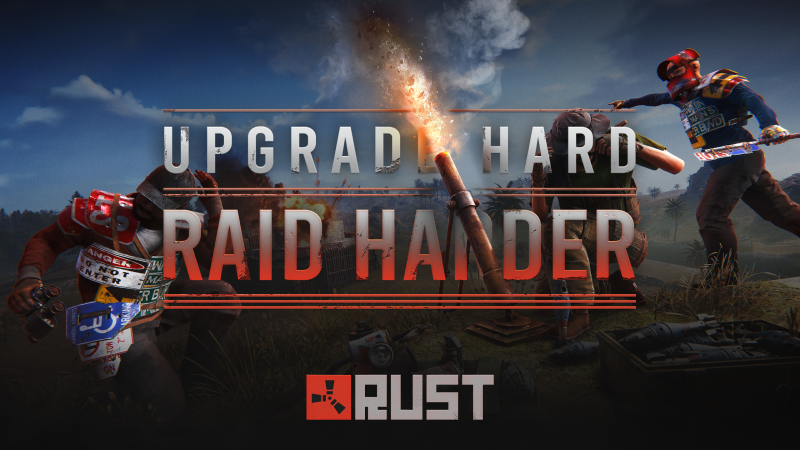
WORKBENCH UPGRADES Workbenches have received a whole new upgrade system - along with nine upgrades to find and customise your benches with! Each upgrade provides a different bonus effect, and you can mix and match them to find your favourite combos. These upgrades are not craftable and will not be commonly found, so keep them safe! Open the workbench's inventory to add your upgrades. They each have their own visual, which will alter the way the workbench looks. If you get lucky and collect 'em all, you'll have a fully upgraded workbench - both in terms of bonuses and visuals! MORTAR We're adding a new anti-personnel/raiding deployable weapon: Mortar! Functionally really similar to cannons, but is instead placed on flat land and allows for launching projectiles over long distances. Firing a mortar requires mastery through trial & error as there is no visual guide to help you land shells exactly where you want them. Instead, you'll need to pair it with binoculars to estimate how high to aim the mortar for it to land on your target. To prevent repeated shots, the mortar has recoil that slightly bumps the mortar up on every shot, as well as a small inaccuracy that changes how far each shell lands. You can choose between two mortar shells, one aimed to deal high damage to players while the other focuses on destroying structures. TIN CAN ALARM CHANGES The tin can alarm is getting a small update. You can now trap them with a bunch of different items. How it operates has not changed, crossing its wire will trigger the trap and cause a loud clatter, alerting anyone nearby to your presence. And you can deploy it anywhere from your base to inside monuments. Use it strategically to cover access points and defend your positions. When triggered, it'll throw the loaded item in place. It supports: F1 Grenade Molotov Bee Grenade Beancan Grenade Flashbang Smoke Grenade Supply Signal Flare Firecrackers Watch your step! VENDING MACHINE UI REFRESH The vending machine UI was in need of a refresh and some improvements. We've totally redesigned the administration page and given the purchase page a new lick of paint. The new administration page comes with a few features: being able to quickly setup vending orders via its in built inventory, selling skins individually, and being able to reorder your existing sell orders without deleting and recreating them. CRYPT STONE BUILDING SKIN We’re launching a new much-requested building skin to the permanent store this month; the Crypt stone building skin. Available now from the Rust store, this building skin allows you to change the visuals of your stone tier base. Your new home for eternity, or at least the next wipe. Purchasable from the in-game store or Steam item store. NOTABLE CHANGES Computer Station now requires powerTime to put that power supply to use Grenade throw consistencyFixed some issues with 3rd person grenade throw animations Floating City VendorFloating City Boat Vendor now sells modular boat parts to get you back on your feet if you lose your boat (and a cheaper DPV too!) Monument Building RadiusMonuments which feature multiple no build zones now correctly display each one Monument Road SignsRoad signs are now correctly spawning in Outpost, Junkyard and Water wells Boat Bow DragDrag has been greatly increased for boats with a flat bow. Build accordingly DISCORD X RUST SHOP Starting today (May 7th), we’re launching the official Rust Shop directly inside Discord. We’re actually only the second game to do this (shoutout to the Marvel Rivals team for going first), and the goal is pretty simple: making it easier to grab the skins and DLC you want, while you’re already hanging out with your team, browsing the goods right where you coordinate your raids. To get things moving, we’re running a launch celebration for the first two weeks. From May 7th to May 21st, every single piece of Steam Item Store DLC released before 2026 will be 20% off. If you’ve been eyeing that specific building skin or hazmat suit for the last year, this is the time to snag it - or gift it to that special team mate. It’s pretty seamless - anything you buy through the Discord Shop links straight to your Steam inventory. You can find the shop via our Official Discord or through the Discord Shop. Check it out and let us know what you think in the #feedback channels! RESKINNING DLC BARRELS We've now released several variants of the horizontal and vertical storage barrels but due to the fact that they don't have a common vanilla item (as opposed to something like the Tool Cupboard skins) they weren't compatible with the Spray Can/Repair Bench for swapping the skin. We've fixed that this month, allowing you to freely swap between the barrel skins. This will also be fixed for future versions of other DLC items we've released (eg. single and half height shelves). NEW ACHIEVEMENTS We're adding a new set of achievements related to the recent Naval Update. There are plenty of easy ones you should be able to get by just exploring the deep sea, as well as some more complicated hidden achievements that are a lot rarer in comparison - but should still come up within normal play. Can you spot them all? FIX HELD ANIMATIONS STOPPING EARLY There has been a longstanding issue where if a player uses the last item in a stack, the viewmodel and player animations for using that item will stop immediately upon the item having been spent. Without affecting the timing of when items are determined to have been used (as changing this would have gameplay/balance implications), we now have a means of setting up animations to stick around after the item has been spent so they can be play out nicely before stopping. This has been applied to all grenade types, as well as the bandage and medical syringe, and will be applied to the other held items over time. SERVER BROWSER UPDATE We've made some changes to the server browser. It was possible in the past for server owners to be able to spoof ping information through various means. This would make servers show lower in ping that were actually higher in ping to you, possibly picking a server which would end up feeling laggy when your intention was to pick a local server. We're rolling out a new system: country mapping. Based on the servers IP we get an estimate of what country the server is in, as well as its coordinates. We use those coordinates to sort servers close to you. This means that servers can no longer spoof where they are located. For the above system to work we also need to estimate where you are located (in order to show your servers nearby). This is located at the top left of the play menu and can be overridden by you. This override is saved between sessions if you'd rather have it done manually. BINOCULAR REFRESH Binoculars have had a whole refresh! The model, animations and UI have all been updated to feel more modern. Right click to peer through the binoculars and Left click to cycle the three zoom levels. And it pairs nicely with the new mortar! Crafting cost has been reduced too! SALVAGED CLEAVER REMAKE Last month we revisited the Salvaged Axe, with a full visual and animation overhaul. This month, we’ve given the same treatment to another legacy favourite — the Salvaged Cleaver ! The Salvaged Cleaver has received a complete remake, featuring a brand-new high-quality 3D model, updated HD textures, and an entirely new animation set. The result is a weapon that looks like it was lovingly rebuilt from junk… and still very much wants to live in your enemies’ ribs. NEW WORKSHOP SKINNABLE: ELECTRIC FURNACE This month’s workshop skinnable is the Electric Furnace There are so many possibilities with skins for this item, especially as it lights up. We can’t wait to see what the community cooks up! To make your own Electric Furnace skin, head over to the in-game workshop and locate the Electric Furnace deployable item. From there, you can download the model file and add your own materials. TWITCH RIVALS - BASE INVADERS Twitch Rivals - Base Invaders is back! Watch and earn an exclusive Twitch Rivals HMLMG skin for one day only! This drop will be tied to the Twitch Rivals channel and only active during the broadcast window. 20 teams of 5 will battle it out, while 5 general Twitch Drops are available for 5 days only! Drops start: May 13th - 11AM PT/ 2PM ET/ 7PM BST Drops end: May 18th - Midnight PT / 3AM ET / 8AM BST Connect your accounts to claim your drops! https://twitch.facepunch.com/ PERFORMANCE: BATCHED PLAYER PROCESSING Removal of UsePlayerUpdateJobs 0/1Last update I mentioned that I was planning to remove old player processing code. The vanilla (UsePlayerUpdateJobs 0) and our first version of batching (Jobs 1) mode code has been removed. You can still set UsePlayerUpdateJobs to lower than default 2, but it won't have any effect and it'll run as if it's set to 2. UsePlayerUpdateJobs 3 still experimentalThis patch we've made a couple bug fixes and tweaks that should both reduce number of garbage allocated for creating tasks every frame (our fork of UniTask can now reliably pool internals) and improved scheduling of physics queries for our server-side player checks. We're going to be switching some of our servers for Jobs 3 mode and seeing how they run over next month. If it holds, we'll promote it to default. Going forwardAlongside above, we're also working on eliminating some of the bottlenecks that prevent us from more heavily relying on parallelization: The way our Pool is implemented causes a lot of contention on a singular lock - I'd like to ship an improvement in Jobs 3 We still have a lot of player state that's stored in a way that prevents us from converting to Burst code and having to run recaching logic every frame - it would be gradually completed in Jobs 3 and future modes We need to find a way to make entity saving multithreading safe (which means no Unity API calling) - hoping to tackle for Jobs 4 We're slowly getting to the point where player processing is not the slowest part of the server workload. I'd like to squeeze out as much benefit as I can while it's still worthwhile before moving to the next big server performance problem. DEEP SEA LOOT BALANCE We've reduced the amount of loot you can find in the Deep Sea. Loot found in that side of the map was a little too generous compared to the other monuments and areas in the game. However, Scientist boats will also have less guns overall. WINDOWS SERVER 2016 EOL ANNOUNCEMENT We are currently in the process of upgrading to Unity 6. This means Windows Server 2016 / Windows 8 and older will no longer be supported. The minimum required version will be Windows Server 2019 / Windows 10 Version 21H1 (Build 19043) or newer. From our metrics none of our players are still on Windows 7 or Windows 8, so we aren't concerned about that. However, we suspect some server hosts are still running Windows Server 2016. If you run a Rust server, consider this the first and final notice that you need to upgrade to at least Windows Server 2019 by the end of the month. Vezi articolul complet

-
Euro Truck Simulator 2 Mods | American Truck Simulator Mods | May 6, 2026 Realistic Graphics Mod 1.59 ETS2 Update for game version 1.59 New realistic skies Realistic rain intensity Realistic rain textures Realistic tree textures Realistic road textures Realistic mountain textures Complete weather system Realistic rain Realistic rain intensity More than 10 levels of rain intensity Multiple fog intensities Realistic weather with fog Realistic rain effects Realistic rain sounds Realistic thunder sounds (more than 40 high-quality sounds) Realistic thunder sounds like this Credits: trainguy_modding How to install ETS2 mods or ATS Mods In Euro Truck Simulator 2 it’s easy to install mods. You just need to download mod from here, copy/unzip files into: “My Documents\Euro Truck Simulator 2\mod” folder or if you play ATS please install mods to: “My Documents\American Truck Simulator\mod” folder. To unzip files you can use: WinRAR or 7zip. After that you need to activate the mods you want to use. Report bugs in the comments and help modders improve this mod. Always check the comments, you can find a solution. DOWNLOAD MOD View the full article